Best Poker HUD 2026: My Honest Take After 8 Years of Grinding
Three HUDs dominate 2026: PokerTracker 4, Hold'em Manager 3, DriveHUD 2. I've used all three at NL200-500 for years. Here's which one earns its keep.
Best Poker HUD 2026: My Honest Take After 8 Years of Grinding
I'll start with a confession. Last December I tried to play a session without my HUD. The site I was on had a connection issue with my tracker and I figured, "Whatever, I've been playing 4-tabling NL200 for years, I don't need stats to beat regs I see every day." Two hours later I was down 1.5 buy-ins and I'd flatted a 3-bet OOP with 78s against a guy I should have known runs 4% 3-bet from the small blind. He had a hand. I had nothing. I lost a stack.
The HUD didn't lose me that pot. The lack of it did.
This is what nobody tells beginners about HUDs. The value isn't in the cool numbers floating above each player. It's in the moments where you would have made a default-correct play but instead you make a context-correct play because you have data. Multiplied by tens of thousands of hands, that's a real winrate boost. At the stakes where I play, it's the difference between break-even and 4bb/100.
I've used all three major HUDs in 2026 — PokerTracker 4, Hold'em Manager 3, and DriveHUD 2 — extensively, for at least a year each. I've also dabbled with Hand2Note when it was free-tier-only. This isn't a feature checklist comparison. This is me telling you which one I'd put on a new computer tomorrow if I were starting over, and which one I'd buy if I were just getting into tracking my play.
Spoiler: there's no single winner for everyone. The right HUD depends on what site you play, what stakes you're at, what OS you're on, and how much you actually care about post-session analysis vs in-game stats. Let me walk through it.
The Real Question Isn't "Which HUD" — It's "What Do You Need It For"
Before I get into specific reviews, the most important thing to understand is that "HUD" is doing two jobs at once.
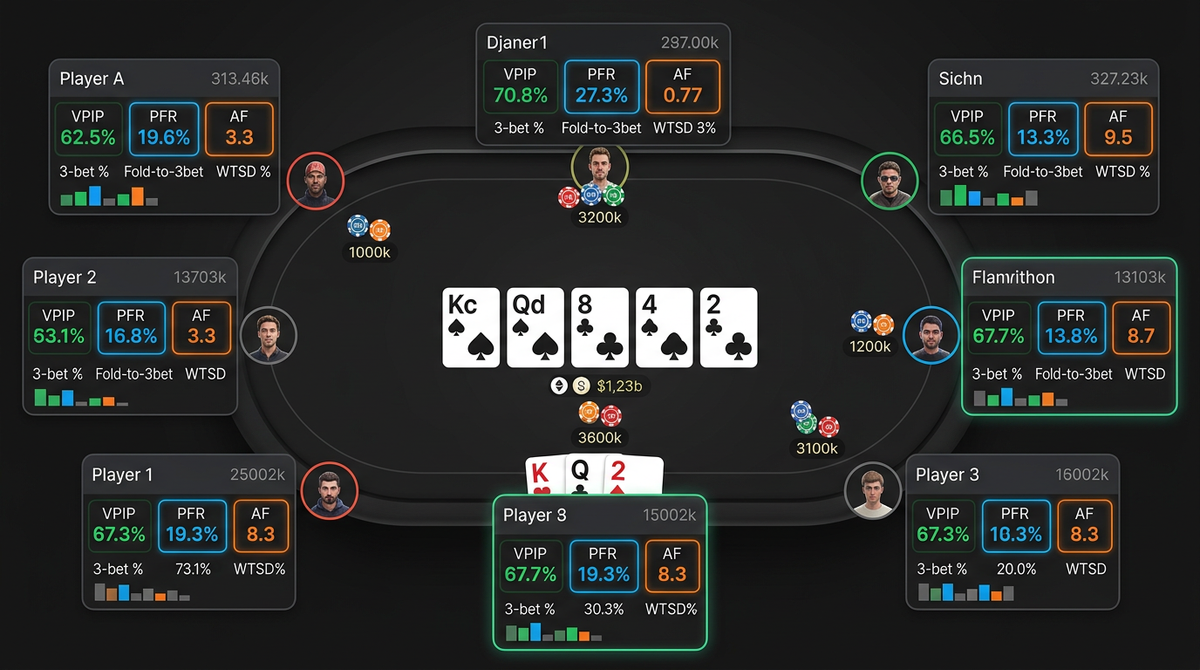
Job one: showing you stats on opponents during play. VPIP, PFR, 3-bet, fold-to-cbet, fold to 3-bet, the standard stuff. This is the in-game value. It's what people picture when they think of a HUD.
Job two: storing your hands in a database so you can review them after the session. Filter for "all hands where I 3-bet from the BB," click through them, see which ones you misplayed. This is where most of your improvement actually happens.
The three HUDs do both jobs, but they're not equal at both. PokerTracker 4 is, in my opinion, the best at job two. The filtering and analysis tools are deeper, the report generation is more flexible, and you can slice your database in more ways. Hold'em Manager 3 is excellent at job one — the in-game popups and stat displays feel slightly snappier, and the customization is a hair more flexible. DriveHUD 2 is the budget option that does both jobs adequately if you primarily play on Bovada/Ignition where the other two have problems.
If you mostly want a HUD to make in-game reads, lean HM3. If you mostly want a database to study from, lean PT4. If you play on poker sites that don't natively expose hand histories — looking at you, Bovada — you basically have no choice but DriveHUD 2.
PokerTracker 4: The One I Actually Use
Let me get this out of the way: I've been using PokerTracker 4 since 2019. Stick with anything for that long and you develop loyalty that's hard to fully separate from objective evaluation. With that bias declared, here's my honest take.
The price in 2026 is still $99.99 one-time for the holdem version. That hasn't changed in years. You buy it, you own it, and you get free updates within the version. There's no subscription. For a serious player this is the best value in poker software, full stop.
What PT4 does best is database analysis. The filter system is incredibly granular — you can filter for "hands where I was OOP in a 3-bet pot, faced a turn cbet on a paired board, and folded" and get a clean list in seconds. The report builder lets you create custom views you can save and rerun. You can compare your stats against your own past stats, against site averages, against specific opponents.
The HUD itself is good but not flashy. The default popups are functional. You'll want to customize them — almost everyone runs a custom HUD config that's been refined over time, and PT4 makes that easy. There's a strong community of people sharing config files for free.
The interface is showing its age. It looks like software from 2014, because it kind of is. The team adds features but doesn't redesign. If you care about a slick UI, PT4 will frustrate you. If you care about depth and stability, you'll love it.
The site coverage in 2026 is good but not perfect. PokerStars, GG Network, partypoker, Winamax, 888 — all fine. Bovada/Ignition — not supported, never will be. Some smaller sites may need workarounds.
Performance-wise, PT4 handles big databases well. I have 4+ million hands in mine and it still runs reports in under a second. Memory footprint is reasonable. The hand replayer is fine, not amazing.
What I don't like: the chart customization for graph views is limited. The note-taking is functional but basic. There's no built-in solver integration like some newer tools have. If you want to launch hands directly into GTO Wizard or GTO Lab, you have to do it manually.
Hold'em Manager 3: The Pretty One
Hold'em Manager 3 launched a few years ago after the original HM2 had aged out, and the team rebuilt the whole thing. The result is the prettiest, most modern-feeling HUD on the market. It also costs $99 one-time, same as PT4.
What HM3 does well: the in-game HUD is genuinely better than PT4's out of the box. The default layouts are smarter, the popups are more readable at a glance, and the customization options are more flexible. You can build complex multi-panel HUDs without much fighting. If you're someone who 6-tables or more, HM3's interface efficiency will save you a few seconds per hand. That adds up.
The replayer is significantly better than PT4's. Cleaner visualization, better controls, easier to share. If you're someone who reviews hands by replaying them rather than reading text histories, HM3 wins.
NoteTracker — HM3's note-taking system — is more sophisticated than PT4's. You can tag opponents with structured notes, set up auto-color-coding based on stats, and build proper opponent profiles over time. For someone who plays the same regs every session, this is meaningful.
Where HM3 falls short: the database analysis tools, while good, are not as deep as PT4's. You can do most of what you'd want, but power users will hit walls. The filter language is less expressive. Custom reports are clunkier to build.
Stability has been the big question with HM3 over the years. Early versions had bad memory leaks and the occasional crash. The 2025–2026 builds are much better, but I still hear about people having issues with very large databases (think millions of hands across multiple sites). If you're a high-volume grinder, ask around in your network before committing.
Site coverage is similar to PT4. PokerStars, GG, partypoker, all major sites covered. No Bovada.
DriveHUD 2: The Bovada Specialist
DriveHUD 2 exists because PT4 and HM3 don't support Bovada/Ignition. That's basically the entire reason it has a customer base. If you don't play on Bovada or its sister sites, you can mostly ignore DriveHUD.
The pricing model is different from the others — it's a $99/year subscription rather than a one-time purchase. Over five years that's $495 vs PT4's $99. But for Bovada players, there's no real alternative, so you pay it.
What DriveHUD does well: it scrapes hand information from Bovada's anonymous tables. The implementation is clever and reliable. The HUD displays in real time. The stats are accurate. Given the technical constraints (Bovada doesn't write hand history files), DriveHUD's existence at all is impressive.
What it doesn't do as well as PT4 or HM3: the analysis tools are simpler. The filtering is less powerful. The visualization is more basic. The hand replayer is functional but not great. If you took DriveHUD's analysis features and put them on a normal site, nobody would buy them — but you can't get anything else for Bovada, so it doesn't matter.
The HUD itself on Bovada is necessarily limited because Bovada uses anonymous tables. You only get stats on opponents within the current session. The moment they leave the table, the data is gone. So DriveHUD ends up being more of an in-session tool than a long-term database, even though it does store hands.
If you play Ignition Zone Poker or any of the Bovada fast-fold variants, DriveHUD has specific support for those formats that none of the other HUDs offer.
The annual subscription model is a real downside in a market where competitors charge once. But again, Bovada players have no choice.
What About Hand2Note?
I should mention Hand2Note because it's been growing. It started as a HUD for Russian sites and has expanded to cover most major rooms. The "Range Research" feature where you can see how your opponent has played similar spots in the past is genuinely innovative — neither PT4 nor HM3 has anything as useful.
Pricing is subscription-based, which I dislike, and the interface has a learning curve that's steeper than PT4 or HM3. But I know several pros who've moved to Hand2Note and won't go back. If you're a serious cash game player who wants the most data-driven approach to opponent analysis, it's worth a look.
For most players, though, PT4 or HM3 will do everything you need at a better price.
In-Game HUD Setup: The Stats That Actually Matter
Whichever HUD you pick, the default config is almost always wrong. Out of the box, every HUD shows you too many stats, and most of them aren't actionable in real time. Here's what I actually run on my main HUD layout in 2026.
Always visible (small panel by each player):
- Hands sample size (so I know how trustworthy the rest is)
- VPIP / PFR (two of the most informationally dense numbers in poker)
- 3-bet preflop
- Total AF (aggression factor) postflop, with color coding
That's it. Five numbers. Anything more is clutter and you won't actually look at it.
Available in popup (when I right-click):
- Position-based stats (UTG VPIP, BTN PFR, SB 3-bet, etc.)
- Cbet flop / turn / river by street
- Fold to cbet by street
- Check-raise frequencies
- 4-bet and fold to 4-bet
- Squeeze frequency
- Steal stats and defense vs steal
The popup is where the real information lives. The main HUD is just enough to know whether I want to look deeper.
For tournaments, add:
- Stack-size-aware stats
- Push/fold tendencies in shallow stacks
- ICM-relevant 3-bet adjustments
Every HUD lets you build this. It takes a few hours to get a config you like. Don't skip the customization — the default stats are calibrated to look impressive, not to help you make decisions.
Comparison Tables
| HUD | Price (2026) | Best for | Site coverage | OS support |
|---|---|---|---|---|
| PokerTracker 4 | $99.99 one-time | Database analysis, long-term study | Most major sites | Windows + Mac |
| Hold'em Manager 3 | $99 one-time | In-game HUD, polished interface | Most major sites | Windows (Mac via wrapper) |
| DriveHUD 2 | $99/year | Bovada/Ignition players | Bovada-focused, some others | Windows |
| Hand2Note | Subscription | Pros doing range-based analysis | Russian sites + most majors | Windows |
| Feature | PT4 | HM3 | DriveHUD 2 |
|---|---|---|---|
| Database depth | Excellent | Very good | Basic |
| In-game HUD polish | Good | Excellent | Good |
| Hand replayer | Functional | Excellent | Functional |
| Custom reports | Excellent | Good | Limited |
| Note-taking | Basic | Excellent (NoteTracker) | Basic |
| Bovada/Ignition | No | No | Yes |
| Mac native | Yes | Wrapper required | No |
| Solver integration | Manual | Manual | Manual |
| Use case | My pick |
|---|---|
| Cash game grinder, PokerStars/GG | PT4 |
| Cash game grinder, value in-game polish | HM3 |
| MTT regular, lots of post-session study | PT4 |
| Bovada/Ignition player | DriveHUD 2 (no real alternative) |
| Mac user, hates wrappers | PT4 (cleanest Mac support) |
| Prosumer wanting cutting-edge analysis | Hand2Note |
The Setup That Saves You From Wasted Sessions
I want to share a workflow that took me years to develop, because it's the thing nobody tells you about owning a HUD.
After every session, before I close my poker client, I import the hands into PT4. Then I tag the session with a quick label — "tilted at end," "ran good," "felt off in 3-bet pots," whatever. This tagging takes ten seconds and pays off a year later when you're trying to find that session where everything went wrong.
Once a week, on Sunday mornings, I run a saved report called "leaks check." It generates 20 pre-defined views: my BB defense by position, my cbet frequencies by board texture, my river bet sizing distribution, etc. I look for anything that's drifted from what I want it to be. If something's off, I make it the focus of next week's study.
Once a month, I export my biggest losing hands to a folder. I run them through GTO Lab or GTO Wizard to see what I should have done. Then I add the spot to a "leaks I'm working on" doc.
The HUD is the data source for all of this. Without it, none of this analysis happens. Most players who own a HUD don't actually use it for analysis — they just look at the in-game stats. That's leaving 80% of the value on the table.
What About Free HUDs?
There are free options. Hand2Note has a permanently free tier with limits. There are open-source projects that work for some sites. I've tried them all.
For someone just starting out, free is fine. You'll learn what stats matter, get used to looking at HUDs at the table, and figure out whether tracking your play is something you'll actually use. After 50,000 hands or so, you'll outgrow free options and the $99 one-time cost of PT4 or HM3 will feel obvious.
Don't pirate. Just don't. Cracked versions of HUDs are a known malware vector and you'll regret it. The legitimate cost is one buy-in at NL10. If you can't afford that, you shouldn't be playing for real money.
My Verdict
If you're starting fresh in 2026 and you play on PokerStars, GG, or any major site that's not Bovada — buy PokerTracker 4. $99.99 one-time, deep analysis, Mac and Windows native, will serve you for years. The interface looks dated; you'll get over it.
If you specifically value in-game HUD polish and you're a Windows user — Hold'em Manager 3. Same price, prettier package, slightly less powerful on the analysis side. NoteTracker alone may justify it for high-volume regs.
If you play on Bovada or Ignition — DriveHUD 2. You don't have other options. The annual subscription is annoying but the product works.
If you're a beginner under 50,000 hands — start with Hand2Note free or whatever free option works on your site. Don't spend money until you've decided you're committed to studying your play.
The biggest mistake I see players make isn't buying the wrong HUD. It's buying any HUD and then not actually using the database. The HUD is a force multiplier on study, not a replacement for study. Set up a weekly review routine before you spend a dollar on software, and the software you buy will pay for itself in a month.
I'm staying with PT4. Eight years of muscle memory, four million hands in the database, and a workflow I trust. Could I switch? Probably. Would the marginal benefit justify the disruption? No. That's the reality of HUD choice for most established players — once you've picked one, the switching cost is real, so make the choice carefully the first time.
How a HUD Fits Into a Broader Study Stack
A HUD on its own is a data source. It only earns its keep when it's wired into the rest of your study workflow. Here's how mine connects together.
The HUD captures every hand I play and stores it in the PT4 database. That's the input layer. From there, three downstream things happen.
First, in real time at the table, the HUD shows me opponent stats so I can deviate from default lines when the data justifies it. This is the most visible function but probably the least valuable. At the stakes I play, the in-game stat reads maybe contribute 0.5–1bb/100. Real, but small.
Second, after each session, the database lets me filter my own hands and find the ones I want to review. Without the database, I'd be flipping through hand history files manually. With it, I can pull "every hand where I 3-bet from the BB and faced a 4-bet" in two seconds. This filtering is what makes targeted review actually possible.
Third, the database is the input to my GTO study. When I run a hand through GTO Lab, I'm typically taking it from the PT4 hand viewer. When I identify a leak (e.g., my fold-to-cbet on dry boards is too high), I'm finding it via PT4 reports and then drilling it in the solver. The HUD is upstream of every other study activity.
Take any of these layers out and the system breaks. A HUD without a study habit is wasted money. A study habit without a database is study with no feedback loop. A solver without a leak-identification process is just a fancy spot generator.
This is why I push back on people who buy a HUD and then never set up a study routine. The HUD is the cheapest, easiest part of the stack. It's also the foundational part. Build the layers above it and the whole thing pays off.
A Week With My HUD: What I Actually Do
Concrete schedule, because abstractions don't help.
Sunday morning. Open PT4. Run my saved "weekly check" report. It generates 18 views: stats by position, by stake, by table size, by session length, etc. I'm looking for drift. Anything that's moved more than two standard deviations from my long-term baseline gets flagged. Usually one or two stats catch my eye.
Sunday afternoon. Take whatever flagged on Sunday morning and turn it into a study question. "Why did my BB defense vs CO open drop 8% this month?" Pull 30 example hands. Spot-check ten of them in the solver. Identify the pattern.
Monday through Friday. Play 4–6 hours per day, 4-tabled, with the HUD active. After each session I tag the session ("ran fine," "felt off in 3-bet pots," whatever) and import is automatic.
Wednesday evening. Mid-week pulse check. Twenty-minute scan of the week's hands so far. If something is going badly, I want to catch it before Friday. The HUD's session view makes this trivial.
Friday evening. End-of-week review. Pull the week's biggest losers. Run three of them through the solver. Decide whether they were variance or a real leak. Add to my "leaks I'm working on" doc if real.
Saturday. No poker. The brain needs a day off and my database doesn't get any new data so there's nothing to review.
Total HUD-related study work: maybe four hours per week on top of playing time. That's the floor. Players who do less are leaving money on the table. Players who do significantly more are usually substituting study for play and would be better served by the inverse.
Configuration Tips That Took Me Years to Figure Out
Specific small things that compound over time. None of these are obvious from documentation.
Tag pool stats next to player stats in popups. Both PT4 and HM3 let you display "your opponent: 45% / pool average: 60%" side by side. The deviation is more informative than the raw stat. A 45% fold-to-cbet doesn't mean much in isolation. A 45% in a pool that averages 60% means villain is sticky and you should value-bet wider, bluff less.
Set sample size thresholds aggressively. Anything under 50 hands of opportunity for a stat is essentially noise. I configure my HUD to display "—" instead of misleading numbers when sample is too low. This single change stops me from making bad reads on small samples.
Build separate HUD profiles for each table count. Eight-tabling needs a different HUD than two-tabling. At eight tables, you don't have time to read text — color coding does all the work. At two tables, you can use the popups freely. Don't try to use one layout for everything.
Position-aware popups beat global stats every time. "VPIP 28" tells you less than "VPIP 28 / UTG 14 / CO 22 / BTN 38 / SB 30 / BB 22 (defense)." Position-specific stats reveal whether the player is positional or not, which changes how you exploit them.
Color-code your own seat differently. Make your own HUD a visually distinct color so you don't accidentally look at your own stats when you're trying to read an opponent.
Don't trust auto-tagging from a HUD's built-in classifier. PT4 and HM3 both have features that auto-classify players ("LAG," "TAG," "fish"). The classifications are too coarse. Build your own color rules instead.
Refresh your HUD config every six months. Your game evolves. The stats that mattered to you at NL50 are different from the stats that matter at NL200. Re-evaluate periodically.
What I'd Tell Someone Buying Their First HUD
Honestly, if you're under 25,000 lifetime hands, don't buy one yet. Use Hand2Note free or whatever free option works on your site. Get used to having stats in front of you. Figure out which numbers you actually look at. Then upgrade.
Once you're past 50,000 hands and you know you're committed, buy PokerTracker 4 unless you have a specific reason to choose otherwise. The default recommendation handles 80% of cases and the price is identical to alternatives.
Spend the first weekend on setup. Do not skip the popup customization. The default popups are bloated to the point of being useless. Build a clean four-tab popup organized by street. Sixty minutes of setup pays off across the next ten years of play.
Build a weekly review workflow before you sit down for your first session with the new HUD. Write the workflow down. Schedule it on your calendar. The HUD is worthless if you only use it for in-game stat displays.
Don't pirate. I know I said this earlier; it bears repeating. The malware risk isn't theoretical. I've seen players lose actual buy-ins to keyloggers from cracked HUDs. The legitimate cost is one buy-in at NL10. If you can't justify that, you can't justify playing for real money.
If you're switching from one HUD to another, plan for a real migration. Custom stats don't transfer cleanly. Note schemes don't transfer at all. Filter syntax differs. Budget a full weekend and resist the urge to play during it. Half-finished migrations create the worst kind of database — one you don't fully trust.
Six months from now, the HUD itself won't be what you remember. You'll remember the leaks you found in your own play, the spots you stopped misplaying, the sessions where a stat read saved you a stack. The software is just the lens. The improvement happens in your decisions.