Best Poker Tools for Cash Game Players (2026)
The best poker tools for cash game players — what I actually use at NL200-500, what's worth the money at each stake level, and what's just noise.
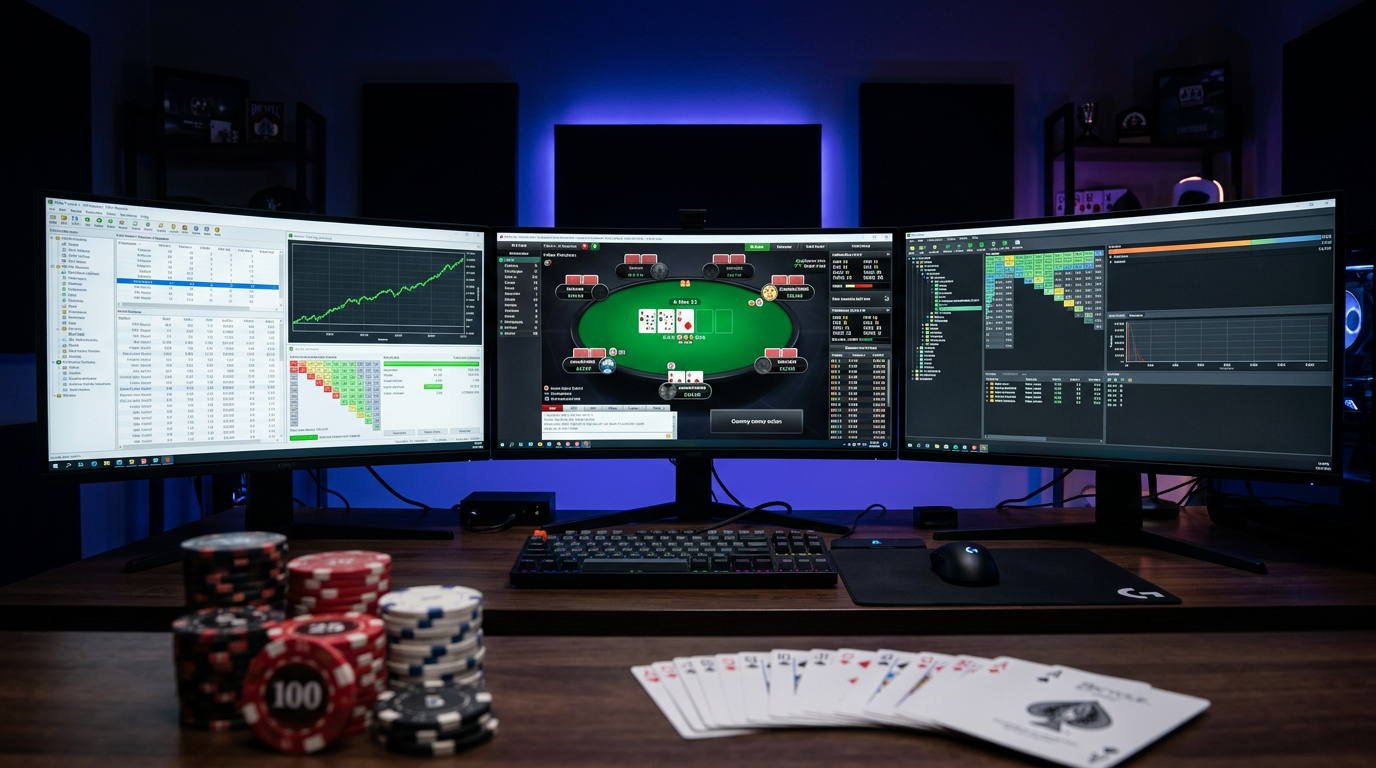
Best Poker Tools for Cash Game Players (2026)
I want to push back on something you'll see in most "best poker tools" lists: the idea that more tools equals better results. I've watched players build elaborate software stacks — tracker, solver, equity calculator, training app, HUD, range app — and still lose at NL50 because they're using each tool superficially rather than any of them deeply.
The tools I'm going to recommend are ones I actually use and have actually improved my game. I'm a 6-max NL cash game player, nine years in, currently grinding NL200-500. This is a cash game-specific guide — the stack looks different for tournament players and I'm not pretending to cover that.
The Non-Negotiable Foundation: A Hand History Database
If you're playing online poker without tracking your hands, you're flying blind. You have no idea where you're actually losing money, which positions are leaking, or whether the adjustments you're making are helping or hurting. This isn't a recommendation — it's a prerequisite.
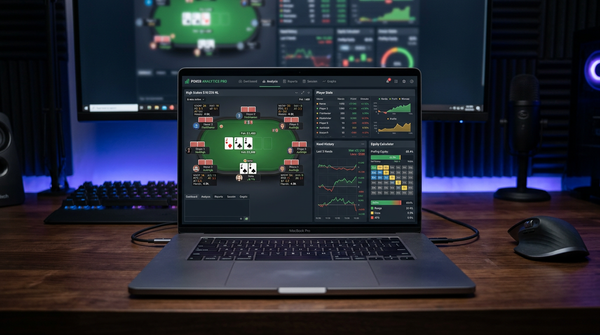
PokerTracker 4 is $99.99 one-time and works natively on Mac and Windows. It imports from every major site cash game players are actually on — PokerStars, GGPoker, partypoker, 888poker. The leak finder reports are genuinely useful: run a positional report filtered by street and you'll find specific, addressable problems within an hour.
I ran a report eighteen months ago that showed I was losing 6 BB/100 specifically from the SB in 3-bet pots. Everywhere else I was profitable. That one finding directed my study for two months and it showed up in my results.
Hold'em Manager 3 at $99 one-time is the main alternative. Better hand replayer, more extensive custom stats. Worse Mac support (requires a VM). I've been on PT4 for four years; HM3 is legitimate if you're on Windows and specifically want the extra stat customization depth.
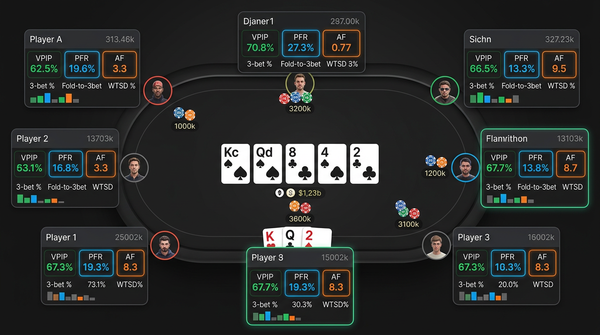
The HUD question: most major sites have banned or heavily restricted HUDs in 2026. GGPoker prohibits them entirely. PokerStars has tightened restrictions. Buy a tracker for the database and analysis features, not the HUD — the HUD is increasingly unavailable, and the database is valuable regardless.
The Serious Study Tool: A GTO Solver
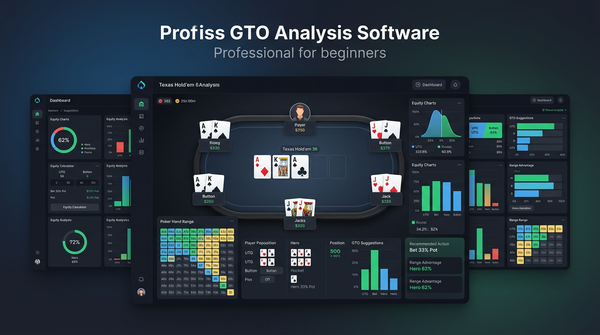
This is where the real game improvement comes from at NL100+. A solver shows you the theoretically optimal strategy for a given spot — how to bet, raise, call, and fold across your entire range to maximize EV. It's not a cheat code. It requires real study to use effectively. But for identifying strategic leaks that no amount of experience or intuition would surface, there's nothing better.
GTO Lab
GTO Lab at $49/month or $399/year is my primary study tool. The preflop editor is its standout feature — you build your own ranges rather than accepting vendor defaults, then solve postflop from those ranges. For players who care about having accurate, game-specific preflop strategies rather than generic charts, this matters.
The postflop solver is solid. I recently ran a session working through SB vs BB single-raised pot dynamics on Ace-high two-tone boards — specifically spots where I hold medium-strength Ax hands facing aggression. The solver output showed I was calling too wide in spots where my hand has good equity but terrible position and no realistic bluff-catching value. That's exactly the kind of insight that requires solver work, not just experience.
The 30% lifetime discount through the affiliate link makes the annual plan around $279/year effective — roughly $23/month. At NL100+, that ROI is not hard to calculate.
GTO Wizard
GTO Wizard at $49/month (Essential) to $99/month (Pro) has a larger pre-solved solution library and a cleaner interface. For players who mainly want to browse existing solutions for common spots rather than build custom ranges and solves, Wizard is arguably more immediately accessible.
At NL500+, the Pro tier's custom solve functionality and comprehensive library start to justify the price premium over GTO Lab. Below that, GTO Lab annual is better value for players willing to put in the setup work.
The Equity Layer: Flopzilla
Flopzilla (~€35 one-time) gets overlooked in most software discussions because it's not glamorous. But I use it constantly for quick off-table work: visualizing how a range connects with a specific board, checking how many combo draws versus pair draws exist in a range, understanding why certain board textures favor certain positions.
The specific use case: before running a full solver analysis on a spot, I'll often spend five minutes in Flopzilla just looking at how each player's range distributes across hand categories on the relevant board. It gives context for the solver output and speeds up understanding of why the strategy looks the way it does.
Equilab (free) covers the range vs range equity calculations. Flopzilla covers range vs board texture. Both are worth having.
The Training Tool: PokerSnowie or Poker Academy
These serve a different purpose than solvers — they're feedback and drilling tools rather than analysis tools.
PokerSnowie at $29/month reviews your hand histories and gives natural-language feedback on your decisions. It's the right tool for players transitioning from pure experience-based play to GTO-informed play, because the feedback is digestible in a way that raw solver output isn't. I'd recommend it for six months to a year at NL50-100 while building GTO intuition, then phase it out once you're comfortable reading solver output directly.
Poker Academy takes a more structured curriculum approach, with drills and scenarios built around GTO concepts. If you learn better from guided instruction than from open-ended solver exploration, it's worth trying. The 30% lifetime affiliate discount is available.
The Full Stack by Stake Level
| Stakes | Tools | Monthly Cost (approx) |
|---|---|---|
| NL25-50 | PT4 (one-time) + Equilab (free) + Flopzilla (one-time) | ~$0/month after initial purchase |
| NL100-200 | PT4 + GTO Lab (annual) + Flopzilla | ~$33/month |
| NL500+ | PT4 + GTO Lab + GTO Wizard Pro | ~$132/month |
At NL25-50, the biggest leaks are almost never GTO-related. They're fundamentals: playing too many hands, calling too wide, missing bet sizing, bad position awareness. Fix those with a tracker and basic hand review. Don't spend $49/month on a solver before you've cleaned up the obvious stuff.
At NL100-200, solver study starts paying direct dividends. This is the transition zone where strategic leaks — range construction, bet sizing, check-raise frequency — become the primary source of loss rather than fundamental errors.
At NL500+, you're competing with players who've been using solvers seriously for years. The full stack including GTO Wizard Pro's comprehensive library is justified.
Tools I've Tried and Wouldn't Buy Again
DriveHUD 2 ($99/year) — The HUD customization is good, but GGPoker bans HUDs, PokerStars has restricted them, and paying annually for HUD software in 2026 is a losing proposition. The database features aren't better than PT4. Pass.
InstaGTO — Precomputed solutions on mobile, useful for quick spot checks between sessions. Not useless, but I find it more of a convenience feature than a serious study tool. If you want mobile access to GTO content, GTO Lab's mobile app is comparable and you're already paying for it.
Poker coaching apps that require monthly subscription for "drills" — There are a few apps that charge $30-50/month for multiple choice decision training. The problem is they're not solver-accurate and the feedback isn't connected to your actual game. GTO Wizard's built-in quiz features are better and included in the subscription you'd already have.
Questions Cash Game Players Ask
At what stakes does solver study start paying off? Honestly, the concepts from solver study are useful at any stake — understanding equity, position, range construction. The paid tools start to pay for themselves around NL100 where the player pool is sophisticated enough that strategic leaks cost real money.
Is it cheating to use a GTO solver? No. Solvers are off-table study tools. Using one during a hand would be cheating (and is prohibited). Using one to study away from the table is the same as reading a strategy book — it's how you improve.
Do I need both PT4 and a solver? Yes, they do different things. PT4 shows you where you're losing money. The solver shows you why and what the correct play is. You need both to close the loop.
How many hours per week should I study with solvers? More than most players do, less than you think. Two focused 90-minute sessions per week on specific spots from your own game will outperform five sessions of undirected browsing. Quality of study beats quantity.
Is GTO Wizard worth the premium over GTO Lab? At NL100-200, probably not. GTO Lab annual is cheaper and the preflop editor is better. At NL500+, GTO Wizard Pro's pre-solved library and polish start to justify the premium. Try GTO Lab first.
The Actual Verdict
Stop building elaborate software stacks and start using one or two tools seriously.
The core cash game stack: PokerTracker 4 for your database, GTO Lab for solver study when you hit NL100. Add Flopzilla for €35 because it's cheap and genuinely useful. Everything else is optional.
Two hours per week of focused study — identifying leaks from your database, running them through the solver, extracting principles, applying them at the table — will improve your game more than any additional software purchase. The tools are accelerants. The work is still on you.
The Hidden Cost of Tool Switching
Something nobody talks about in tool-recommendation posts: switching tools has a real cost beyond the dollar price. Each tool has a learning curve. Each tool has its own conventions, UI patterns, keyboard shortcuts, and workflows. Time spent learning a new tool is time not spent playing or studying poker.
I switched from PT4 to HM3 in 2020 to try out the better hand replayer. The transition cost me about three weeks of reduced study output. I had to rebuild my custom HUD, learn the new report builder, figure out where the equivalent features lived. I switched back to PT4 after about four months because the report builder difference mattered more to my workflow than the replayer did. The whole experiment cost me roughly six weeks of compound study output.
The lesson: pick a tool thoughtfully and stick with it. Switching tools should require a clear hypothesis about why the new tool will be better and a willingness to absorb the transition cost. "It looks shinier in screenshots" isn't a good enough reason.
This applies across the cash game tool stack. PT4 vs HM3, GTO Lab vs GTO Wizard, Equilab vs Flopzilla — the marginal differences between tools in each category are smaller than the cost of constantly switching between them. Pick. Commit. Use deeply.
Putting the Stack Together: A Real Workflow
Let me describe what a week of study and play looks like for me using this stack, because abstract recommendations are less useful than concrete examples.
Sunday: weekly review session. Open PT4. Run my standard four-report sweep — winrate by position, winrate by pot type, winrate by board texture category, top 20 winning and losing hands of the week. Identify two or three spots that look problematic or interesting. Note them in my study log.
Tuesday: solver session #1. Pick the highest-priority spot from Sunday's notes. Open GTO Lab. Configure the spot with my actual stack depth, my pool's likely ranges, my pool's likely sizings. Run the solve. Spend 60-90 minutes examining the output using the four-pass framework (range advantage → range composition → sizing logic → specific hands). Extract a principle. Write down one or two behavioral changes for the next week's play.
Thursday: solver session #2. Same workflow on the second priority spot. Sometimes I do a Flopzilla session instead if the question is more about texture interaction than strategic dynamics.
Friday-Saturday: play sessions. Apply the week's principles. Take notes on hands that came up matching the studied spots. Pay attention to whether the behavioral changes are working.
Sunday again: review week. Did the changes help? What new spots came up that need study?
That cycle is the whole engine. Two tools (PT4 and GTO Lab), one optional tool (Flopzilla), used in a structured workflow that closes the loop between play, analysis, study, and reapplication. There's nothing in this workflow that requires a third solver, a fourth equity calculator, or a fifth training app.
Tools I've Tried and Dropped
I covered a few in the main article but here's a longer list of tools I've tested and abandoned, with reasons.
PokerSnowie ($29/month): subscribed for six months in 2019 when I was first learning GTO concepts. The natural-language hand reviews were genuinely useful as a learning bridge. Once I was comfortable reading raw solver output, the value evaporated. Cancelled and never resubscribed. Worth it for the bridge phase, not worth it long-term.
DriveHUD 2 ($99/year): tested for six months in 2021 when I was playing some Bovada. The Ignition/Bovada support is real and unique. When my Bovada volume dropped to zero, the subscription was no longer worth maintaining. Cancelled. Would consider it again only if I returned to those specific sites.
Hand2Note (~$20/month): subscribed for six months in 2024. The dynamic HUD was interesting but my database wasn't big enough to benefit from the speed advantage, and the configuration time was higher than I wanted. Cancelled.
ICMIZER ($30/month): tournament-focused tool I tried during a brief period of mixed cash/MTT play. Useful for tournament specific calculations but I don't play enough tournaments to justify the subscription. Cancelled.
A few mobile-only training apps: $15-30/month each, multiple choice GTO drills. Found them less useful than just spending the same time with GTO Lab's quiz mode. Cancelled.
A coaching subscription site: $99/month. The video content was decent but the time investment to watch it was higher than the marginal benefit. I'd rather spend two hours in the solver than two hours watching someone else explain the solver. Cancelled.
The pattern in all these: subscriptions add up. A typical "I'll just try this" subscription is $30/month. Four of them is $120/month, $1,440/year. That's most of a year's GTO Lab annual subscription, spent on tools you barely use. Be ruthless about cancelling subscriptions you're not using deeply.
A Closer Look at GTO Lab vs GTO Wizard
The GTO Lab vs GTO Wizard question comes up constantly in cash game player conversations. Let me give the concrete comparison.
Pricing: GTO Lab is $49/month or $399/year. GTO Wizard is $49/month (Essential) to $99/month (Pro). At the annual rate, GTO Lab works out to about $33/month, less than half of GTO Wizard Pro.
Pre-solved library: GTO Wizard's library is larger and more polished. If you mainly want to browse pre-solved spots without configuring your own solves, Wizard's library is more comprehensive.
Custom solve quality: both produce solver-accurate output. GTO Lab's preflop editor is genuinely better — more flexible range construction, easier to incorporate pool-specific adjustments. GTO Wizard's custom solves require the Pro tier and the workflow is slightly clunkier for non-default ranges.
UI polish: GTO Wizard wins on visual design and learning curve. The interface feels more refined. GTO Lab's UI is functional but denser, with a steeper initial learning curve.
Mobile: both have mobile apps. GTO Wizard's mobile is slightly better. Either works.
Update cadence: both update regularly. GTO Lab has been more aggressive about adding new features in the past year. GTO Wizard tends to focus on library expansion over feature additions.
The recommendation by player type:
- NL100-200 players who want best value: GTO Lab annual. The price difference matters at this stake, and the preflop editor is genuinely better for building accurate game-specific ranges.
- NL500+ players or players with high study time: GTO Wizard Pro. The library breadth and polish justify the premium at higher stakes where time is valuable.
- New solver users: GTO Lab. The learning curve is steeper but the long-term toolset is better. Wizard gets you started faster but you may grow into wanting Lab's features.
- Casual study users: GTO Wizard Essential. The cheaper Wizard tier is fine if you're not doing custom solves.
I've used both. Currently on GTO Lab annual. Would consider switching to Wizard Pro at NL1000+ but probably not before then.
What Actually Wins Money at Cash Games
Worth stating explicitly because it cuts through tool noise: the things that actually win money at cash poker, in rough order of impact:
- Game selection — playing in soft games against weak opponents. Worth more than any tool.
- Tilt control — not lighting money on fire after losing sessions. Worth more than any tool.
- Fundamental discipline — preflop ranges, pot control, position awareness. Tools help you build these but you can build them without expensive subscriptions.
- Study consistency — doing the work week after week, not just the first month after buying tools.
- Strategic depth — solver-derived insights about range construction, sizing, bluff frequency. This is where paid tools earn their keep.
- Opponent-specific reads — adjusting based on player type and history. Tools help (HUDs, notes) but the read itself comes from observation.
- Mental game — sleep, exercise, mindset. Worth more than any tool.
Notice that paid tools come in around #5. Items 1-4 and 6-7 are worth more than any subscription you can buy. If you're tilting away your winnings, no solver subscription helps. If you're playing in tough games, no equity calculator changes that.
This is why I push back on elaborate tool stacks. Tools are necessary at higher stakes but they're not where most players are losing money. Most players are losing money at items 1-4. Fix those first. Buy tools second.
Setup Recommendations for a New Cash Game Player
If you're starting out and want a clean setup that scales with your stake progression, here's the path:
Month 1 (NL2-NL10): install Equilab (free), buy PokerTracker 4 ($99.99). That's it. Total spend: $99.99. Use PT4 to track results, identify positional leaks, and build basic preflop discipline. Use Equilab for occasional equity questions.
Month 6-12 (NL10-NL25): add Flopzilla (~€35) when you start wanting to understand range-board interaction. Total spend so far: ~$135. Begin building intuition for board textures and range advantages.
Month 12-24 (NL25-NL100): add GTO Lab annual ($399/year) when you hit NL50-100. Total spend: ~$535 first year. Start serious solver work on spots from your own database.
Month 24+ (NL100+): maintain the existing stack. Consider GTO Wizard Pro if you progress to NL500+ and want the comprehensive library. Otherwise, keep using PT4 + GTO Lab + Flopzilla and don't add more tools without a clear reason.
This path spreads tool spending across stake progression. You're not paying for solver work before you can benefit from it. You're not paying for advanced features at NL2 that don't matter until NL100. Match spending to stake.
Mac vs Windows: A Practical Note
I run primarily on Mac (Mac Studio for serious sessions, MacBook Pro for travel). The cash game tool stack on Mac:
- PokerTracker 4: native Mac app, works fine.
- Equilab: Windows-only natively, runs OK in CrossOver or in a Windows VM.
- Flopzilla: Windows-only natively, similar story to Equilab.
- GTO Lab: native Mac app and excellent web app, both work fine.
- GTO Wizard: web-based, works on any platform.
- HM3: Windows-only natively, requires VM (Parallels works well).
- DriveHUD: Windows-only natively, requires VM.
- Hand2Note: Windows-only natively, requires VM.
If you want a Mac-native experience: PT4 + GTO Lab + GTO Wizard covers most needs. For Equilab and Flopzilla, Parallels Desktop ($99/year) lets you run them in Windows on a Mac with reasonable smoothness.
If you're starting fresh and Mac-only matters: budget for Parallels in addition to your tool spending. Total Mac-friendly stack: PT4 + Parallels + Equilab + Flopzilla + GTO Lab annual. Roughly $635 first year, $480 annually after.
If Windows is fine: skip Parallels. Same stack costs $535 first year, $400 annually after.
What I'd Tell a Friend Asking for a Cash Game Tool Recommendation
A friend at NL50 messaged me last week asking what to buy. He's been playing for about a year, has a small bankroll, wants to take it more seriously. Here's my actual response:
"PokerTracker 4 first. $99.99 one-time. Install it, build a basic 6-stat HUD, run the leak finder on your last 50,000 hands. That alone will give you two months of study material and probably 1-2 BB/100 worth of leak fixes.
While you're learning PT4, install Equilab (free) and just use it for any equity question you have during hand reviews. It takes 30 seconds per question.
Don't buy a solver yet. You're not ready. The leaks you have at NL50 are not GTO-related — they're fundamental things PT4 will surface for you. Spend three months actually fixing those before paying for solver subscriptions you won't use efficiently.
When you're at NL100+ and PT4 isn't surfacing new leaks, add GTO Lab annual. By then you'll be ready to extract value from solver work."
That's the whole conversation. He bought PT4 the next day. Three months later he was still working through leak findings. The solver question hadn't come up yet because he was still benefiting from the database tool.
This is the actual sequence for most players. The tool that compounds first is the database. The solver compounds later. Don't sequence them backwards.
Closing Thoughts
The "best poker tools" question is usually asked in a way that's slightly off. The right question isn't "what tools should I buy" — it's "what's the minimum stack that lets me improve consistently, and how do I use those tools deeply?"
The answer: PokerTracker 4 for database. GTO Lab when you hit the stake where solver study pays. Flopzilla for cheap-but-real range work. Equilab for free quick checks. That's four tools, two of them free or cheap, scaled appropriately to your stake.
Add tools beyond this only when you've identified a specific need that the existing stack doesn't cover. Don't accumulate subscriptions because they look productive. Don't switch tools constantly because something looks shinier. Pick the boring obvious stack, learn it deeply, use it for years.
The players I know who win consistently at NL200-500 mostly use some version of this stack. The players who don't win mostly have either no tools or seven tools they're not really using. The pattern is consistent enough that I'd bet on it.
Buy the tools. Use them weekly. Track outcomes. The game improves slowly but it does improve. The tools accelerate it. The work is still on you.
A Few More Things About Tool Discipline
I want to add some practical observations from years of watching other regs use these tools, because how you use the stack matters as much as what's in it.
Set a study schedule and protect it. The single biggest predictor of whether a player improves over a year isn't which tools they own — it's whether they have a consistent study schedule. Two scheduled hours per week beats four ad-hoc hours every time. The brain compounds learning across regular intervals; sporadic intensive sessions don't compound the same way.
Keep one notes file. I have a single Markdown file where I track every study session — date, spot studied, principle extracted, behavioral change planned. Reviewing this file periodically reveals patterns: which spot types I keep returning to, which principles I keep forgetting, which behavioral changes actually translated to results. Without this single source of truth, study sessions evaporate from memory within weeks.
Don't optimize tools while losing. A common failure pattern: a player has a bad week, decides their tools are inadequate, spends a weekend evaluating new software. The new software doesn't help because the bad week wasn't caused by tool inadequacy. Tool decisions should be made during neutral or positive emotional periods, not after losing sessions.
Update preflop ranges quarterly. If you've solved or memorized preflop ranges, those ranges drift over time as the pool changes. Every quarter, run your current ranges against your pool's actual play (visible in your database) and check whether anything significant has shifted. Major site policy changes, big tournament series, or new traffic patterns can change pool composition meaningfully.
Track HUD stats you actually use. If you have a stat in your HUD that you've never made a decision based on, remove it. The HUD is real estate — every stat that's there occupies attention budget. Unused stats are noise.
These habits matter more than which specific tools you own. A player with a moderate tool stack and good habits improves faster than a player with the best tools and bad habits. Build the habits.
On the Question of Buying Affiliate Discounts
A note about the affiliate links throughout this article. Several of the tools I recommend offer discounts through affiliate codes — GTO Lab and a few others. If you click through and buy, I get a small commission. That doesn't change my recommendation; I'd recommend GTO Lab annual at full price. But if there's a discount available, you might as well take it.
The discounts I'm aware of as of 2026:
- GTO Lab annual: 30% off through affiliate links, bringing $399 down to ~$279
- PokerTracker 4: occasional 25-30% off promotions, watch for them
- Flopzilla: rarely discounted, but it's already cheap
- Other tools vary
Wait for promotions on PT4 if your timeline allows. PT4 runs ~2-3 promotions per year and the difference between paying $99 and paying $69 is real for a beginner budget.
Don't let the search for discounts delay your purchase past 4-6 weeks. The compounding cost of not having the tool exceeds the savings from waiting indefinitely for a sale.
Final Tool Stack Summary
To consolidate everything into a single reference table:
| Player Profile | Required Stack | Annual Cost (after Year 1) |
|---|---|---|
| NL2-25 beginner | PT4 + Equilab | $0 |
| NL25-100 developing | PT4 + Equilab + Flopzilla | $0 |
| NL100-200 serious | PT4 + GTO Lab annual + Flopzilla | $399 |
| NL500+ advanced | PT4 + GTO Lab + GTO Wizard Pro + Flopzilla | $1,587 |
| Bovada/Ignition specialist | DriveHUD + GTO Lab annual | $498 |
| High-volume multi-tabler | Hand2Note + GTO Lab annual | ~$639 |
These are the recommended stacks. Each includes a database tool, a solver (where appropriate for stake), and equity utilities. Nothing more, nothing less.
If your current stack doesn't match the recommendation for your stake, evaluate honestly: are the tools you have outside the recommendation actually adding value, or are they consuming subscription budget without compounding into improvement? Ruthlessly cut what isn't earning its place.
The tools matter. They matter less than how you use them. Both matter less than whether you actually study consistently. Get the boring fundamentals right and the rest follows.