GTO Lab Pricing Plans Explained: Is $399 a Year Actually Worth It?
GTO Lab pricing dissected by a 9-year online cash reg. Monthly vs annual, what each tier actually unlocks, and the math on whether it pays for itself at your stakes.
GTO Lab Pricing Plans Explained: Is $399 a Year Actually Worth It?
I've now paid for fourteen months of GTO Lab and I can tell you the exact moment I knew the annual plan was worth it. It was a Tuesday in October last year. I'd had a losing session the night before — about four buy-ins down at NL400 — and I was reviewing one specific hand: a cooler-looking spot where I'd c-bet flop, turned a bad turn card, and got check-raised by a regular I had decent reads on. I opened Lab, set up the spot in the aggregation editor, and within fifteen minutes I'd discovered that my entire c-bet sizing on that flop class was wrong. Not subtly wrong. Bracing-yourself-this-is-going-to-cost-you wrong. Three weeks of fixing that one leak gained back what the annual plan cost. The other eleven months were free.
That's the case for the annual plan, anyway. Whether it's the right call for you depends on what you actually do with a solver, what stakes you play, and how honest you're willing to be about your study habits. This article walks through the GTO Lab pricing structure as it stands in 2026, what each tier actually gives you, who each plan makes sense for, and how it stacks up against the obvious alternatives.
I'm Alex. Nine years grinding online cash games, mostly NL200–NL500 6-max. I've used or owned subscriptions to GTO Wizard, GTO+, PioSolver, MonkerSolver, InstaGTO, and PokerSnowie at various points. Lab is the one I've paid for longest in the last two years and the one I'd recommend to most serious players who want a single solver subscription. Let me show you why.
The pricing structure as of mid-2026
GTO Lab keeps its pricing simple compared to some competitors. There are essentially two SKUs, and a free trial.
Monthly plan: $49 USD/month. Full access to the solver, all preflop charts, all aggregation tools, all built-in solution libraries. No tier-gated features. The same product the annual subscribers get, billed monthly.
Annual plan: $399 USD/year. Same product, billed yearly. Works out to $33.25/month effective. You save $189 over twelve months of monthly billing.
Free trial: 7 days. Full feature access. Card required at signup. Cancel before day 7 and you're not charged. I'd recommend everyone start here.
That's it. There isn't a "Lite" tier or a "Pro" tier or an "Enterprise" tier. There isn't an upsell to additional solver depth or extra board coverage or premium support. You either pay for the product or you don't. The pricing is also identical for cash and tournament players, which is unusual in this space — GTO Wizard has separate cash and MTT tiers and the bundle costs more.
What that $49 (or $33) actually unlocks
When you log into GTO Lab, here's what you get:
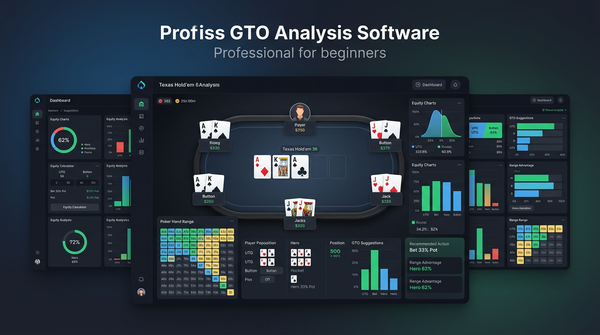
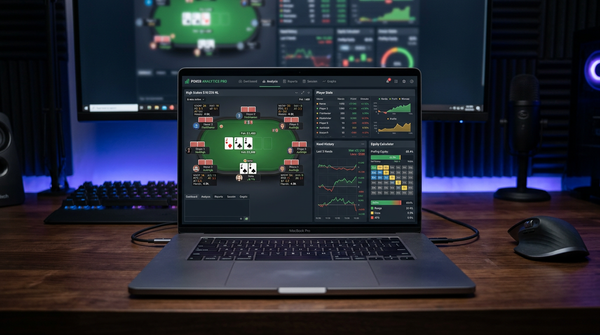
A cloud-based solver where you can build any preflop tree you want, set up postflop solves on any flop or runout, and explore the resulting solution at any node. The solving happens on their servers, not your machine, which means you don't need to spend $5,000 on a workstation with 256GB of RAM to do serious solver work.
A library of pre-solved solutions covering every standard preflop opening situation across multiple stack depths and rake structures. You can browse this library without solving anything yourself, which is useful when you just want to look up "what should I do as the BB facing a 2.5x BTN open at 100bb."
An aggregation analysis tool. This is the feature I use most. You can take your strategy across, say, all 100bb single-raised pots in position as the BTN, and see how it averages across hundreds of flops grouped by texture (paired, ace-high, two-tone, monotone, etc.). This is where Lab is genuinely better than the competition.
Node-locking that actually works. You can pin a specific opponent action to a non-GTO frequency (e.g. "this villain folds 80% to my turn check-raise instead of 50%") and see how the equilibrium shifts. GTO Wizard has node-locking but it's clunkier; PioSolver has it but you're paying $250+ for a desktop tool.
Range visualization tools, equity heatmaps, EV breakdowns by combo, hand-by-hand hover details, and a couple of newer features like preflop range builders and tournament-specific ICM solving.
Mobile web access. The mobile experience is functional, not great. Better than GTO Wizard's mobile experience but not as polished as InstaGTO's mobile-first design.
That's the whole product. Same for monthly subscribers and annual. No paywalled "advanced" sections.
Monthly vs annual: the breakeven math
Let me show you the numbers because most people don't actually do this calculation.
Twelve months at $49/month = $588 total annual cost on the monthly plan.
One year at $399 = $399 total annual cost on the annual plan.
Savings on the annual plan: $189, or roughly 32%.
The annual plan pays off compared to monthly if you're going to use Lab for more than 8.14 months out of any twelve. So the question isn't really "should I get monthly or annual." The question is "am I going to use a solver for at least nine months out of the next twelve."
If your honest answer is yes, get the annual plan. The math is overwhelming.
If your honest answer is no — if you're someone who buys a sub, uses it intensely for a month, drifts away, and then comes back six months later — get the monthly plan and just suspend it during your dry spells.
There's a third pattern worth calling out: the player who buys an annual plan as a commitment device, expecting that the sunk cost will force them to study more. This works for some people. It does not work for me. I tried this with GTO Wizard's annual plan once and it just made me feel guilty rather than making me study more. If you're considering this strategy, be honest about whether you're the kind of person who's actually motivated by sunk costs or just made guilty by them.
How GTO Lab pricing compares to the alternatives
Here's the lineup I had to choose between when I last evaluated solver subscriptions in early 2025.
| Tool | Monthly | Annual | Notes |
|---|---|---|---|
| GTO Lab | $49 | $399 | Cloud, full features, node-locking, aggregation |
| GTO Wizard mid tier | $49 | ~$420 | Cloud, biggest pre-solved library, weaker aggregation |
| GTO Wizard top tier | $99 | ~$840 | Adds custom solving, larger trees |
| InstaGTO | $29 | ~$290 | Cloud, simpler, smaller library |
| PokerSnowie | $29 | ~$290 | AI not solver, training-focused |
| GTO+ | n/a | $75 once | Desktop solver, requires powerful PC |
| PioSolver basic | n/a | $249 once | Desktop, dated UI, still gold standard |
| PioSolver Pro | n/a | $475 once | Desktop, multi-runout, large trees |
| MonkerSolver | n/a | ~$1000 once | Desktop, multiway specialist |
A few observations from this table.
GTO Lab and GTO Wizard at the mid tier are priced almost identically. The differentiator is feature focus — Wizard has a larger pre-solved library and friendlier UI; Lab has better aggregation and node-locking tools. For a beginner, Wizard is easier to learn. For a serious student, Lab gives you more once you know what you're doing.
GTO Wizard's top tier at $99/month is roughly double Lab's price, and the additional features (custom solving, larger tree depth) are useful but not transformative. I would not recommend the Wizard top tier unless you're a coach building custom training content.
InstaGTO at $29 is the budget option that doesn't compromise badly. The library is smaller, the UI is less refined, and the aggregation tools don't exist, but the underlying solver math is solid. For a player at NL25 or below, InstaGTO is real value.
PokerSnowie at $29 isn't really comparable — it's a training tool based on a trained neural network, not a true solver. Different use case.
The desktop solvers (GTO+, PioSolver, MonkerSolver) require a one-time purchase and a powerful PC. The total cost of ownership is harder to calculate because you also need the hardware. A solving rig with the RAM and cores to run PioSolver Pro for serious work runs $2,500+ minimum. Add the software cost and you're at $3,000 before you've solved your first tree. The cloud subscriptions (Lab, Wizard, InstaGTO) avoid all of this entirely.
For a player choosing today between cloud subs, my ranking by use case:
- Total beginner: GTO Wizard mid tier monthly, switch to annual after 3 months
- Serious student: GTO Lab annual
- Budget-constrained: InstaGTO monthly
- Coach building content: GTO Wizard top tier annual
- Heavy multiway specialist: MonkerSolver desktop, accept the hardware cost
Who GTO Lab is and isn't worth it for
Let me get specific about this because the generic answer ("it's worth it for serious players") is useless.
You should pay for GTO Lab if:
You're playing NL50 or higher and you have a hand database with 25,000+ hands you can query for leak-finding. The solver work needs hands to apply to.
You can commit to at least three structured study sessions per week. A solver subscription you don't use is just a recurring credit card charge.
You're past the basic preflop fundamentals. If you don't yet have a working preflop range chart for every position, learn that from a free chart first; the solver isn't where you should be starting.
You're willing to spend the first 20–30 hours of your subscription learning the tool itself. Lab has a learning curve. The aggregation tools, node-locking, and tree builder are not intuitive. Budget the time.
You probably shouldn't pay for GTO Lab if:
You're playing only at NL10 or below. The marginal winrate gain from solver study at micro stakes is real but small relative to the cost. Spend that money on more rake-back generating volume.
You play only tournaments and your main game is single-table sit-n-gos or small-field MTTs. The ICM solver work in Lab is decent but GTO Wizard's tournament tools are more developed.
You buy software subs you don't use. If you have GTO Wizard sitting unused right now, don't add Lab.
You don't yet have a tracker / database. Solver work has to apply to your hands or it's an academic exercise. Buy PokerTracker 4 first.
The actual study workflow that justifies the cost
I want to be specific about what "using GTO Lab effectively" looks like, because if you can't see yourself doing this, you shouldn't pay for the subscription.
My typical weekly Lab usage:
Sunday morning, 90 minutes. Pick three hands from the previous week that I either lost a big pot in or wasn't sure about. Set them up in Lab one by one, review the GTO solution at the river decision point, then walk back through earlier streets to see where my line diverged. Note specific frequencies I want to remember.
Wednesday evening, 60 minutes. Aggregation analysis on a class of spots I've been thinking about. Last month I spent four Wednesdays on "BTN open vs BB defend, 100bb, single-raised pot, c-bet sizing across flop textures." The results changed how I size in three different texture classes.
Friday before a session, 30 minutes. Lighter review — just looking at preflop ranges for the stakes I'll be playing, refreshing the spots I've been working on, making sure recent learnings are loaded into my head.
That's roughly three hours a week of actual solver work. Multiply by 50 weeks (allowing some downtime) and you get 150 hours/year of solver study time. At $399 USD/year, that's $2.66/hour for tools. At my hourly rate playing NL400, two corrected leaks earn that back many times over.
If your weekly usage looks more like "open the app once a month to look something up," you don't need a subscription. Use one of the free preflop chart sites and call it a day.
Hidden costs and gotchas
Three things to budget for that aren't obvious from the price page.
Forex spread on the credit card. GTO Lab bills in USD. If you're paying with a non-USD card, your bank adds 2–3% on top. So the $399 annual plan actually costs you closer to $410–$415 in your home currency. Worth knowing for budgeting but rarely a dealbreaker.
The cost of NOT studying when you're paying. If you commit to an annual sub and then don't study for three months, you've effectively paid $100 for nothing. The monthly plan with active suspension during dry months can be cheaper for stop-start players.
Tool sprawl temptation. Once you have one solver, the temptation to add a second solver "for comparison" is real. I did this for almost a year — Lab and Wizard simultaneously. The second sub was nearly pure waste. If you're going to pay for Lab, commit to it being your one solver.
A frank comparison to GTO Wizard, the obvious competitor
Both tools cost $49/month. Both have strong communities. Both run in the cloud. Either one will make you a better player if you use it. So which?
I used Wizard for eighteen months before switching to Lab. The reasons I switched, in honesty:
Lab's aggregation tools are better. Wizard has aggregation views but they feel bolted on; Lab's are first-class.
Lab's node-locking is actually usable. In Wizard, node-locking exists but the workflow is clunky enough that I rarely used it. In Lab I use it in almost every study session.
Lab's solver tree builder is more flexible. I can construct exactly the tree I want for a specific spot. Wizard's tree builder is more constrained.
Wizard's pre-solved library is bigger. This is where Wizard wins. If you want to look up a specific spot — exact stack depths, exact rake, exact bet sizing — Wizard probably has it pre-solved. Lab's library is smaller and you'll occasionally need to solve things yourself.
Wizard's UI is more polished and friendlier to beginners. Lab's UI is denser and assumes you know what you're doing.
Wizard has better tournament-specific tools, including some ICM-aware features that Lab is still developing.
If I were starting over today as a beginner, I'd start with Wizard for the first 6–12 months and switch to Lab once I knew I needed deeper aggregation and node-locking work. If I were already an experienced solver user, I'd go straight to Lab.
The real verdict: should you buy it?
Here's my honest recommendation, by player type.
If you play NL200 or higher and study at least three times a week: Get the GTO Lab annual plan at $399. The math works out and the tool will pay for itself in corrected leaks within the first three months. This is the subscription I personally pay for and it's the easiest "yes" of any poker software purchase I make.
If you play NL50–NL200 and study a couple times a week: Start with the 7-day free trial. If you actually use it, get the monthly plan for three months. If you're still using it after three months, switch to annual.
If you play below NL50: Don't buy GTO Lab yet. Get InstaGTO for $29/month or use the free preflop charts. Your winrate gain from a $399 vs $29 solver subscription at micro stakes doesn't justify the price difference.
If you're already paying for GTO Wizard and it's working for you: Don't switch. The marginal gain isn't worth the disruption to your study routine. Switch only if you find yourself wanting features (aggregation, node-locking) that Wizard doesn't do well.
If you've never used any solver before: Don't start with Lab. The learning curve is steep. Start with GTO Wizard's friendlier UI for your first six months, then evaluate whether you need to switch.
The biggest mistake I see players make with solver pricing isn't picking the wrong plan — it's paying for a subscription they don't use. A $399 annual plan that you actually open three times a week is the cheapest tool in your poker stack on a per-hour basis. The same plan that you open three times a year is a $399 reminder that you're not studying. Be honest about which one you'll actually be, and price accordingly.
A week in my GTO Lab routine
Let me get more specific about what "actually using GTO Lab" means, because the abstract version of "study three times a week" can look very different in practice depending on what you're studying. Here's a real week from my Notion poker journal, lightly cleaned up.
Sunday morning, 90 minutes. Three hands from the previous week's sessions. The first was a river bluff I made for a 1.5x pot on a brick that worked, but I wasn't sure if it should have. Lab said yes — my range had enough busted draws and air to make the bluff frequency correct, the sizing was within the optimal range, and villain was correctly folding the right portion of his bluff catchers. I felt better. The second was a turn check-raise I called off with second pair and lost. Lab said the call was actually correct on EV — villain just had it that time. Lessons: trust the line even when it loses. The third was a 3-bet pot where I overbet the river with a polarized range and got called by a hand I didn't expect. Lab showed villain's calling range was wider than I'd assumed. Adjusted my mental model of villain's calldown threshold.
Tuesday evening, 60 minutes. Aggregation work. I'm two weeks into a project on c-bet sizing across flop textures in single-raised pots from the BTN. This week I worked on the dry low boards — 6-3-2 rainbow type situations. The aggregation showed I should be using a smaller bet size (33% pot) more often than I had been (I was defaulting to 50% pot). Translation: I'd been giving up small EV on these flops for years. Wrote down "BTN c-bet small on dry low" and added it to my pre-session warmup list.
Thursday evening, 45 minutes. Node-locking practice. I picked a turn spot from a recent session against a regular I'd been playing a lot. I node-locked his fold-to-river-overbet to 60% (instead of the GTO equilibrium of around 45%) based on my reads, and saw how the optimal turn play shifted. The answer: with the higher river fold rate, I should be barreling turn wider with bluff candidates that have river overbet potential. Useful adjustment for that specific opponent.
Friday morning, 20 minutes. Quick prep before my Friday afternoon session. I opened the BTN open chart and the BB defend chart for 100bb single-raised pots and just refreshed the frequencies in my head. No deep work, just keeping the basic ranges loaded.
Total: just over three hours of solver time across the week. At $399/year that's roughly $2.50 per hour of tool use. At the stakes I play, two corrected leaks per year more than cover that.
The spots that justified the annual plan for me
I want to be specific about which study sessions actually paid back the cost of the subscription, because the abstract case for solver work is different from the concrete one.
The c-bet sizing project. Six weeks of Tuesday evenings on flop c-bet sizing across all major texture classes. The result: I revised my default c-bet sizes across about a dozen texture classes. Conservative estimate of EV gain: about 1.5 bb/100 across the spots in question, which translates to roughly $4,500 in additional winnings over the following year at my volume. The sub paid for itself eleven times over from that one project.
The 3-bet pot OOP defense study. Four weeks on BB defending vs BTN 3-bets at 100bb. I'd been over-folding flops with backdoor equity by about 10% before this study. Correcting that single leak was worth maybe 0.8 bb/100 in 3-bet pots specifically. Smaller absolute EV than the c-bet project but cheap to fix once identified.
The turn check-raise frequency project. Three weeks on turn check-raise spots in single-raised pots from the IP player. I'd been under-using turn check-raises significantly. Fixing this added some EV but more importantly fixed a bigger leak: villains were starting to read me as never check-raising turn, which was making my calls and folds easier to exploit. Hard to put a number on it, but it's the kind of fix that compounds over time.
The pattern across all three of these: the value of solver study comes from concentrated work on a single class of spots over multiple weeks, not from running through random hands one at a time. The aggregation tools in GTO Lab are what make this kind of focused study practical. Without aggregation, you're memorizing flops one at a time, which doesn't scale.
What I'd tell someone considering the annual plan for the first time
If a friend asked me whether to commit $399 USD up front for an annual GTO Lab subscription, here's the conversation we'd have.
First question: do you have a tracker with at least 10,000 hands in it? If no, get PokerTracker 4 first. Solver work without hands to apply it to is academic.
Second question: have you used any solver before, even a free trial? If no, sign up for the Lab 7-day free trial first. Use it for the trial week. If you actually opened the tool four or five times during the trial, you have evidence you'll use a paid sub. If you opened it twice and forgot about it, you're going to flush $399.
Third question: what stakes do you play? If NL10 or below, the annual plan probably isn't justified — your hourly is too low and the marginal EV gain too small. Get InstaGTO at $29/month or even just use free preflop charts for your first year. If NL50 or above, the annual plan is the right call provided you commit to actually using it.
Fourth question: are you the kind of person who's motivated by sunk costs, or just made guilty by them? Be honest. If sunk cost makes you study more, the annual plan is great as a commitment device. If sunk cost just makes you feel bad while not actually changing your behavior, get the monthly plan and pause it during dry spells.
Fifth question: what's your study routine right now? If you don't have one — if you're playing 20 hours a week and studying zero — the answer isn't to buy a solver. The answer is to build a habit of opening any solver, even a free one, three times a week for a month. If you can do that, then upgrade.
If you've answered all five questions and you're still in — hand database exists, you used the trial, you play NL50+, you have at least a basic study routine — then yes, get the annual plan. The $399 is one of the best ROI purchases available in poker. I've paid for it for fourteen consecutive months and I'd extend it for another fourteen tomorrow without thinking.
Practical setup steps for your first week with GTO Lab
If you've signed up for the annual plan or the trial and you're staring at the dashboard not sure where to start, here's the sequence I'd actually follow.
Day 1: Browse the preflop charts. Don't try to solve anything yet. Just open the preflop range library and look at the standard 100bb 6-max opening ranges from each position. Familiarize yourself with the interface for displaying ranges, the colour coding for raises versus calls versus folds, and the way frequencies are shown for mixed strategies. This is foundational and it costs you nothing.
Day 2: Look up one specific spot. Pick a hand from your last session and use Lab's pre-solved library to look up the relevant solution. Just looking — no aggregation, no node-locking. Get used to navigating to the right node on the right tree. This usually takes longer than people expect on the first try.
Day 3: Try the aggregation tool. Pick a class of spots — I'd suggest "BTN open vs BB defend, single-raised pot, c-bet flop" — and run the aggregation across flop textures. Don't worry about absorbing all the data yet. Just figure out how to pull up the analysis and what the various views show you.
Day 4: Try node-locking. Take a turn or river spot you played and modify one opponent action — say, lock villain's fold-to-river-overbet to 70% instead of the GTO equilibrium. See how the optimal play shifts. This is where Lab really differentiates from cheaper tools.
Day 5: Build a custom tree. This is the most advanced first-week skill. Pick a spot you want to study deeply, build the preflop tree manually, set up the postflop solving parameters, and run it. Lab's tree builder has a learning curve but it's worth investing the time.
Day 6 and 7: Free play. Use the tool however you want. Look up hands. Run aggregations. Explore the library. By end of week one you should know whether the tool is something you'll actually use ongoing.
If you got through all six structured days and you found yourself wanting more, the annual plan is for you. If you opened the tool twice and bounced off the interface, the monthly plan with active suspension is the safer commitment.
The real hidden value of the annual plan
One last argument for the annual plan that I haven't seen anyone make: the lack of a recurring monthly decision.
When I was on the monthly plan with GTO Wizard, every single month I had a tiny moment of "should I cancel this." Most of the time the answer was no, but the decision itself cost me cognitive energy. With the annual plan, that decision happens once a year. The other eleven months it's just a tool I use without thinking about whether I should still be paying for it.
This sounds trivial. It isn't. The mental overhead of recurring decisions adds up, and removing it is one of the underrated benefits of annual subscriptions. Same logic applies to most professional software you use seriously. If you're going to use the tool, paying annually buys you not just the discount but the freedom from monthly decision fatigue.
That's not a reason on its own to go annual. But combined with the 32% discount, the breakeven math, and the fact that monthly Lab users tend to under-use the tool because they're subconsciously protecting against the next bill, it's enough to tip me decisively toward the annual recommendation for anyone who's serious about solver work.