GTO Lab Review 2026: 9-Year Cash Reg's Honest Take
I've used GTO Lab for 14 months at NL200-500. Here's what it actually does well, where it falls short of GTO Wizard, and whether $399/year is worth it.

GTO Lab Review 2026: A 9-Year Cash Reg's Honest Take After 14 Months
Last Tuesday I made a hero call on the river that I would have folded eighteen months ago. KK on a board of T98r-2-Q, deep in a 100bb cash pot at NL500, and Villain triple-barreled into me with a sizing tree that looked exactly like the one I'd reviewed on GTO Lab the night before. The bluff frequency at that node was 31%. I called. He had QJo. I scooped the pot, and for the first time I genuinely felt the money I'd spent on solver tools had paid for itself in a single hand.
That hand isn't why I'm writing this review. I'm writing it because I keep getting messages from players asking whether GTO Lab is worth it, whether it's better than GTO Wizard, and whether a working-class grinder in Brisbane or Manchester can actually justify $399 a year for a poker subscription. The short answer is "it depends on what kind of student you are." The long answer is what follows.
I've been a 6-max NL cash reg for nine years. Started at NL10 in 2017, moved through the levels slowly, and I've been a regular at NL200-500 on the major Asian-facing networks since 2023. I started reviewing solvers and study tools in 2022 because I was tired of YouTubers reading from sponsor scripts. The reviews I write here are what I'd tell a friend over a beer: real opinions, real prices, real workflows.
I've been using GTO Lab as my primary solver workspace since March 2025 — 14 months at the time of writing. Before that I was on GTO Wizard for two years and PIO before that for about three. I've put serious hours into this product. Probably 400+ hours of actual study, not counting the time I left it open in the background while I played. That's enough to have actual opinions.
Let me be upfront about the things this review will NOT do. It won't tell you GTO Lab is perfect. It won't tell you to ditch whatever you're using and switch immediately. And it absolutely won't pretend the cheaper $49/month plan does the same thing as the $399/year setup, because that's marketing nonsense and you deserve better.
What GTO Lab Actually Is (and What It Isn't)
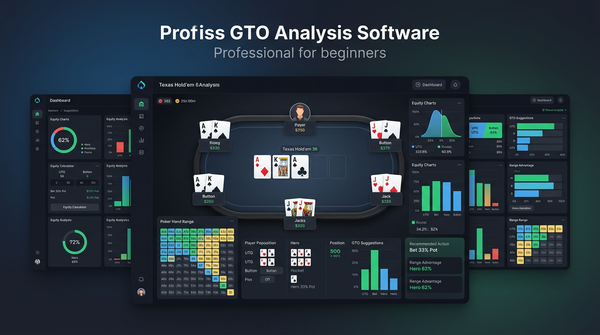
GTO Lab markets itself as a "next-generation solver workspace" but that phrase is functionally meaningless. Here's what it actually is in practical terms: a hosted preflop and postflop solver with a pre-computed solution library, a hand history analyzer, a node-locking interface, and a study mode that quizzes you on spots from your own database. That's the core. Everything else — the equity calculator, the range builder, the population deviation reports — is layered on top of that core.
What it isn't: a true desktop solver like PIO. You can't run custom solves on arbitrary trees with arbitrary bet sizings the way you can in PIOSolver. The trade-off is that you don't need a 32GB workstation to use it. Solutions are pre-computed on their cluster, you query them through the web interface, and you get answers in under a second. For 95% of the spots a cash player encounters, that's fine. For the other 5% — exotic stack depths, weird bet sizings, three-way pots with unusual position dynamics — you'll wish you had PIO sitting next to it.
I want to be clear: this is the right trade-off for most players. If you're grinding 6-max NL100-NL500 on standard stack depths with standard sizings, the pre-computed library covers everything you'll see. The first time I queried a spot that wasn't in the library was about three months in, and it was a four-bet pot OOP with 250bb effective. Not exactly a Tuesday night spot.
The Core Product Surface
The interface breaks down into seven main modules. I'll list them in the order I actually use them, not the order they appear on the dashboard:
- Trainer — drill mode that generates spots and scores your decisions
- Library — pre-computed solutions you browse by game type, stack depth, position
- Hand Analyzer — paste a hand history, get a node-by-node EV breakdown
- Range Builder — visual range construction with combo counts and equity
- Population Deviator — node-locking against population tendencies
- Equity Calculator — fast, but nothing special
- My Study — saved spots, custom drill sets, progress tracking
If I had to remove four of these and keep three, I'd keep Trainer, Hand Analyzer, and Population Deviator. Those are the three modules that have genuinely changed how I play. The rest are competent but replaceable.
Pricing: What You Actually Pay vs What You Get
This is where I have to push back on how GTO Lab markets itself. The pricing page makes the tiers look more comparable than they really are. Let me lay out what each plan actually unlocks.
| Plan | Monthly | Annual | What You Actually Get |
|---|---|---|---|
| Starter | $19 | $179 | NL50-NL200 library, 100 hand analyzer queries/mo, no node-locking |
| Standard | $49 | $399 | Full cash library to NL500, unlimited analyzer, node-locking, population reports |
| Pro | $99 | $899 | Everything + MTT library, custom solver runs (limited), API access |
The Starter plan is a trap if you take poker seriously. 100 hand analyzer queries sounds like a lot until you realize a single review session can burn through 30. No node-locking means you can't deviate against population tendencies, which is half the reason to use a solver in the first place. I'd skip it entirely.
The Standard plan at $399/year is the sweet spot for cash regs. That works out to $33/month if you commit to the year, which is competitive with anything else on the market. This is the plan I'm on, and it's the one I'd recommend to anyone playing NL100 and up.
The Pro plan adds MTT solutions and limited custom solving, but the custom solving is genuinely limited — you get a small monthly quota of solve credits and the trees you can configure are constrained. If you need real custom solving, buy PIO. The MTT library is good but if you're a pure cash player like me, it's wasted money.
A Note on Currency and Regional Pricing
If you're paying in CAD, AUD, NZD, GBP, or EUR, GTO Lab bills in USD, which means your effective price fluctuates with the exchange rate. As of writing, $399 USD is roughly:
- $545 CAD per year
- $610 AUD per year
- $665 NZD per year
- £315 GBP per year
- €370 EUR per year
That's not a trivial amount in any currency. If you're stuck at NL25-50 and not yet beating it solidly, this is a lot of money. Move up to NL100 first, then subscribe.
What GTO Lab Does Better Than Anyone Else
Three things, specifically. I want to be precise about this rather than waving my arms.
1. The Trainer Is Genuinely Excellent
Most solver trainers feel like flashcards. GTO Lab's Trainer feels like playing against a well-tuned bot that explains its decisions. You set the game type, position, stack depth, and street focus, and it deals you spots that are weighted toward areas where you've previously made mistakes. After each decision it shows you the EV loss in bb/100, the GTO action breakdown, and a brief text explanation of why your action was correct or incorrect.
The "weighted toward your weaknesses" piece is the killer feature. After two weeks of training I noticed I was being shown a lot of single-raised pots OOP as the BB. I checked my mistake log and yeah — I was leaking bb/100 by check-folding too many backdoor flush draws on dry boards. Without the weighting I wouldn't have spotted that pattern for months.
2. Population Deviation Reports
This is the feature that justifies the Standard plan over Starter. Population Deviator lets you take a GTO solution and node-lock it against the average tendencies of your player pool. The result is a deviation tree showing where you should exploit and by how much.
Concrete example. On a Q72r flop in a single-raised BTN vs BB pot, GTO has BTN c-betting around 65% of the time at a small sizing. If you node-lock the BB to over-fold by 8% (which is the population average on most low-stakes US-facing networks per the GTO Lab population data), the optimal c-bet frequency jumps to 91% with a slightly larger sizing. That's a meaningful exploit. You're stealing free chips by adjusting against a known population leak.
The data source for these population averages is GTO Lab's own anonymized hand database, which they say covers around 250 million hands across the major networks. I can't independently verify the sample size, but the deviations match what I see in my own player pool, so I trust it directionally.
3. The Hand Analyzer Workflow
You paste a hand history. The analyzer parses it, matches each decision point to the closest solution in the library, and shows you a node-by-node EV breakdown. Mistakes are flagged in red, near-optimal plays in yellow, optimal in green. You can click any node to see the full range, the action frequencies, and what your specific holding should do.
The reason this is better than the equivalent in GTO Wizard is the speed. I can rip through 30 hands in a session in about an hour. In Wizard the equivalent workflow is closer to 90 minutes because you have to context-switch more. Speed compounds — if you can review twice as many hands in the same time, you'll find leaks twice as fast.
What GTO Lab Does Worse
I'm not going to soft-pedal this. There are real problems.
The Mobile Experience Is Bad
GTO Lab on a phone is borderline unusable. The range builder doesn't render properly on screens under about 900px wide, the hand analyzer crops decision nodes off the side of the screen, and the trainer's combo selection grid requires precision tapping that doesn't work on touch. They've been promising a mobile redesign for over a year. It hasn't shipped.
GTO Wizard's mobile app is significantly better. If you do a lot of study on the train or on lunch breaks, this matters.
Custom Solving Is Anemic
I mentioned this above but it deserves its own section. Even on the Pro plan, custom solving is limited to a few preset tree templates with constrained sizing options. If you have a specific spot you need to solve — say, a 4-bet pot with a 60bb effective stack and three available bet sizings on the flop — you can't do that in GTO Lab. You need PIO or InstaGTO for that.
This is a fundamental architecture decision and I don't expect it to change. GTO Lab's whole value proposition is the pre-computed library. Custom solving doesn't fit the model.
The Documentation Is Thin
For a product this complex, the docs are surprisingly bad. The video tutorials cover the basics but skip over the more advanced features like population locking and the API. I had to figure out half the Population Deviator workflow by trial and error. There's a Discord with helpful users, but you shouldn't have to ask in Discord to find out how a paid feature works.
Pricing Pressure From GTO Wizard
GTO Wizard has been aggressive on pricing in 2026. They have plans starting at $49/month and a basic free tier that's actually useful. GTO Lab's Standard plan at $49/month is competitive with Wizard's standard plan, but Wizard is investing more in mobile, in MTT content, and in their browser extension. GTO Lab needs to either differentiate harder or compete on price. They're doing neither right now.
My Actual Study Workflow Using GTO Lab
If you're going to subscribe, here's what I'd suggest based on what's worked for me.
Daily Session (60-90 minutes)
I split my study into three blocks. First, 20 minutes in the Trainer with a focus area I picked the day before. Second, 30 minutes in the Hand Analyzer reviewing the previous session's hands — I export hand histories from my tracker, pick the 8-10 biggest pots and the 5 spots where I felt unsure, and run them through. Third, 20-30 minutes in the Population Deviator exploring a single concept — for example, "BB vs BTN in 3-bet pots when both deep."
The discipline of picking a focus area beforehand is more important than the tool. GTO Lab makes it easier because you can save the focus area as a custom drill set, but the discipline has to come from you.
Weekly Session (Sunday, 2-3 hours)
On Sundays I do a longer session focused on theory rather than spots. Pick a concept — overlimping ranges, blocker effects in turn check-raises, polarized vs merged river bets — and work through 5-10 examples in the library. Take notes in a separate document.
I keep these notes in a single Markdown file that I've been adding to for two years now. It's at 60,000 words. Some of it is wrong because my understanding has evolved. That's fine. The act of writing forces clarity.
Monthly Session (1-2 hours)
Once a month I run a population deviation analysis on my own database. Export a few thousand hands, run them through the analyzer in batch mode, look at where I'm consistently deviating from optimal, and decide whether the deviation is correct (an exploit) or a leak (a mistake). This is where the real money is made — finding the leaks you don't know you have.
How GTO Lab Compares to the Alternatives
I won't do a full comparison here — that deserves its own article — but here are quick takes.
| Tool | Best For | Worst For | Annual Cost |
|---|---|---|---|
| GTO Lab | Cash regs NL100+ who want pre-computed solutions | Mobile-first studiers, custom solving | ~$399 |
| GTO Wizard | All-around use, mobile, MTT players | Heavy node-locking workflows | $588-$1,188 |
| PIOSolver | Coaches, custom trees, deep research | Casual players, anyone without a fast workstation | $250-$1,099 one-time |
| PokerSnowie | Beginners, conceptual learning | Serious solver work | ~$348 |
| InstaGTO | Specific spot solves on demand | Building a study habit | ~$348 |
If you're a beginner, PokerSnowie at $29/month or a GTO Wizard basic plan is a better entry point. GTO Lab assumes you already know what you're trying to learn.
If you're a coach or a serious researcher who needs to run novel solves, you need PIO. There's no substitute.
For everyone else playing NL100 and up — yeah, GTO Lab is a strong pick.
Common Questions I Get About GTO Lab
People keep asking me variations of the same questions, so let me answer them in plain prose rather than as a robotic FAQ block.
Does it work on Mac? Yes, fully. It's a web app — runs in any modern browser. Safari has occasional rendering glitches in the range builder; Chrome and Firefox are smoother. I use it on a 2023 MacBook Pro daily.
Can you share an account with a study group? Technically you can but it violates the terms of service and they will ban you if they detect concurrent logins from different IPs. I know two regs who got their accounts terminated for exactly this reason. Don't bother.
Is the player pool data accurate for your network? It depends on which network. The data is strongest for the major US-facing and Asian-facing networks where they have the most hands. For European-only or smaller networks, it's directional but you should weight your own database heavier.
Does it integrate with PokerTracker or Hold'em Manager? There's a hand history import feature that accepts both formats. There's no live two-way integration like a HUD. If that's what you need, you're looking at the wrong product category.
How long until you see results in your winrate? This is the question I hate answering because the honest answer is "it depends on you." I noticed a winrate bump of about 1.5bb/100 over a 100k hand sample after six months of consistent study. But I was already a winning player. If you're break-even or losing, the bump from any solver tool is going to take longer to show up because you have more leaks to plug.
Is there a free trial? They run a 7-day free trial on the Standard plan periodically. Watch their email list. The trial gives you full access to the library and the analyzer; it's enough to evaluate whether the workflow fits you.
What about the API on the Pro plan? The API is real and it works, but it's rate-limited and the docs are thin. I built a small script that pulls a daily set of training spots into a custom dashboard. Took me a weekend. Probably not worth $500/year just for API access unless you're building tooling for a study group.
Will you get banned from any sites for using it? No. GTO Lab is a study tool, not a real-time assistant. You're not using it during play. There is no realistic way for any site to detect that you study with it. The HUDs and trackers are a different conversation — see my DriveHUD 2 review for thoughts on what's safe and what isn't.
A Week In My Study Routine Using GTO Lab
I get asked for a sample week often enough that it's easier to just write one out. Here's an actual week from late April 2026, with the sessions roughly as they happened.
Monday morning, 45 minutes. Trainer mode, focus area "BB defense vs CO 2.5x open at 100bb." I'd noticed in Sunday's session that I was getting pushed off too many flops in this exact spot. The Trainer dealt me 38 hands in that bucket and I lost 2.4bb/100 of EV across them — most of it from check-folding flopped backdoors I should have called. Saved the focus area as a custom drill set called "BB-CO-100bb-Apr26" and added it to my Wednesday queue.
Tuesday morning, 30 minutes. Hand Analyzer on the previous night's session. 240 hands played, 14 flagged for review. I worked through 10 of them in 25 minutes — three were genuine mistakes (one river overfold for value, two turn check-raises that solver hated), the rest were either coolers or near-zero-EV decisions. The three real mistakes all shared a pattern: I was treating BTN-vs-BB 3-bet pots as more polarized than they should be. Wrote that observation in my notes file.
Tuesday evening, 20 minutes. Population Deviator on a single spot — SRP IP on Q-high paired flops. I'd suspected I was over-c-betting these and the deviation report confirmed it. GTO c-bets ~62% on Q72r-pair. Population over-folds by 6%, so optimal jumps to ~78%. I was c-betting 89%. That's free money I'm leaving on the table by going too aggressive against a pool that's already folding plenty.
Wednesday morning, 50 minutes. Trainer on Monday's saved focus area. EV loss dropped from 2.4bb/100 to 0.7bb/100 in the same bucket. Two days isn't enough to claim a fix sticks, but the direction was right.
Thursday, no study. Played 4 hours, ran above EV, didn't open the laptop afterward. Rest days matter.
Friday morning, 60 minutes. Hand Analyzer on the week's biggest losing pots. Filtered for pots over 80bb won or lost. 11 hands. One of them was a hero call with second pair that solver said was barely a call (52% EV vs fold) but felt awful at the time. Useful to see the math validate intuition I distrusted.
Saturday, 90 minutes. Theory session in the Library. Worked through five examples of polarized vs merged river bets in BB vs SB single-raised pots. Took 1,400 words of notes. Most of it I'll re-read in three months and find half-wrong, which is fine.
Sunday, 45 minutes. Weekly review. Re-read Monday-through-Friday notes, picked next week's focus area ("3-bet pots OOP as PFR on monotone flops"), saved a new drill set, called it done.
That's about 5 hours of study across the week. Sustainable alongside playing 20-25 hours. If you can't put in 4-5 hours a week of structured study, the subscription is hard to justify because you're paying for tools you're not using.
The Spots I Study Most With GTO Lab
A practical breakdown of where I burn the most Trainer and Analyzer minutes. This list is roughly in order of how often I revisit each spot, not in order of how much they matter.
BB defense vs single raises, 100bb deep. This is the highest-volume spot in 6-max cash and the one with the most subtle leaks. I probably spend 20% of my Trainer time here. The combination of wide preflop ranges, dynamic boards, and complex turn dynamics means there's always something to find.
3-bet pots OOP as the 3-bettor. Specifically SB vs BTN and BB vs CO. The c-bet decisions on flops that don't favor your range are the spots most regs play badly, including past-me. The Trainer's adaptive weighting kept dealing me Axx flops in BB vs CO 3-bet pots until I started actually checking with the right frequency.
Squeeze spots from the blinds. Far less common than the first two but disproportionately high-EV when they come up. I run a focused session on squeeze ranges every 6-8 weeks. The spots are rare enough that I forget the precise ranges between sessions, which is exactly what the Library is for.
4-bet pots, all positions. Lower frequency but the EV per decision is huge because the pots are big. I focus on the call-vs-fold preflop decisions and the c-bet sizing tree on the flop. Got a meaningful improvement here from a single weekend session in February — saved me real money in two specific hands the week after.
River overbet and underbet decisions. Both as bettor and as bluff-catcher. This is the single highest-leverage area for an experienced player and the spot where most of my recent winrate gains have come from. The Population Deviator is essential here because population tendencies on river decisions are wildly different from GTO and the deviations are large.
What I'd Tell Someone Buying This For The First Time
A few practical gotchas that aren't obvious from the marketing pages.
The Standard plan auto-renews. If you don't want it to, cancel within the first 30 days of the renewal cycle. They don't send a renewal warning email until 24 hours before charge. I've forgotten this twice. Set a calendar reminder.
Don't try to learn the whole interface in the first week. Pick one module — I'd suggest the Trainer — and use only that for two weeks. Add the Hand Analyzer in week three. Layer in the Population Deviator in week five. Trying to use all seven modules in your first week is how people give up.
The mobile experience is bad enough that you should plan to do all study on desktop. If you were hoping to drill on the train, this isn't your tool. Look at GTO Wizard's mobile app instead.
The Discord is more useful than the docs. I know I said the docs are thin earlier — that's still true — and the practical workaround is to ask in Discord. The community answers fast and the GTO Lab staff are active.
How GTO Lab Fits Into A Broader Study Stack
A solver alone isn't enough. Here's what my full study stack looks like and where GTO Lab sits in it.
The tracker layer is Hold'em Manager 3 on Windows for daily play and database queries. Hand histories from HM3 are what I paste into the GTO Lab analyzer.
The video and concept layer is Poker Academy on a per-track basis when I'm working through a specific topic. Videos give me intuition; GTO Lab gives me numbers. They reinforce each other.
The custom solving layer, when I need it, is InstaGTO for one-off solves on weird trees that GTO Lab's library doesn't cover. I use this maybe twice a month.
The community layer is a small private Discord with three other regs, where we share interesting hands and argue about specific spots. This isn't a tool I pay for; it's the most valuable single piece of my study routine.
The volume layer is just playing. No amount of solver work substitutes for hands. I aim for 25,000 hands a month minimum.
GTO Lab's place in this stack is the bridge between the tracker and the rest. It turns my own hands (from HM3) into specific learning outcomes, and it gives me the precision to test ideas I picked up from videos. Without the tracker upstream and the play volume downstream, the solver wouldn't be doing any work.
After Six Months: Has My Winrate Changed?
The honest answer is yes, modestly. I track winrate in PostgreSQL queries against my HM3 database, broken down by stake and by month. Comparing the six months before I started using GTO Lab seriously to the six months after, my NL500 winrate moved from 4.1bb/100 to 5.6bb/100 over comparable sample sizes (roughly 80k hands each side). My NL200 winrate went from 6.3bb/100 to 7.4bb/100 over similar volume.
Those are not huge jumps. But they're real, they showed up in two stakes simultaneously, and they coincide with the period I was studying with GTO Lab consistently. I'd guess about 60% of the improvement is attributable to the structured study routine the tool enables, with the rest coming from population shifts and from gradual experience accumulation that would have happened anyway.
The bigger psychological shift is confidence in marginal spots. I'm calling more thin river spots that I used to fold and folding more turn spots that I used to bluff. Both of those decisions are higher-EV than what I was doing before, even when individual outcomes are bad. That confidence didn't exist before I had a tool I trusted to verify my reasoning.
Verdict: Worth It For The Right Player
After 14 months I'm still subscribed and I'll renew in March 2026 for another year. That's the strongest endorsement I can give: I'm spending real money on it, repeatedly, by choice.
But it's not for everyone. If you're below NL100, the cost is hard to justify. If you're a mobile-first studier, GTO Wizard will probably make you happier. If you need true custom solving, you need PIO. If you're a complete beginner who doesn't yet understand what a polarized range is, PokerSnowie is a gentler on-ramp.
GTO Lab is at its best for an experienced player who wants to compress their study time. The Trainer's adaptive weighting and the Hand Analyzer's speed mean you can review more spots in less time, and the Population Deviator gives you exploits you can't easily compute elsewhere. For me at NL200-500, that translates to a tangible bb/100 improvement that more than pays for the subscription several times over.
The product has real flaws — bad mobile, thin docs, weak custom solving. I expect some of these to be fixed over the next year as competitive pressure from GTO Wizard intensifies. If you're willing to live with the flaws to get the strengths, GTO Lab's Standard plan at $399/year is one of the best dollars-per-bb-improvement deals in poker software right now.
If you've never used a solver before and you're looking for a single recommendation, I'd say start with the Standard plan, commit to 60 days of daily study, and re-evaluate. If at the end of 60 days you can point to specific spots where your decisions have gotten better, keep it. If you can't, cancel and try something else. That's a fair bet either way.