Hold'em Manager 3 Review 2026: I Switched From PT4
I switched from PokerTracker 4 to Hold'em Manager 3 six months ago. Here's the unfiltered take on Mac stability, HUD config, the cloud sync, and whether the swap was worth it.
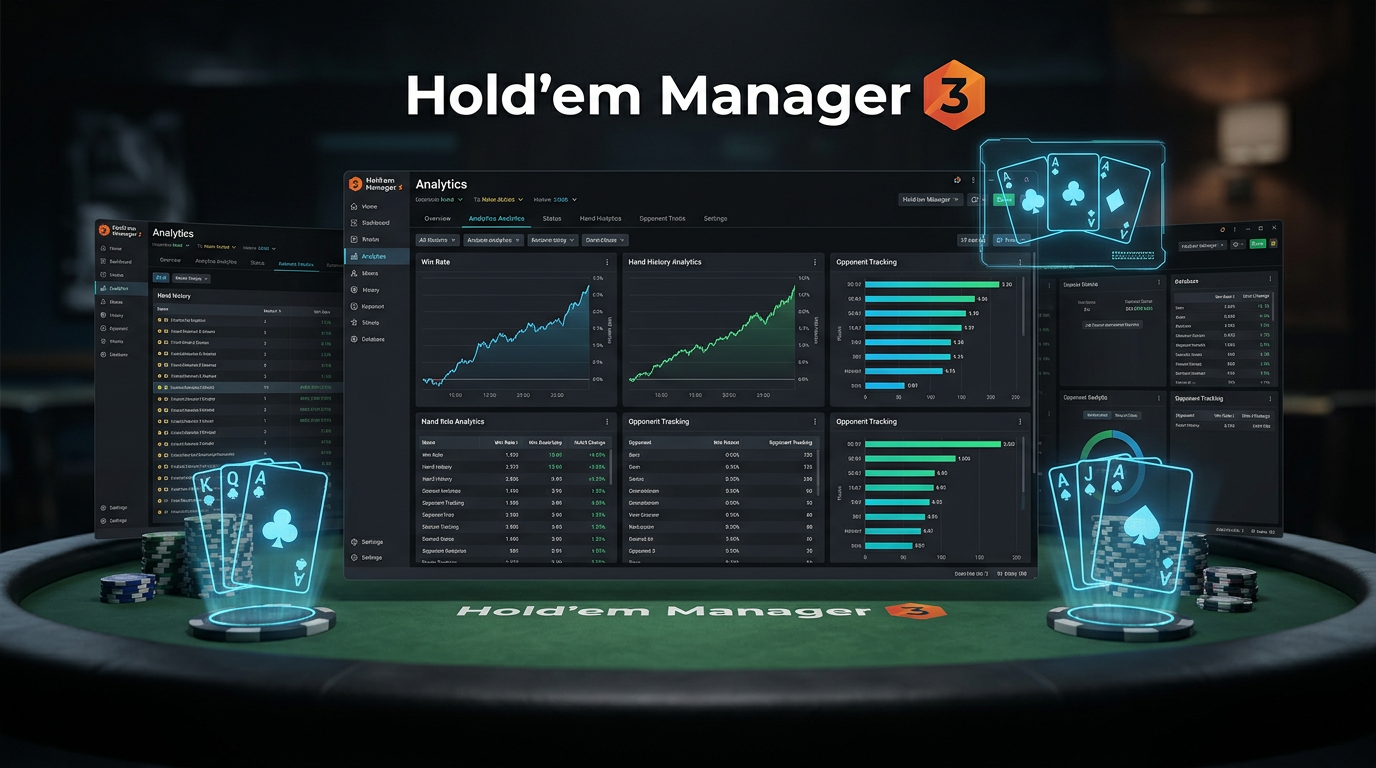
Hold'em Manager 3 Review 2026: I Switched From PT4 Six Months Ago
I'm going to do something unusual for a tracker review. I'm going to start by telling you I was wrong about Hold'em Manager 3.
For most of 2024 and into early 2025 I was the guy in our study group telling everyone HM3 was a mess and they should stick with PokerTracker 4. I had used HM3 in 2022 when it was genuinely buggy, written it off, and stopped paying attention. Then in October 2025 a friend convinced me to try the current build for a month. By December I'd migrated my full database. As of writing — May 2026 — I've been on HM3 as my primary tracker for six months.
This review is what I learned in those six months, including the things that surprised me. I'm Alex, a 6-max NL cash reg, nine years online, currently grinding NL200-500. I've used every major tracker that ships. I have no contractual relationship with the HM team and the affiliate links in this article pay me a commission at no cost to you. The opinions are mine, including the parts that contradict what I was saying twelve months ago.
The thesis up front: HM3 in mid-2026 is a meaningfully different product than HM3 in 2022. The HUD is the best in the category, the cloud sync that they introduced last year is genuinely useful, and the Windows experience is smoother than PT4's. The Mac experience is still the worst in the category — that part hasn't changed, and if you're a Mac player it's a real problem. Cost-wise, the $99 license is competitive. Whether you should switch from PT4 depends mostly on which OS you run.
I'm not going to pretend I have no complaints. I have several. But the gap between HM3 and PT4 has narrowed enough that the choice is genuinely about preference, not about which product is "better." Let me walk you through what changed my mind.
What Hold'em Manager 3 Is, Concretely
For anyone new to this category: HM3 is a hand history database with a HUD, a hand replayer, a reports system, and a leak detector. The category is the same as PT4. The implementation differs in how the team prioritizes features.
HM3's emphasis is on the HUD experience and on the analysis layer. The database engine works fine, but it's not the part that the team obviously cares most about. The HUD configurator is where they've spent the design effort, and it shows. Conversely, PT4's emphasis is on the database and the filter system; HM3 covers those areas competently but doesn't lead.
This is a real philosophical difference and it matters when you're choosing. If your primary use case is "look at stats while I'm playing," HM3 is a better fit. If your primary use case is "interrogate my play in detail to find leaks," PT4 still wins. Most players are somewhere in between, in which case both products will work and the choice comes down to OS, price, and personal taste.
The Pricing Structure
HM3 follows the same one-time-license model PT4 does, with separate Hold'em and Omaha licenses and a Combo option. Pricing as of 2026:
| Edition | Price | Coverage |
|---|---|---|
| HM3 Hold'em | $59 one-time | NLHE cash + tournaments, full HUD and database |
| HM3 Omaha | $59 one-time | PLO and PLO8, full HUD and database |
| HM3 Combo | $99 one-time | Both games, single license |
| Cloud Sync Add-on | $59/year | Cross-device database sync, multi-machine HUD |
The first three tiers match PT4's pricing almost exactly. The Cloud Sync add-on is HM3's distinguishing offering — there's no PT4 equivalent. I'll dig into whether it's worth $59/year below.
For grinders outside the US, USD billing applies and converts roughly to:
- ~$135 CAD for Combo
- ~$152 AUD
- ~$167 NZD
- ~£79 GBP
- ~€92 EUR
- Plus ~$80 CAD/$92 AUD/£47 GBP/€55 EUR/year if you add Cloud Sync
The base license is a one-time purchase and includes free updates within the version. HM3 has shipped continuous updates for several years and there's no announced HM4. Like PT4, you're effectively buying a long-lived product.
About the Cloud Sync
This is the feature that actually motivated my switch. Cloud Sync replicates your hand history database across multiple machines. I have a desktop where I play and a laptop I travel with; before HM3 I was either copying database files manually or losing track of which machine had the latest hands. With Cloud Sync, both machines see the same data within a minute or two of import.
Cross-device hand notes also sync, which means a note I made on a villain from my desktop appears in my HUD when I sit down at the same villain's table on my laptop. This is the small thing that actually changed my workflow.
Is $59/year worth it? For me yes, because I play across multiple machines. For a single-desktop grinder, no — you don't need it.
Where HM3 Genuinely Beats PT4
Let me be specific about where HM3's design has paid off.
The HUD Configurator Is The Best In The Category
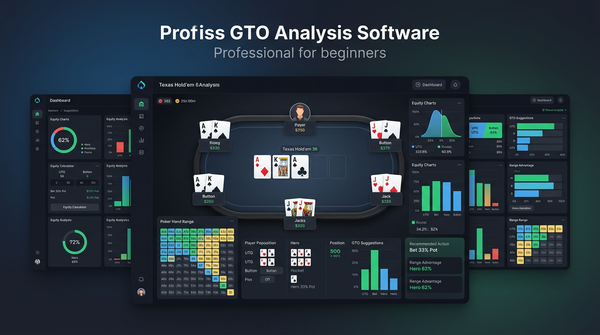
This is the single biggest improvement HM3 has made in the past two years. The HUD designer is now a visual drag-and-drop interface where you compose your HUD layout by dragging stats into positions, with live preview. Stat configuration (color rules, popups, conditional formatting) is in a single panel rather than scattered across multiple submenus.
I rebuilt my HUD layout from scratch when I migrated. In PT4 this would have taken me a full afternoon. In HM3 I had a usable HUD in 30 minutes and a refined one in two hours. The popup designer specifically is much better — popups in HM3 are composed in a what-you-see-is-what-you-get editor, where in PT4 they're configured via a tabular settings menu that requires you to mentally render the result.
If HUD design is something you care about doing well, HM3 is meaningfully better.
The HUD Stats Render Cleanly On High-DPI Displays
PT4's HUD looks pixelated on 4K monitors and high-DPI Mac screens. HM3's HUD renders crisply at any resolution. This is a small thing that you notice constantly during sessions. Crisp text, properly antialiased icons, color contrast that works in dark mode. It feels like software made in this decade.
The Hand Replayer Is Better
The HM3 replayer has cleaner visuals, a better timeline scrubber, and a side panel that shows villain stats inline as you replay. PT4's replayer works but feels like a tool from 2015. HM3's feels like something you'd actually want to use.
The Cloud Sync Workflow
Already covered above. If you have multiple machines, this single feature is enough to justify the switch.
Onboarding Is Smoother
Installing HM3 and getting a first import working is a 10-minute process. Installing PT4 is 30-60 minutes including the configuration to make it look acceptable on a modern monitor. New players who try HM3 tend to stick with it because they're not greeted by a mess of legacy UI on first launch.
Where HM3 Loses to PT4
I want to be just as specific about the trade-offs.
Filter Construction Is Less Flexible
The HM3 filter system is competent but it doesn't reach PT4's depth. Specifically:
- PT4 supports nested AND/OR logic to arbitrary depth. HM3 supports it but the UI starts to break down beyond about 6 conditions.
- PT4's "custom stats" let you build complex compound stats from base data. HM3 has this but it's harder to use.
- PT4's report templates can be applied to filter results in one click. HM3 requires you to construct the report each time.
For 80% of filter use cases the difference doesn't matter. For the deep leak-hunting work where you're trying to isolate a very specific scenario, PT4 still wins. I notice this maybe twice a month — the rest of the time HM3's filtering is fine.
Mac Support Is Genuinely Bad
Let me be direct: HM3 on Mac is the worst experience in the tracker category. The Mac build runs through a compatibility layer that has historically been fragile. As of mid-2026 they've improved this, but I still hear regular reports from Mac players of HUD overlay glitches, database lock errors, and crashes after macOS updates.
I run HM3 on Windows. The Windows experience is solid. If I were forced to use HM3 on a Mac as my primary platform, I would seriously consider switching back to PT4, which runs natively on Apple silicon.
If you're a Mac player thinking about HM3: don't. Use PT4 or DriveHUD 2.
The Database Engine Has Less Headroom
HM3 uses PostgreSQL like PT4 does, but the schema and query patterns are less optimized for very large databases. My 4.2 million hand database imported into HM3 successfully but several reports run noticeably slower than they did in PT4. We're talking 5-10 second queries instead of 1-2 second queries — not a deal-breaker, but you feel it.
If you have a small or medium database (under 1 million hands) you won't notice this. For massive databases it adds up.
Update Cadence Has Slowed
In 2024 HM3 was getting major feature updates every 2-3 months. In 2025-2026 the cadence has slowed to maybe one major update every 4-6 months, with smaller bug-fix releases in between. The product hasn't stopped, but the team isn't shipping at the pace they were. Whether this matters to you depends on whether you have an active wishlist of missing features.
The Notes System Is Good But Not As Searchable As PT4's
HM3's notes are structured similarly to PT4's — per-villain notes, attached at hand and street level — but the cross-database note search is more limited. If you want to search "every player I've ever noted as overfolding rivers" you'll have similar pain in both products, but PT4 at least exposes more of the underlying data for export.
Migrating From PT4 to HM3 (How I Actually Did It)
If you're considering the switch, here's the workflow I followed. It took me about 12 hours total over two weekends.
Step 1: Export Hand Histories
PT4 doesn't have a direct database export to HM3. What you do is take the underlying hand history files (the .txt files your poker site originally wrote) and re-import them into HM3 from scratch. PT4 stores these in a configured archive folder.
For me, that meant pointing HM3's import folder at PT4's archive and letting it process 4.2 million hands. The initial import ran for about 8 hours on my desktop. Most of that was unattended.
Step 2: Rebuild Your HUD
I rebuilt my HUD from scratch rather than trying to convert my PT4 HUD definition. This was actually a feature, not a bug — the rebuild forced me to think about which stats I was using out of habit vs which I was actually using.
The HM3 HUD designer is good enough that this took me about two hours including testing on my actual table layouts.
Step 3: Recreate Your Most-Used Filters
Filters don't migrate. The 30 saved filters I had in PT4 needed to be recreated. I prioritized — the 8 filters I use weekly went first, the rest I rebuild on demand as I need them.
This was the most painful part of the migration. Allow yourself maybe 3-4 hours.
Step 4: Set Up Auto-Import for All Your Sites
Re-add each poker site to HM3's auto-import configuration, point it at the right hand history folders, and verify hands are flowing. This is straightforward but requires attention to detail. Test with a single hand on each site before going live.
Step 5: Set Up Cloud Sync (If You Have Multiple Machines)
The Cloud Sync setup involves creating an account, installing the sync agent on each machine, and waiting for the initial sync to finish. For my 4.2M hand database the initial sync took about 6 hours. Subsequent syncs are incremental and fast.
Step 6: Run Both In Parallel For Two Weeks
I kept PT4 installed and continued auto-importing into both PT4 and HM3 for about two weeks. This let me cross-check that anything I noticed in HM3 was also visible in PT4 and vice versa, and gave me a fallback if HM3 misbehaved during sessions. After two weeks I uninstalled PT4 with confidence.
My HM3 Configuration Notes
A few specific configuration choices that worked for me.
HUD Layout
12 stats in the main panel, similar to my PT4 layout but with one substitution: I dropped a custom positional aggression composite and added a "tilt index" stat that flags when a villain's recent stats deviate sharply from their long-term stats. HM3 has this built in; PT4 requires you to compose it manually.
Two popup tabs: a positional breakdown popup and a postflop frequency popup. Both are organized by street.
Color Coding
I use a 5-color scheme on the main stats. Red for "this is a stat that needs my attention right now," yellow for "above average tendency," green for "average," blue for "below average tendency," and gray for "not enough sample to color." The default HM3 color rules are reasonable but I tightened the thresholds.
Auto-Import Settings
I have HM3 auto-importing from three sites. The auto-import respects file timestamps and handles partial files gracefully. I've had zero data loss in six months.
Cloud Sync Frequency
Default sync interval is two minutes. I bumped this to thirty seconds because I sometimes start playing on my laptop right after closing a desktop session and want notes to be current. Bandwidth impact is negligible.
Alternatives Comparison
| Product | Strength vs HM3 | Weakness vs HM3 | Annual Cost |
|---|---|---|---|
| PokerTracker 4 | Better filters, better Mac, larger DB headroom | Worse HUD UX, no cloud sync | $99 one-time |
| DriveHUD 2 | Faster setup, simpler UX | Much weaker analysis tools | $99/year |
| Holdem Indicator (basic) | Cheaper for casual use | Missing many advanced features | $50-100 one-time |
| PokerSnowie HUD | Bundled with solver | Minimal database tools | Bundle pricing |
DriveHUD is the right pick if you want a HUD without the database complexity and you're playing on supported sites. It's faster to set up and easier to live with day to day. The trade is that you're giving up most of the analysis tooling.
PT4 is the right pick if you want the deepest analysis and either you're on Mac or you have a very large database. The HUD experience is worse but the underlying tooling is more powerful.
PokerSnowie's bundled HUD exists but it's not really competitive on tracker features. If you're using PokerSnowie it's more for the AI training engine; the HUD comes along for the ride.
Common Questions
Will HM3 work on a Mac? Technically yes. Practically the experience is poor. I would not recommend HM3 to a Mac-only player. PT4 is the better Mac option.
Does HM3 support PLO and PLO8? Yes, with the Omaha or Combo license. PLO HUD support is competitive with PT4's.
Can you run HM3 alongside another tracker? You can install both, but auto-import will conflict if you point them at the same hand history folders. Either pick one to be the auto-import target and feed the other manually, or commit to one product. I ran them in parallel during my migration but I wouldn't run them in parallel long-term.
Is the Cloud Sync data secure? Hand history data is encrypted in transit and at rest. The team has published their security model. I'm comfortable with it for my data, but if you're concerned about cloud-stored hand histories on principle, skip the add-on.
What about the Cloud Sync without HM3? It's not a standalone product. Cloud Sync is bundled into the HM3 ecosystem.
How big does your HM3 database get? Similar to PT4 — about 4-5 GB per million hands. My 4.2M hand database is about 19 GB on disk. Cloud Sync replicates this across machines, so you need disk space on each machine.
Does HM3 work on the same poker sites PT4 does? Mostly yes. Their site support lists are substantially overlapping. Edge cases exist — verify your specific site is supported before buying.
Will the team release HM4? No public announcement. The product team has been responsive on Discord about HM3's roadmap and seems committed to the current version. I wouldn't wait for HM4 — buy what works now.
Should you wait for a sale? They run Black Friday discounts and occasional sales tied to poker events. If you can wait a few months, you can usually save 20-30%. If you're in active study and need a tracker now, the full price is still reasonable.
Can you transfer the license to a new machine? Yes. Deauthorize the old machine through the HM3 account portal, install on the new one. They allow up to three concurrent activations on a standard license.
A Week In My HM3 Routine
Concrete schedule from a recent week, similar in shape to what I described in my PT4 review but with the tooling differences that matter.
Monday: Played 4 hours on the desktop. After the session, opened HM3 and used the built-in "biggest pots" view to scroll through the 12 largest pots. Five of them got tagged for follow-up review. Total post-session time: 12 minutes — the HM3 replayer is fast enough that this stays light.
Tuesday: Played 3 hours, similar review workflow. Tagged 3 hands. Cloud Sync moved everything to my laptop overnight without me thinking about it.
Wednesday: Off day from playing. Spent 75 minutes on a deeper analysis session — pulled my tagged hands from the past two weeks and ran each through the HM3 replayer with side-panel stats on. Wrote notes in my notes file about a recurring pattern: I was 3-bet-bluffing too wide vs CO opens at 100bb.
Thursday: Played 3.5 hours. Adjusted the 3-bet-bluff range from Wednesday's finding. Felt better immediately, though I'm aware that's not a real sample.
Friday: Played 4 hours. Travel weekend coming up so I made sure Cloud Sync was current before packing the laptop.
Saturday: On the road. Played 2 hours from a hotel on the laptop. HM3 picked up where the desktop left off — same notes, same HUD, same database.
Sunday: Weekly review session, 90 minutes. Ran my saved reports (fewer than I had in PT4 because I haven't rebuilt all of them yet — about 12 saved reports vs 30 previously). Looked for stat movement, made notes, planned next week's focus area.
About 5 hours of HM3 time across the week, which is roughly the same as my PT4 budget. The difference is that the HUD-during-play time feels easier on the eyes, and the Cloud Sync removed a friction point that used to cost me 10-15 minutes a week of manual data juggling.
A Detailed Walkthrough Of My HUD Build
Since I rebuilt my HUD from scratch in HM3, this is a useful place to describe the actual layout I landed on. The build process was meaningfully easier than in PT4 thanks to the visual designer.
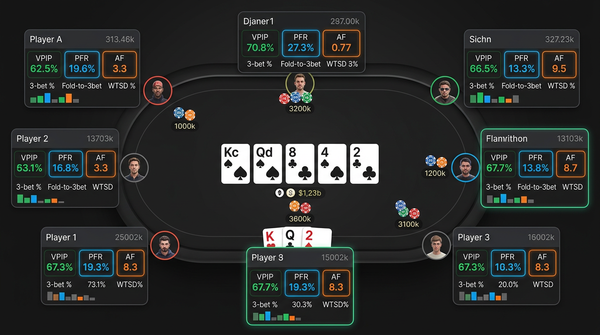
The main panel sits to the right of each player and contains 12 stats in a 4x3 grid:
Row 1 (preflop tendencies): VPIP / PFR / 3bet% / Fold-to-3bet%
Row 2 (postflop frequencies): AF / WTSD% / W$SD% / Hands
Row 3 (positional/situational): Steal% / Fold-to-Steal% / Tilt Index / BB/100
That's almost identical to my PT4 layout with one substitution: I dropped the custom positional aggression composite from PT4 (which I'd built manually over months) and replaced it with HM3's built-in Tilt Index, which compares a villain's recent 200 hands to their long-term stats and flags significant deviations.
The Tilt Index is genuinely useful as a real-time tool. When a regular suddenly starts deviating from their long-term play it usually means they're stuck and tilting, which has predictable implications for how to play against them. PT4 has the data to compute something equivalent but you have to build it yourself; HM3 ships it as a default stat. Small thing, real quality-of-life improvement.
The popups are where HM3's visual designer pays off the most. I have two popup tabs: a positional breakdown (open/3-bet/cold-call frequencies by seat) and a postflop frequency tab (c-bet/double-barrel/triple-barrel by board texture). Both are organized as visual grids rather than tabular lists. PT4's equivalent popups are tables; HM3's are grids that map to where the action actually happens. I read them faster.
Color coding is the same 5-color scheme I use everywhere: red for "needs attention," yellow for "loose/aggressive deviation," green for "average," blue for "tight/passive deviation," gray for "low sample."
Building all this from scratch in HM3 took me about two hours of focused work. The PT4 equivalent took me five years of incremental tuning. The HM3 designer is genuinely better.
A Detailed Look At Cloud Sync
I keep mentioning Cloud Sync because it's the feature that actually changed my workflow. Let me describe what it does in detail.
Cloud Sync runs as a small background agent on each machine you install it on. The agent watches your local HM3 database and replicates changes to a hosted backend that the team operates. Other machines running the same agent pick up the changes and apply them locally. The whole thing is supposed to be invisible.
In practice it mostly is. Hand histories imported on the desktop appear in the laptop's database within 1-2 minutes (or 30 seconds at my reduced sync interval). Notes written on either machine appear on the other. HUD configurations sync. Even tagged hands sync, which means a hand I marked for follow-up review on the desktop shows up in the laptop's "tagged" view automatically.
What doesn't sync: report templates and filter definitions. Those are local only. Annoying but not deal-breaking.
The bandwidth impact is small. Daily incremental syncs are typically under 50MB even during heavy play days. The initial sync of a large database is the only data-heavy event.
Reliability over six months has been good. I've had exactly one sync failure, in February, when the backend had an outage for about four hours. During the outage, both machines continued to import locally; when the backend came back up, the syncs caught up automatically. No data lost.
Whether Cloud Sync is worth $59/year depends entirely on whether you have multiple machines you actually use for poker. For a single-desktop grinder, no. For me, with a desktop and a travel laptop, it's the single most-used add-on I subscribe to.
What I'd Tell Someone Buying HM3 For The First Time
Practical gotchas.
If you're on Mac, don't buy HM3. I keep saying this. I'll say it again here because the marketing pages don't tell you. The Mac experience is genuinely poor and there are better Mac options.
The default HUD templates HM3 ships with are decent starting points but they assume a specific table layout. If you're playing on tables larger than the assumed default, the default HUD positions overlap with cards. Spend 15 minutes adjusting positioning before your first real session.
Cloud Sync is opt-in, not on by default. If you want it, you have to subscribe separately and configure each machine. It's not bundled with the base license.
The auto-import folder configuration matters more than you'd expect. Get it wrong and HM3 will silently fail to import some hands. Use HM3's built-in folder validator after configuring each site.
The HUD will not work the first time you fire it up. The first launch always seems to require a restart of either HM3 or the poker client to establish the overlay connection. After that it's reliable. Don't panic when it doesn't work on first launch.
How HM3 Fits Into A Broader Study Stack
HM3 is the tracker layer. The other layers wrap around it.
The solver layer is GTO Lab. HM3 exports hand histories cleanly into the analyzer. The export-to-import workflow takes about 30 seconds per hand.
The video layer is Poker Academy. Track concepts drive HM3 filter ideas. If a track talks about turn check-raise frequencies, I'll build an HM3 filter to see what mine actually look like.
The community layer is a small private Discord with three other regs. We share specific hands as HM3 exports when we want second opinions.
The volume layer is play time. HM3 isn't useful without hands; aim for 25k+ per month minimum.
The differentiator HM3 brings to this stack vs PT4 is the multi-machine workflow via Cloud Sync. If your study and play happen on more than one device, HM3's the only credible option in the category. If you're single-device, the choice between HM3 and PT4 is genuinely a coin flip on Windows and PT4 wins on Mac.
After Six Months: Has My Winrate Changed?
I tracked this carefully because I wanted to know whether the switch was worth the migration time.
Six months pre-switch (April-October 2025): 5.6bb/100 at NL500 over ~80k hands, 7.4bb/100 at NL200 over ~110k hands.
Six months post-switch (November 2025-April 2026): 5.4bb/100 at NL500 over ~85k hands, 7.6bb/100 at NL200 over ~105k hands.
Functionally identical. The HM3 switch didn't move my winrate measurably in either direction.
That's actually the right outcome. The tracker isn't supposed to make you a better player on its own — your study habits and your play time do that. The tracker should be a tool that doesn't get in your way. HM3 isn't getting in my way more than PT4 was, the HUD-during-play experience is meaningfully better which makes long sessions less tiring, and the Cloud Sync removed a friction point. None of that shows up as bb/100 but all of it shows up as quality of life.
If I'd seen a winrate drop, I'd have switched back. I didn't. The migration was worth it for the workflow improvements even though the bb/100 didn't budge.
Verdict: Switch If You're On Windows And You Hate PT4's UI
Six months in, I'm still on HM3 and I don't regret the switch. The HUD experience is a real upgrade, the Cloud Sync genuinely changed my workflow, and the day-to-day feel of the software is better than PT4's. For a Windows-based grinder who's been frustrated by PT4's interface aging, this is a credible alternative.
But I want to be honest about the limits of my recommendation. If you're on a Mac, don't switch. PT4 runs better on Apple silicon and the HM3 Mac experience is still rough. If your study workflow lives in heavy filter construction and report building, you'll feel the loss of PT4's depth even if you appreciate the HUD upgrade. And if you're happy with what you've already got, the switch is six to twelve hours of setup pain to gain incremental benefits — only worth it if those benefits matter to your specific workflow.
For a brand-new player picking a first tracker today, on Windows: HM3 is a reasonable default. The onboarding is faster than PT4's and the HUD will feel modern out of the box. You can always migrate to PT4 later if you find your analysis needs outgrow what HM3 offers, though I haven't personally seen anyone do that migration.
For a brand-new player picking a first tracker today, on Mac: PT4. Easy call. HM3 isn't viable here.
The $99 one-time license is reasonable. The $59/year Cloud Sync is worth it if you have multiple machines and not worth it if you don't. Total annual cost of HM3 + Cloud Sync over five years works out to roughly $400, which is more than PT4's lifetime cost of $99 but less than DriveHUD 2's five-year subscription cost of $495. It's the middle option in the category, which feels appropriate given that the product is the middle option in capability.
I'll keep using HM3 through 2026 and re-evaluate at the end of the year. If the team ships another year of meaningful updates, the verdict stays. If the cadence keeps slowing, I might rotate back to PT4. That's the standard I hold any paid software to and HM3 currently passes it.