How to Use GTO Lab: The Tutorial I Wanted When I Started
A real GTO Lab tutorial — interface, running solves, reading outputs, building a study routine. From a NL200-500 grinder using it weekly since 2023.

How to Use GTO Lab: The Tutorial I Wanted When I Started
The first time I opened GTO Lab, I had a specific question: "Should I cbet 100% on K72r as the BTN in a single-raised pot vs the BB?" I'd been auto-cbetting this for years and a guy in my Discord group claimed I was leaving EV on the table. I figured GTO Lab would tell me the answer in two minutes.
Three hours later, I had clicked through about forty different range matrices, gotten distracted by an unrelated question about 3-bet pots, run a custom solve that took 45 minutes and produced an answer I didn't really understand, and never actually answered the original question. I closed the laptop frustrated and went to bed.
This is the GTO Lab experience for most new users. The software is genuinely good — I've been using it as my primary daily solver since 2023 — but the surface area is overwhelming, and the official documentation walks you through features instead of workflows. You learn what each button does without learning how to actually study.
This tutorial fixes that. I'll show you how to use GTO Lab the way an actual grinder uses it — answering specific questions about your own play, building intuition for spots you encounter every session, and developing a sustainable weekly study routine. Not a tour of the menus. A guide to producing real improvement.
GTO Lab in 2026 costs about $49/month or $399 annually. The trial is generous — usually two weeks of full access. That's more than enough time to know if it fits your workflow. By the end of this guide you'll know what to do during that trial to make the buy/no-buy decision properly.
Quick Orientation: What's Where
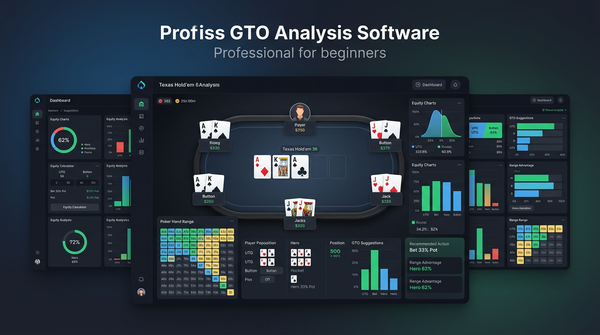
Before workflows, a 60-second tour. GTO Lab's interface in 2026 has four main panels:
Left sidebar: Navigation between solved spot library, your saved sims, the trainer, and account settings.
Top: Spot configuration bar. Here you set positions, stack depths, preflop action, and pick the board. Changing any of these reloads the matrix below.
Main area: Range matrix. The 13×13 grid showing what the solver does with each starting hand at the current decision point. This is where you spend 90% of your time.
Right panel: Tree view and EV details. Shows the rest of the game beyond the current decision, with EV numbers for each option and the ability to drill deeper into any subsequent street.
You can resize all of these panels. I keep the matrix big and the tree view narrow because I do most of my reading from the matrix.
There's also a Trainer mode (separate from the spot library) where you play through random spots and get scored. That's a separate workflow — I'll cover it later.
Workflow #1: Answering a Specific Question
This is the most common use case and the one beginners get wrong most often. You have a specific question about a specific spot. You want a specific answer. Here's how to actually get one.
The K72r cbet question revisited. Suppose I want to know: as BTN vs BB in a single-raised pot at 100bb, on K72 rainbow flop, should I cbet at high frequency, low frequency, or mixed?
Step 1. In the spot configuration bar, set:
- Game type: NL Cash 6-max
- Stack: 100bb
- Preflop action: BTN open, BB call
- Flop: K-7-2 rainbow (use any three different suits)
Step 2. The matrix loads. Look at the overall cbet frequency — there should be a summary stat near the top. On K72r as BTN vs BB in 2026 GTO Lab solves, the cbet frequency is high (usually 75–85%) using a small sizing (typically 25-33% pot).
Step 3. Look at which hands check. The hands that check on this board are usually mid pocket pairs and some weak overcard combos that don't want to bloat the pot. Notice the structural logic — strong hands bet for value, weakest hands bet as bluffs, mid-strength medium-equity hands check for pot control.
Step 4. Compare to your habit. If you've been cbetting 100%, you're cbetting some hands that GTO Lab checks. The EV difference is probably small (these are usually mixed strategies), but you can refine.
That's the workflow. Five minutes, specific answer, direct application to your game. Don't let yourself get distracted by adjacent questions — note them down for next time.
Workflow #2: Comparative Study
The single most underrated feature in GTO Lab is the ability to load two spots side-by-side. This is where pattern recognition gets built.
Example: Cbet on K72r vs K72tt (two-tone). Same starting situation, only the suit pattern changes. Load both, look at how the strategy shifts.
You'll see that on K72tt, the cbet frequency drops slightly and the sizing distribution often spreads — you'll see a small bet for some hands and a bigger bet for others. The presence of the flush draw introduces protection considerations that change the optimal strategy.
This kind of comparative study is how you build intuition for what board features actually matter. Things to compare:
- Same flop, different positions (BTN cbet vs UTG cbet on K72r)
- Same flop, different stack depths (100bb vs 60bb)
- Similar flops, one feature changed (rainbow vs two-tone, paired vs unpaired)
- Same starting situation, different turn cards (K72r turn 8 vs turn 8 vs turn A)
Spend 30 minutes a week on comparative study and your pattern recognition will improve faster than from any other single activity in the solver.
Workflow #3: Hand History Review
This is the workflow that actually fixes leaks. Pull a hand from your last session that confused you, recreate it in GTO Lab, and see what the solver does.
Step 1. Find a hand. Use your HUD's session view (PokerTracker 4 makes this easy). Pick a hand where you weren't sure of your play.
Step 2. Recreate the spot in GTO Lab. Same positions, same stack depth, same preflop action. Pick a flop with the same texture as the actual flop (you don't have to use the exact card combo — it's the texture that matters).
Step 3. Find your hand in the matrix. Look at what the solver does with it.
Step 4. Look at the EV difference between what you did and what the solver does. If they're within 0.1bb, your play was fine. If your play is 0.5bb+ worse, that's a real leak.
Step 5. Check adjacent hands. Often the solver does something different with your specific hand than with similar hands. Understanding why helps you generalize.
I do 5–10 hand history reviews per week. This is where most of my actual improvement comes from. Theoretical study is fine; concrete review of your own decisions is better.
Workflow #4: Trainer Mode
The Trainer in GTO Lab is the second-most-valuable feature for beginners. You're shown a random spot, asked to choose an action, and scored against the solver.
The killer detail: the trainer tracks your accuracy over time and shows you which spots you keep getting wrong. After a week of training, you'll have a list of consistent error patterns to study.
Setup: Open Trainer mode. Choose a difficulty (start with "Random Spot" rather than focused study). Set a time goal (15 minutes daily). Start playing.
Don't try to be perfect. Most beginners score 60–70% on first attempts. After a month of daily training, 80–85% is realistic. Past 90% you're plateaued and need to deepen study elsewhere.
The trainer is also great for warm-up before sessions. 5 minutes of preflop spots before you sit down primes your decision-making and reduces early-session leaks.
Reading the Range Matrix Without Confusion
A few specific tips for matrix interpretation that took me too long to figure out.
Color intensity matters. A hand shown in light green at 30% frequency is different from a hand shown in dark green at 90%. The intensity is the frequency. Don't just look at color — look at how strong the color is.
Mixed strategies are normal. Many hands at many decisions have mixed strategies — bet 60%, check 40%, for example. Don't try to "pick one." In your actual play, just bet that hand 60% of the time over the long run. Or, if you want to simplify, default to the more frequent action and accept a small EV loss.
EV is more important than frequency. A hand might bet 50% of the time but the EV difference between betting and checking is 0.05bb. That's noise. A hand might bet 80% of the time with an EV difference of 1.2bb — that's a clear bet. Always glance at the EV column when interpreting frequencies.
Edge cases inform the structure. The hands at the boundary of betting/checking ranges tell you the most about the strategic logic. Why is K9o a bet but K8o a check? Understanding this teaches you what's going on more than studying the obvious bets.
Suits matter on connected boards. On a board like J92tt, the solver will treat AcKc differently from AdKd because of backdoor flush draws. Pay attention to suit-level detail on draw-heavy boards.
Building a Weekly Study Routine
Here's the routine I've been running for the last 18 months. About 4 hours per week, sustainable, produces measurable results.
Monday (45 min): Review last week's session results. Identify one stat that's drifted from baseline. Open GTO Lab. Spend the session studying the spot category that maps to the leak.
Tuesday (30 min): Trainer mode. Random spots. Just play and notice what you get wrong.
Wednesday (45 min): Comparative study. Pick a flop type that comes up often in your sessions (e.g., paired boards, monotone boards, ace-high boards). Look at how the solver plays the same starting situation across 5–10 examples of that texture.
Thursday (15 min): Quick spot check on any hand that came up in last night's session that you're unsure about.
Friday (60 min): Hand history review. Pull 5 hands from the week. Run each through GTO Lab. Document what you'd do differently.
Saturday/Sunday: No structured study. Play volume.
This is sustainable because none of the sessions are long. The total weekly time is reasonable for any working adult. The structure mixes targeted study (Monday/Friday) with broad practice (Tuesday) and pattern recognition (Wednesday).
You can scale up or down. If you only have 2 hours a week, do Monday and Friday. If you have 8 hours, double the comparative study and add a second hand history review.
Custom Solves: When to Use Them
GTO Lab lets you build custom solves where you specify your own positions, stacks, ranges, and bet sizings. This is more powerful than the pre-solved library but takes longer and requires you to know what you're doing.
When custom solves make sense:
- You play a non-standard format (deep stacks, ante structures, unusual table sizes)
- You want to lock villain's strategy at one node and see how yours should adapt (this is "node locking" — the most valuable advanced feature)
- You're studying a population-specific deviation, not the unexploitable baseline
- The pre-solved library doesn't cover your stake or game type adequately
When custom solves don't make sense:
- You're a beginner. Use the pre-solved library. It covers 95% of what you need.
- You're trying to "optimize" a spot the library already covers. The pre-solved sim is fine.
- You don't have a specific reason. Custom solves take 10x the time of looking up a spot.
I run maybe 1–2 custom solves a month. The rest of my study is library lookups and trainer reps.
For your first month with GTO Lab, ignore custom solves entirely. Build comfort with the library first.
Comparison Tables
| Feature | What it does | When to use |
|---|---|---|
| Spot library | Pre-solved common spots | Daily study, quick lookups |
| Trainer | Random spots with scoring | Daily 15-min reps |
| Custom solve | Build your own sim | Advanced, after 3+ months |
| Comparative view | Side-by-side spot comparison | Weekly pattern study |
| Saved sims | Bookmark spots for review | Build a personal library |
| Tree view | Drill into subsequent streets | Multi-street EV reasoning |
| Study activity | Time per week | Value for beginners |
|---|---|---|
| Trainer mode | 90 min | High |
| Hand history review | 60 min | Highest |
| Comparative study | 45 min | Medium-high |
| Targeted leak study | 45 min | High |
| Random spot exploration | 30 min | Medium |
| Custom solves | 0 min for first 3 months | Low for beginners |
| GTO Lab vs alternatives (2026) | GTO Lab | GTO Wizard | InstaGTO |
|---|---|---|---|
| Monthly price | ~$49 | $49–$99 | ~$29 |
| Annual price | ~$399 | varies | discounted |
| Beginner UX | Best | Good | Good |
| Library coverage | Comprehensive cash | Comprehensive all formats | Cash-focused |
| Trainer quality | Very good | Best | Good |
| Custom solve speed | Fast | Fast | Slower |
| Mobile/browser | Browser-based | Browser-based | Browser-based |
Things I Wish I'd Known About GTO Lab
A few specific lessons.
The library covers more than you think. Before running a custom solve, search the library for similar spots. Most of the time, what you want is already there.
Bookmark spots ruthlessly. GTO Lab lets you save sims to a personal library. After three months you'll have 50+ saved spots that you reference repeatedly. This is your personal study database. Build it deliberately.
The trainer's "weakness" report is gold. After 100 trainer hands, GTO Lab generates a report showing your worst spots. Read it. It's the most actionable feedback in the entire product and it's easy to overlook.
Don't change too much at once. If you discover you've been mis-cbetting one board texture, fix that and only that for two weeks before moving to the next leak. Rapid systemic changes produce confusion at the table.
The mobile experience is OK for review, bad for study. GTO Lab works on tablets but the matrix is hard to read. Treat mobile as for spot-checking, not for serious study sessions.
Annual is worth it once you've committed. $399/year vs $49/month is about 32% cheaper. If you've used it consistently for two months and aren't going to cancel, switch to annual.
Common Questions Answered Naturally
People ask me about GTO Lab a lot in coaching. The recurring questions:
How do I know if I'm using it enough to justify the price? If you log in at least three times a week and spend at least 90 minutes total, you're getting your money's worth. Less than that and the trial period was telling you something.
Should I take notes during solver study? Yes, but minimally. A short doc with "this week's leak focus" and "patterns I noticed" is plenty. Don't try to transcribe ranges — you can't, and it doesn't help.
Is the GTO Lab trainer better than playing actual hands? No. The trainer builds decision-making intuition, but real money is the only thing that builds the discipline to apply that intuition under pressure. Trainer + actual play beats either alone.
What if my game type isn't well-covered in the library? Then GTO Lab might not be your tool. The library is heavily cash-game focused. If you play mostly tournaments, GTO Wizard is a better choice.
How do I decide between GTO Lab and GTO Wizard? Try both trials. Pick the one whose interface clicks for you. They're both excellent. GTO Wizard has more format coverage; GTO Lab has slightly better cash-game UX. Don't agonize — either is fine, neither is wrong.
Should I run sims while I sleep? You can with custom solves, but for beginners using the library, this isn't needed. The library is pre-solved.
Can I use GTO Lab while playing? In theory. In practice, it's a study tool, not a real-time decision aid. Looking up spots while playing is a recipe for slow decisions and bad poker. Use it before and after sessions.
Do I need a separate equity calculator? GTO Lab handles equity within the solver context, but for quick standalone equity questions, a free tool like Equilab is faster. Both have a place.
How long until I see results? If you're actually studying 4 hours a week and playing meaningful volume, expect to see stat improvements in 4–6 weeks and winrate improvements in 2–3 months. Anything faster is variance, anything slower means your routine isn't working.
A 30-Day GTO Lab Onboarding Plan
If you're starting your trial today, here's what to do.
Days 1–3: Click around. No goals. Just explore the interface. Look at preflop ranges. Look at common cbet spots. Don't try to learn anything specific.
Days 4–7: Trainer mode. 15 minutes daily. Get a baseline accuracy score. Don't worry about fixing weaknesses yet.
Days 8–14: Pick one leak from your database. Spend the second week deep-diving on solver outputs related to that leak. End of week 2, write a one-paragraph summary of what you learned.
Days 15–21: Hand history review. Pull 5 hands from the previous week. Run each through GTO Lab. Document differences.
Days 22–28: Build your personal library. Bookmark 20+ spots you want to reference repeatedly. These will become your home base.
Days 29–30: Decide. Have you used it consistently? Have you learned anything actionable? Has your study time felt productive? If yes to all three, commit to the annual subscription. If not, cancel — you can always come back later.
This is the single most important onboarding plan for any solver. Most people use the trial passively and never decide whether the product fits. The above forces you to use it in the way that produces actual value, so your buy/no-buy decision is informed.
The Verdict
GTO Lab is the solver I recommend most often to NL50–NL500 cash game regulars in 2026. The interface is the most beginner-friendly of the modern options, the cash-game library is comprehensive enough that you'll rarely need custom solves, and the price ($49/month or $399/year) is reasonable for what you get.
It's not the right tool for everyone. If you play mostly tournaments, GTO Wizard's coverage is better. If you're on a strict budget, InstaGTO at $29/month does the job for cash. If you're a true beginner who hasn't met the prerequisites for solver study, no solver is right for you yet — start with PokerTracker 4, build a database, memorize preflop ranges, and come back in three months.
But for the typical low-to-mid-stakes cash game grinder who wants to study seriously without the steepest learning curves, GTO Lab is where I'd start.
Spend the trial period using the workflows in this guide. Run hand history reviews on real hands from your play. Drill the trainer for 15 minutes a day. After 30 days, you'll know whether GTO Lab fits your study style. If it does, commit to a routine. If it doesn't, that's also useful information — you'll know what to look for in your next solver attempt.
The tool is the easy part. The discipline to use it consistently is the hard part. Start the trial this weekend. Set 30 minutes on Monday morning to do your first real session. Show up the same way next week. Six months from now, you'll be a measurably better player, and you'll wonder why you waited.
A Week in My GTO Lab Study Routine
I want to walk through an actual recent week so you see what this looks like in practice. This isn't a sanitized version. It's what was on my calendar in late April.
Monday morning. I'd had a losing session Sunday night, down about 4 buy-ins at NL500. Pulled up the session in PokerTracker 4, filtered for hands where I lost more than 1bb on the river. Twelve hands. Eight of them were river bet-call situations where I called and lost. That's a pattern. Opened GTO Lab and spent 45 minutes on BB defending vs BTN single-raise pots, specifically the turn-river decision tree on dynamic boards. I wasn't trying to fix the hands directly. I was trying to understand whether my river calling frequency is fundamentally too high in this branch. Turned out: yes, by maybe 6–8% on draw-completing rivers. That's the leak. Made a note in Apple Notes.
Tuesday. Trainer for 18 minutes before sitting down to play. Random spots, no focus. Scored 79%. Lowest accuracy category: 3-bet pots OOP on monotone flops. Not surprising — I underbluff monotone flops as the 3-bettor and the trainer caught me.
Wednesday. 50 minutes comparative study. Picked monotone flops (since trainer flagged them) and looked at how GTO Lab plays the same 3-bet pot across five different monotone textures: AhKh7h, KhQh4h, QhJh3h, Th9h2h, 8h7h2h. Aggregate pattern: the cbet frequency stays high (70%+) but sizing shifts — wetter coordinated monotones get smaller bets and a wider checking range with the very nuts and air. I'd been sizing identically across all these. Logged the pattern.
Thursday. Quick 12-minute trainer session focused only on monotone flops in 3-bet pots. Accuracy on this subset jumped from baseline 71% to 84% by the end. Reps work.
Friday. 65-minute hand history review. Pulled five hands from the week. Two were river over-calls, two were turn under-bets on coordinated boards, one was a preflop 3-bet sizing question. Ran each. Documented the EV gap. Total EV left on the table across the five hands: about 6.8bb. That's $34 at NL500. Worth fixing.
Saturday and Sunday. Played. No study. Logged the hands; they'll feed Monday.
Total study time for the week: 3 hours 10 minutes. Not heroic. Sustainable. The pattern of "leak detection → solver deep dive → trainer drill → hand history confirmation" is the actual loop. Most weeks look like this.
The Spots I Study Most
After years of running this routine, certain spot categories come up repeatedly. They're either high-frequency (I face them every session) or high-leverage (small errors cost a lot). The list, in rough order:
BB defense vs BTN open at 100bb. This is the most common 6-max cash spot that isn't preflop. The frequency is so high that even tiny mistakes compound brutally. I study some subset of this category at least once a month. Particular focus: turn checkraise frequencies on paired boards, and river calling thresholds vs delayed-cbet sizings.
3-bet pots OOP as the 3-bettor. SB 3-bet vs BTN, BB 3-bet vs CO. These pots are big and the OOP player needs precise cbet construction. Common leak: over-cbetting on low static flops where the BTN's calling range has caught up to your range advantage. The 552 and 433 type flops where you should check more than you'd think.
Cbet decisions on K-high rainbow flops. Like K72r, K84r, K93r. High-frequency cbet spots that look easy and are usually played badly. The hands that mix into checking are not obvious — small pairs, weak Kx hands like K6o, some specific overcards. Worth knowing cold.
Turn barreling decisions. Heavily reduced from raw cbet study but criminally underweighted in most players' study. When you cbet flop and get called, what does turn play look like? On most board-turn combos, you should be barreling at meaningfully different frequencies than your flop cbet frequency. Studying this fixed my second-biggest leak.
4-bet pot postflop play. Rare but enormous pots. 200+ bb effective in the SPR-1-ish range. The play is more constrained than people think — strong made hands bet, draws bet, everything else mostly checks. Worth a focused study session per quarter even though the hands are infrequent.
Flatting BTN vs CO with dominated hands. A specific category I keep coming back to. Calling KJo, QJo, ATo on the BTN vs CO opens — these are spots where most regs over-flat because the hands look nice. The solver mixes a lot of folds with the calls. I track my BTN call frequencies vs CO opens specifically.
These six categories make up probably 70% of my GTO Lab time. The other 30% is variety — opponent-specific deviations, weird stacks, occasional MTT spots when a friend asks.
What I'd Tell Someone Buying GTO Lab for the First Time
If you'd just clicked "start trial" and asked me what to actually do, this is the unfiltered advice.
Don't watch tutorial videos for the first week. I know it feels productive. It isn't. The interface is intuitive enough to figure out by clicking. Tutorial videos teach you features instead of teaching you how to study, and the gap between the two is the entire reason most beginners waste their trial.
Pick one leak before you open the software. Have your HUD data open. Know what stat is drifted. "I want to fix my BB vs BTN turn play" is a goal. "I want to learn the solver" is not. The first version gets results in two weeks; the second version produces wandering and frustration.
Accept that mixed strategies are real. Most beginners try to force every hand into "always bet" or "always check." That's not how the solver works and it's not how good players play. When a hand bets 60% / checks 40%, accept the mix. You can simplify in your own play (always do the dominant action) but understand that the solver isn't being indecisive.
Bookmark from day three onward. You'll find spots that surprise you. Save them. By the end of the trial you should have 15+ bookmarks. Those become your personal library.
Use the trainer every single day during the trial. 10–15 minutes minimum. The trainer's value scales with consistency and most beginners use it sporadically and never see the compounding. Daily for 30 days produces patterns the weekly user never sees.
Don't compare to GTO Wizard yet. Plenty of time later. Pick one, commit to the trial, and judge the product on its own merits. Comparison shopping during a trial is the fastest way to learn neither tool.
Cancel if it doesn't fit. The buy/no-buy decision is binary. If after 30 days you haven't used it consistently or you haven't learned anything actionable, cancel. You can always come back. Forcing yourself into a year-long subscription for a tool that doesn't fit your study style is a $400 mistake nobody talks about.
Pay for annual once you're sure. If you've used it consistently for two months and you're not going to cancel, switch to annual. The 32% savings funds the next year's mental game book budget.
Six Months Later: Has Anything Changed?
I wrote a version of this tutorial six months ago for a coaching client and most of what I said then still applies. A few things have shifted.
The library got bigger. GTO Lab has been adding format coverage steadily. Spin & Go solves are now in the library where they weren't last year. Heads-up cash is more polished. If you tried GTO Lab a year ago and it was thin in your format, it's worth re-evaluating.
The trainer's "weakness report" is now more granular. When I started using GTO Lab, the trainer flagged broad categories ("you're weak in 3-bet pots"). Now it drills down to "you're weak in 3-bet pots OOP on monotone flops when the preflop aggressor is in CO." That granularity is genuinely useful and surfaces leaks I'd never have caught manually.
Browser performance has gotten noticeably better. Loading spots used to take 1–2 seconds. Now most spots load instantly. On a fast connection, the user experience has reached "feels like a desktop app." This matters more than it sounds — friction kills study sessions, and lower friction means more sessions.
Mobile is still bad. Hasn't really improved. Don't expect to study on a phone. Tablet works for review. Desktop or laptop for serious sessions.
Price held. $49/month and $399/year haven't changed since I started subscribing. In a market where every SaaS raises prices annually, that's a small mercy.
The product still delivers on what it promised when I first tried it. That's not nothing. A lot of poker software gets stale fast or pivots away from the user base it built on. GTO Lab hasn't done either, and that's the strongest case for committing to it as your long-term study tool.
Six months from now, if you've followed the routine in this guide, you'll have your own version of this section to write. The patterns you study will be different. The leaks you fix will be specific to your game. But the structure — leak detection, deep solver work, trainer reinforcement, hand history confirmation — will still be the framework that works.
That's the durable lesson. Tools come and go. Routine compounds.