Poker Database Software Comparison: PT4 vs HM3 vs DriveHUD vs Hand2Note
I've owned all four major poker databases. Here's the honest comparison — speed, features, supported sites, real costs over five years, and which one you should actually buy.
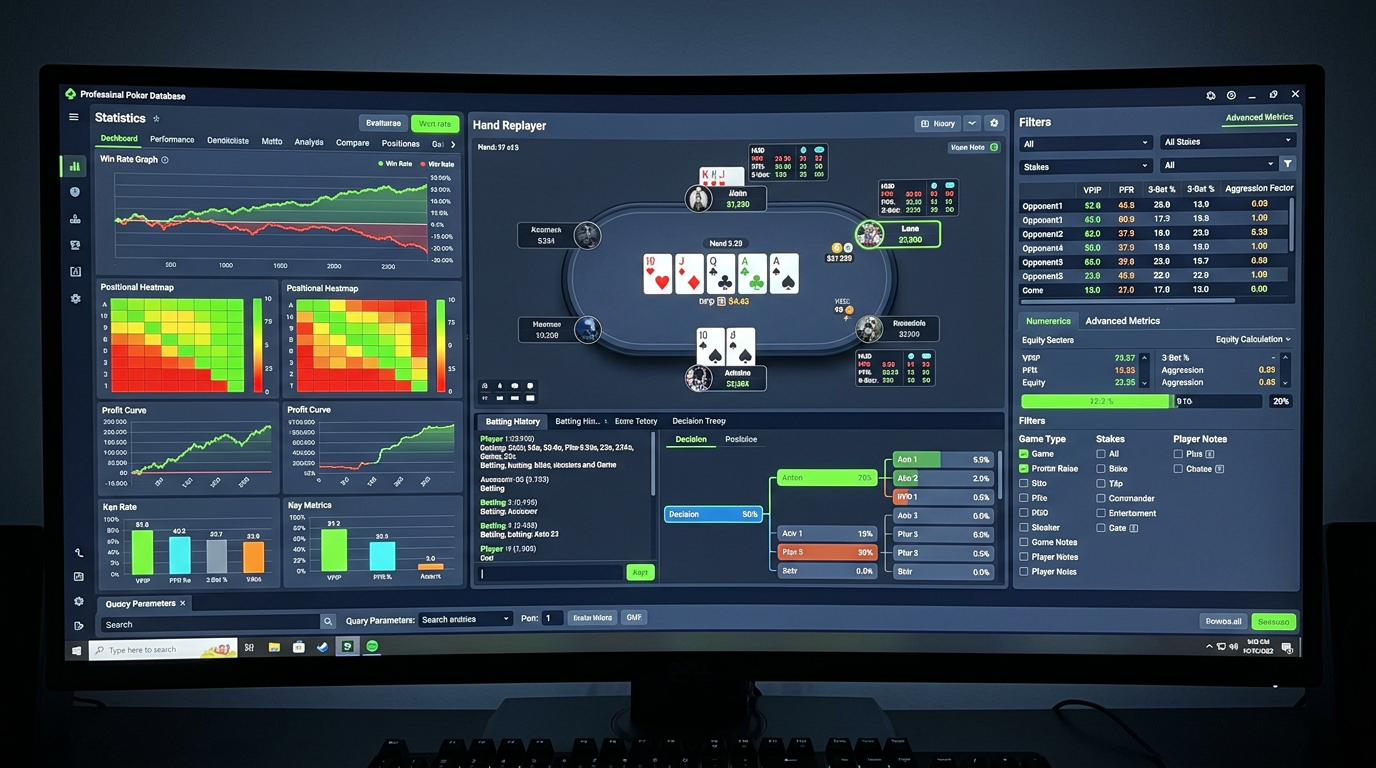
Poker Database Software Comparison: PT4 vs HM3 vs DriveHUD vs Hand2Note
Two months ago I got into a long argument with another reg in our weekly study group about which database software was actually best. He was a Hand2Note loyalist. I'm a PokerTracker 4 guy. Two of the others were on Hold'em Manager 3 and one had the audacity to defend DriveHUD 2. The conversation got specific in a way these arguments rarely do — we ended up actually loading the same hand history file into all four pieces of software, comparing import speeds, reporting quality, and HUD configurability side by side. The results were clarifying. None of the four is unambiguously best. They each have a player profile they win for. Most of the marketing copy you'll read online is wrong, partly because it's written by affiliates who only own one tool and partly because the user base for each one is loud about defending their choice.
This article is the side-by-side comparison I wish I'd had before I bought my first poker database in 2017. It's based on actually using all four — I've owned PT4 since 2017, owned HM3 since 2020 on a second machine, ran DriveHUD 2 for about eighteen months in 2022–2023, and ran Hand2Note for six months in 2024 before letting the subscription lapse. I've imported millions of hands across all of them, configured HUDs, run reports, hit bugs, sworn at PostgreSQL configurations, and arrived at a reasonably honest set of opinions. None of these tools paid me to write this. I'm not even an affiliate of two of them.
I'm Alex. Nine years online cash, NL200–NL500 6-max, currently in Toronto. Let's get into it.
The four contenders, headline summary
Before the deep dive, a one-sentence summary on each.
PokerTracker 4: $99.99 USD one-time, the most flexible reporting and HUD customization, the biggest community, slower than Hand2Note on huge databases, the safe default for most players.
Hold'em Manager 3: $99 USD one-time (Pro tier closer to $150), prettier UI than PT4, smoother hand replayer, weaker reporting, slightly slower imports, the right call if you value the visual study experience.
DriveHUD 2: $99 USD per year (subscription), strongest support for Bovada/Ignition/anonymous-table sites, less powerful overall, the right call only if you specifically play those sites.
Hand2Note: subscription model starting around $9.99/month for Edge tier, scaling up, fastest with very large databases, dynamic HUD that auto-adjusts to player type, more complex to configure, the right call for high-volume multi-tablers with massive databases.
The interesting tension: PT4 and HM3 are buy-once tools that have been around forever and are stable but evolve slowly. DriveHUD and Hand2Note are subscription tools that iterate faster but feel less mature in different ways.
Pricing and total cost of ownership
Let me start with money, because the differences over a five-year horizon are bigger than people realize.
| Tool | Year 1 cost | Year 2–5 annual cost | 5-year total |
|---|---|---|---|
| PokerTracker 4 | $99.99 | $0 | $99.99 |
| PT4 + Omaha add-on | $159.99 | $0 | $159.99 |
| Hold'em Manager 3 | $99 (Pro: ~$150) | $0 | $99–$150 |
| DriveHUD 2 | $99 | $99 | $495 |
| Hand2Note Edge | ~$120 | ~$120 | ~$600 |
| Hand2Note Pro | ~$240 | ~$240 | ~$1,200 |
PT4 and HM3 win the price comparison decisively over a five-year horizon. You pay once, you own forever, you get free updates within the major version. PT4's last major version came out in 2013 and they've been issuing free point releases since; HM3 launched in 2018 and similarly bundles updates into the lifetime license.
DriveHUD and Hand2Note can absolutely be worth their subscription cost if their specific features matter to you, but the math has to support it. A Hand2Note subscription that runs for five years will cost you roughly six times what PT4 costs.
One nuance: HM3 has had some pricing chicanery over the years where the "basic" version is missing features people expect (no leak finder, limited Omaha, etc.) and the marketing pushes you toward upsells. Read the feature comparison carefully before buying. The Pro tier is what most cash players actually need.
Database engine and import speed
Behind the scenes, your database tool is running an actual database engine. The differences matter once your hand history starts getting big.
PT4 uses PostgreSQL by default. You can also use SQLite for small databases but PostgreSQL is the right call for anything more than a few hundred thousand hands. The import speed is solid — in my testing, importing a session of 1,000 hands from PokerStars takes around 8–12 seconds on a modern laptop. With a multi-million-hand database, complex reports can take 10–30 seconds to render, which is fine for retrospective study but slow if you're trying to look something up quickly.
HM3 also uses PostgreSQL. Import speed is comparable to PT4 in most cases, though I've consistently measured it slightly slower (10–15% slower, on average) for large batch imports. Real-time HUD updates during play are about the same.
DriveHUD 2 uses SQL Server CE for smaller databases and SQL Server proper for larger setups. The import speed is decent for the sites it supports natively (Bovada, Ignition) and noticeably slower for sites that go through a converter. Reports are fine on small databases but slow on databases above 1M hands.
Hand2Note uses a custom database engine optimized specifically for poker data. This is where it pulls ahead — at very large database sizes (3M+ hands), Hand2Note reports run several times faster than PT4 or HM3. If you have a small database it's irrelevant. If you have an enormous one, it's transformative.
For most players, all four are fast enough. The Hand2Note speed advantage matters once you're past the 2–3 million hand mark, which most players never reach.
HUD configurability
This is the area where the gaps between tools are biggest, and the gaps map directly to user satisfaction.
PT4's HUD configuration is the most flexible of the four. You can build an arbitrary number of HUD profiles, each with its own panel layouts, stat colour bands, popup configurations, and per-site overrides. The interface for building custom stats (combining base stats with positional or pot-type filters) is powerful if you learn it. The downside: the configuration UI is dense, slightly dated, and assumes you know what you're doing. Beginners often build worse HUDs in PT4 than in HM3 because PT4 gives them too many options.
HM3's HUD configuration is more constrained but cleaner. The default HUD looks better than PT4's default. The custom stat builder is less powerful — you can do most things, but some advanced filtering takes more clicks. The HUD overlay rendering itself is smoother and more visually polished.
DriveHUD 2's HUD configuration is the most rigid of the four. You get a set of pre-built HUD layouts you can choose from, you can swap in different stats, but the layout structure is largely fixed. For an intermediate player who doesn't want to spend hours configuring, this is actually fine. For someone who wants to build something specific, it's frustrating.
Hand2Note has the most innovative HUD feature: dynamic HUDs. Your HUD can change based on the opponent's player type — you might show one set of stats against tight passive opponents and a completely different set against loose aggressive ones. This is genuinely cool. Configuring it well takes meaningful time and is its own learning curve.
For most players I'd rank these:
- PT4 — best for players who want to build exactly what they want
- HM3 — best for players who want a polished default that just works
- Hand2Note — best for players who want the dynamic-HUD wizardry
- DriveHUD — fine but uninspired
Reporting and analysis tools
This is where I personally weight my purchase decisions most heavily, because the reports are where the real study happens.
PT4's reporting is the strongest of the four. The "Reports" tab gives you a SQL-backed query builder where you can filter by literally any combination of conditions. Want to see your BTN open-raises against the BB, in 100bb-deep pots, on flops with two cards 9 or higher, where villain VPIP is over 25%? You can build that report. The output is a list of hands you can replay individually. Once you learn the filter language it becomes a study tool you keep coming back to. Pre-built leak finder, NoteCaddy support (third-party, but well-integrated), tournament-specific reports — it's all there.
HM3's reporting is good but less flexible. The "My Reports" section gives you a similar query builder but the available filters are slightly more limited. Some specific filter combinations require workarounds. The pre-built reports are well-organized and the visual presentation is better than PT4's. If you're a player who uses pre-built reports more than custom queries, HM3 is comparable. If you build a lot of custom queries, PT4 wins.
DriveHUD's reporting is the weakest of the four. The query builder exists but the filter options are limited. Pre-built reports cover the basics but lack depth. If you're a player who treats your database mostly as a HUD source and not as an analysis tool, this might not bother you. If you do serious off-table study with reports, DriveHUD will frustrate you.
Hand2Note's reporting is more powerful than DriveHUD but not as flexible as PT4. The "Range Research" feature is unique and genuinely useful — it lets you analyze villain ranges by combining showdown information with their preflop and postflop tendencies. Worth the time to learn if you're a hand-history nerd.
Site support, especially the awkward sites
This might be the deciding factor for some players. Each tool supports different sites with different reliability.
PokerStars (international, .ca, etc.): All four support natively. Reliability is high.
GGPoker (international): PT4 and HM3 both have working integrations via delayed import. The HUD experience is restricted compared to PokerStars (GGPoker scrambles some data) but workable. DriveHUD has limited support. Hand2Note has solid support.
WPN sites (Americas Cardroom, Black Chip, Ya Poker): All four support. PT4 and HM3 are slightly more reliable; DriveHUD is fine.
iPoker network: PT4 and HM3 support natively. DriveHUD limited. Hand2Note works.
Ignition / Bovada / Bodog (anonymous tables): This is where DriveHUD wins. It has the strongest native support for anonymous-table sites. PT4 and HM3 work via converters that occasionally break. Hand2Note has decent support.
partypoker: All four support natively.
888poker: PT4 and HM3 support. DriveHUD limited. Hand2Note works but is sometimes slow to update for new client versions.
WSOP / 888 US-state sites: PT4 and HM3 support. Others spotty.
Coin Poker / crypto-native sites: Hand2Note has the best support; others lag.
The takeaway: if you play on Ignition or Bovada, DriveHUD has a real edge. If you play on crypto-native or unusual sites, Hand2Note. For everyone else (PokerStars, GGPoker, ACR, iPoker), PT4 and HM3 are equivalent and the choice is about other factors.
The hand replay experience
Hand replay is something every database does and they all do it differently.
HM3 has the best hand replayer of the four. Smooth frame-by-frame street navigation, clean visuals, easy keyboard shortcuts for jumping between hands in a session, integrated equity calculator on each street showing current equity. If you spend a lot of time visually reviewing hands, HM3's replayer alone might justify the purchase.
PT4's replayer is functional but feels older. The keyboard shortcuts are different and less intuitive. The equity display is less prominent. It does the job.
DriveHUD's replayer is fine but minimal. Fewer features than the others. No real complaints, but nothing that would make you choose DriveHUD for the replay experience.
Hand2Note's replayer is dense — lots of information visible — but the visual design is the most cluttered of the four. Power users like it. New users find it overwhelming.
Mac support
A Mac-specific note that matters more than people admit.
PT4 has a native Mac build. It works. The Mac version is a port of the Windows version and feels like one — slightly clunky, occasional UI issues — but it's a real Mac app and you can use it without running Windows.
HM3 does not have a native Mac build. You can run it via Wine or in a Windows VM (Parallels, VMware Fusion, UTM). Running it in a VM works fine; running it via Wine is hit-or-miss.
DriveHUD does not support Mac natively. Windows VM or Wine.
Hand2Note does not support Mac natively. Windows VM only.
If Mac-native is a hard requirement, PT4 is the only option. If you're willing to run a Windows VM (which is what I do), all four become available.
Five real player profiles, five recommendations
Here's where I commit to actual recommendations rather than the usual "depends on your needs" non-answer.
The total beginner playing micros. Get PT4. The buy-once price is friendlier on a beginner budget, and the configurability gives you room to grow. Skip the Omaha add-on until you actually play Omaha. ~$100 once.
The serious cash reg playing PokerStars.com / GGPoker / iPoker. Get PT4. The reporting tools are decisive for off-table study. Build a custom 6-stat HUD. ~$100 once.
The serious cash reg playing Bovada / Ignition. Get DriveHUD 2. The native anonymous-table support is worth the recurring fee. Optionally add PT4 as a secondary database for off-table analysis if you also play other sites. ~$99/year, or ~$200 first-year if you also get PT4.
The high-volume multi-tabler with a 5M+ hand database. Get Hand2Note. The speed difference at large database sizes is real, the dynamic HUD is genuinely useful at high volume, and the cost makes sense at the volumes you're playing. ~$120–240/year.
The visual study learner who reviews hands like film. Get HM3. The replayer is the best of the four and it'll change how you review sessions. ~$99–150 once.
A note on multi-tool stacks: I personally run PT4 as my primary and have HM3 installed on a backup machine for compatibility with friends' hand histories. Some players run PT4 + DriveHUD if they split between traditional and anonymous sites. Multi-tool stacks add complexity (you have two databases to maintain) but can make sense for specific use cases.
Things I tried and dropped
A few quick notes on tools I no longer use.
Hand2Note for an average-volume player. I subscribed to Hand2Note for six months in 2024. The dynamic HUD was cool but my database wasn't big enough for the speed advantage to matter. The configuration time was higher than I wanted. Let the sub lapse. Would consider it again at 5x my current volume.
DriveHUD when I stopped playing on Ignition. Used DriveHUD for eighteen months while I was playing on Ignition extensively. When my Ignition volume dropped to zero, DriveHUD's value dropped with it. The annual sub didn't justify itself for the sites I was on (PokerStars and ACR), so I cancelled.
Notecaddy on top of PT4. A third-party note-management add-on for PT4 that I used briefly. Powerful but slow to learn. I built my own simpler note system with PT4's built-in tags and never went back.
Common mistakes
A short list of database software mistakes I've seen, including some I've made.
Buying multiple databases simultaneously without a reason. A player runs PT4 and HM3 both because someone on a forum recommended it, and ends up maintaining two databases that are both incomplete. Pick one main database. Add a second only if you have a specific reason.
Skipping database backups. Your hand history database is the most valuable asset you have as a poker player. Both PT4 and HM3 have built-in backup features. Use them. Back up to an external drive monthly. I've lost months of hands once and it was painful.
Not running database maintenance. PostgreSQL databases get bloated over time. Run VACUUM ANALYZE monthly, more often if you import a lot of hands daily. PT4 and HM3 both have maintenance tools built in.
Treating the HUD as the whole product. Players spend all their time configuring the HUD and ignore the reporting tools. The reports are where most of the value is. Spend time learning them.
Buying based on UI screenshots. All four databases look better in marketing screenshots than in real use. Use the trial / demo period before committing.
The honest verdict
If you're picking your first poker database in 2026 and you're a typical player on standard sites, get PokerTracker 4. Pay $99.99, install it, build a custom HUD, learn the reporting tools, use it for years. This is the boring answer and it's right for the vast majority of players.
If you're a Bovada / Ignition specialist, get DriveHUD 2.
If you're a high-volume player with a huge database, get Hand2Note.
If you're a visual study learner who lives in the hand replayer, get Hold'em Manager 3.
The differences between these tools are real but they're smaller than the differences between using a database well and using one badly. A player on PT4 who builds a thoughtful HUD and runs weekly leak-finder reports will improve faster than a player on Hand2Note who uses the default HUD and never opens the reports tab. Pick a tool. Learn it deeply. Stop shopping. Get back to studying.
A closer look at PT4's reporting power
Since I land on PT4 as my default recommendation, I want to give a more concrete picture of what the reporting actually looks like in daily use. Marketing copy doesn't capture this and most reviewers gloss over it.
The "Reports" tab in PT4 is essentially a SQL query builder dressed up in a friendly UI. You pick a base report (Cash Game, Tournament, Showdown, etc.), then layer filters on top. Each filter is one row in a "Filters" panel. You can stack as many filters as you want, and they combine with implicit AND logic. The system underneath translates this into PostgreSQL, runs it against your hand database, and renders the results.
The filters I actually use weekly:
Position filter: limit a report to hands where I was in a specific seat. The obvious application is "show me everything I did from the SB" but the more useful version is "show me everything I did from the SB facing a BTN open" — combining position with the action that triggered the spot.
VPIP-bucket filter: limit a report to hands against opponents with VPIP in a specific range. "What's my winrate against players with VPIP > 30%" is a question worth asking every couple of months. The answer for me has been "I'm crushing them, but not as hard as I should be" — which surfaced a leak in how aggressive I was being with thin value bets against loose passive opponents.
Stack depth filter: limit to a specific effective stack range. 100bb cash games look different from 150bb+ deep games, and the same hand in two different stack depth contexts can have wildly different EV. Filtering by depth lets me see if I'm playing each segment correctly.
Board texture filter: this is where PT4 starts to feel like a real analysis tool. Filters like "flop has two cards 9 or higher" or "flop is monotone" or "flop pairs the board" let me build reports for specific texture categories. Running my cbet results filtered by texture category was eye-opening — I was overbetting on dynamic boards and underbetting on dry ones, and I didn't realize it until the report showed me side by side.
Showdown filter: limit to hands that reached showdown. Combined with positional filters this gives you a real read on how well your range plays through to the river versus how often you fold equity early.
The technique that took me years to figure out: don't run reports looking for things you already suspect. Run reports for spots that come up frequently and look at the numbers without an expectation. Half the leaks I've fixed in the last three years showed up in reports I ran "just to check" with no specific hypothesis. The other half were spots I thought I was solid in and turned out to be marginal.
HM3's reporting has a similar architecture but slightly fewer filter options and less flexibility in combining them. DriveHUD's reporting feels like a feature checkbox rather than a serious tool. Hand2Note has its own report builder which is fine but takes a different approach (more focused on opponent-specific analysis than your own play).
How HUD stat selection actually shakes out
Most players who buy a database tool default to one of the pre-built HUDs and never customize. That's leaving most of the value on the table. The HUD is the only piece of analysis you have access to during a live hand, so it should be telling you exactly what you need and nothing else.
My current 6-stat HUD for 6-max NL cash:
- VPIP / PFR (combined display)
- 3-Bet %
- Fold to 3-Bet %
- C-Bet Flop %
- Fold to C-Bet Flop %
- Aggression Factor (postflop)
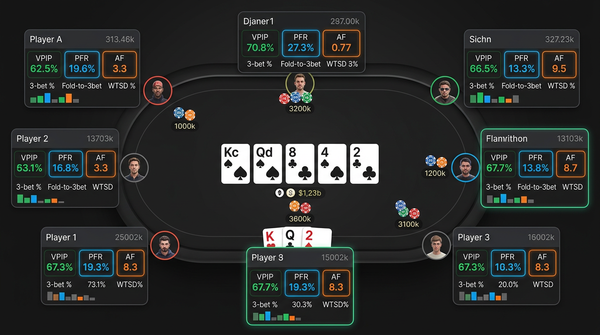
That's six stats visible at all times. Anything beyond six and you stop being able to read the HUD at a glance under time pressure. Popups give me deeper breakdowns for any of these — clicking on the 3-Bet % opens a window with positional 3-bet frequencies, 3-bet sizings, and 4-bet response data.
PT4 lets you build this exact configuration with minor effort. HM3 lets you build something close but the popup customization is slightly clunkier. DriveHUD constrains you to mostly pre-built popup structures. Hand2Note's dynamic HUD can swap your six stats out for a different six based on player type, which sounds great but in practice means you need to remember which HUD configuration you're looking at — a complication I never quite got comfortable with.
The stats that get added to HUDs and shouldn't: WTSD% (without context it's meaningless), Total Hands (irrelevant during a hand), Net Winnings (also irrelevant during a hand), Limp % (rare enough at most stakes that it doesn't earn screen space), Squeeze % (rare and you can read it from 3-bet stats with position context).
If you're not customizing your HUD, you're not really using your database tool to its potential. This applies across all four products.
Database maintenance nobody talks about
The database under your tracker is a real PostgreSQL or SQL Server instance running on your machine. Like any database, it needs maintenance. The four tools differ in how aggressively they automate this versus expecting you to handle it.
PT4 has a "Database Maintenance" section in Settings that includes vacuum, reindex, and analyze operations. The defaults are reasonable but you should manually trigger a full maintenance pass monthly. The whole thing takes 5-15 minutes depending on database size. If you skip this, your database gets progressively slower over months.
HM3 has similar maintenance tools, slightly more automated. The auto-maintenance schedule is reasonable and most users can leave it alone.
DriveHUD's maintenance is the most automated of the four and consequently the least flexible if you want to do something specific.
Hand2Note's custom database engine handles maintenance internally and exposes few user-facing controls. This is generally fine but means you have less ability to diagnose problems when they occur.
The other piece of maintenance is hand history file management. Your raw hand history files (the text files your poker client produces) should be archived separately from your database. If something goes catastrophically wrong with your database, you want the option to reimport from raw files. I keep raw hand history files in a separate folder, backed up to an external drive, organized by month and site. This has saved me twice in nine years.
What I'd tell a friend asking which to buy
A friend texted me last month asking which database to get. He's playing NL50 on PokerStars, doesn't have a Mac requirement, and has about a year of online experience. Here's what I told him verbatim:
"Buy PokerTracker 4. Don't think about it. It's $99.99 one-time. Install it. Build a basic HUD using the default 6-max template, swap out two of the stats for 3-Bet % and Fold to 3-Bet %, and play. Once a week, run a positional report and look at your winrate by position. After two months you'll have enough data to start finding real leaks. After six months you'll know whether you need to graduate to something more powerful. You almost certainly won't."
That's the whole conversation. Most database software purchases get overthought. The right tool for most players is the boring obvious one and you should buy it and move on.
Five years from now
A note on where I see the database software market going.
The biggest pressure on all four products is that major poker sites are progressively restricting third-party software integration. GGPoker has clamped down on real-time HUD access. PokerStars has tightened its third-party tools policy multiple times. The trajectory is clear: site operators want to flatten the skill differential between players and they see HUDs as part of that.
This affects each product differently. Hand2Note has been more aggressive about supporting non-PokerStars sites (crypto-native rooms, new operators, GGPoker workarounds) and is probably best positioned for a future where the major established sites are HUD-hostile. PT4 and HM3 have larger user bases but are slower to adapt to new site formats and restrictions. DriveHUD's niche (Bovada/Ignition) is relatively protected because those sites have always had limited integration.
If you're buying today and expecting to use this tool for five years, factor in where you'll be playing. If you're committed to PokerStars and willing to deal with whatever HUD restrictions come, PT4 or HM3 work fine. If you're playing on emerging or crypto-native sites, Hand2Note has the better trajectory.
The other pressure: subscription pricing is the industry trend and PT4 / HM3's lifetime license model is somewhat under threat. There's no immediate sign that PokerTracker is moving to subscriptions but it's the obvious next move for them if growth stalls. If you've been waiting to buy PT4, buy it now while the lifetime price still exists.
One last operational note
Whichever tool you pick, configure it once thoughtfully and then stop fiddling with it. A common failure mode is the player who reconfigures their HUD every few weeks because they read a forum post about new stats. The HUD is most valuable when you've trained yourself to read it instinctively, which only happens after months of using the same configuration. Constant reconfiguration resets the learning curve.
Pick six stats, two popup configurations, one main report layout you use weekly, and live with that setup for at least three months before changing anything. The tool gets better the more you use it; you don't make it better by changing it. That's a habit pattern that took me years to settle into and it's one of the single biggest improvements I've made to how I use database software.