Poker Equity Calculator Comparison (2026)
Equilab vs Flopzilla vs PokerSnowie vs GTO Lab for equity work — what each tool actually does, what it costs, and which one you should be using.
Poker Equity Calculator Comparison (2026)
Equity calculators get less attention than solvers in most study discussions, which is backwards. Before you can interpret solver output intelligently, you need to understand equity — how much of the pot your hand or range expects to win at showdown. If you're skipping straight to GTO frequencies without that foundation, you're reading a map without knowing what a road looks like.
I use different tools for different equity questions. Here's the breakdown of what each one does, what it's actually good for, and whether it's worth paying for.
What an Equity Calculator Does (vs What a Solver Does)
This distinction matters before comparing tools.
An equity calculator tells you: given these two ranges on this board, how much equity does each side have? It's a static calculation — it doesn't account for betting, folding, or strategy. It just tells you who wins at showdown and how often.
A solver tells you: given these two ranges, what's the optimal strategy for both players across all betting streets? It accounts for equity and fold equity, bet sizing, bluffing frequencies, the whole game tree.
Equity calculators are faster, simpler, and useful for building range intuition. Solvers are more powerful but slower and have a steeper learning curve. You need both for serious study — equity calculators to build the foundational understanding, solvers to find the optimal strategy.
The Tools
Equilab (Free)
Equilab is free, made by PokerStrategy, and it's genuinely excellent for range-vs-range equity work. You input two ranges, select a board, and it calculates equity for each range. You can filter by hand type, see equity breakdowns by hand category, and run Monte Carlo simulations for complex multi-way scenarios.
For the price (zero), it's the obvious starting point. Every player doing any kind of study should have Equilab installed.
Its limitations: no board texture analysis, no visual range representation on a board, no integration with hand histories. It's a calculator, not an analysis suite.
Flopzilla (~€35 one-time)
Flopzilla is what I use most often for off-table range work. You input a preflop range and it shows you how that range connects with any board you specify — broken down by hand category (top pair, middle pair, draws, air, etc.).
What Flopzilla does that Equilab doesn't: it lets you visualize how a range interacts with a board rather than just calculating equity against another range. You can see that BTN's opening range hits this Kh7s2d flop as top pair+ about 18% of the time, has draws about 8%, and is completely unconnected about 74%. That picture informs your cbet strategy and your defense strategy without needing to run a full solve.
€35 one-time is cheap. It's one of the best value tools in the study stack.
ProPokerTools (Free web-based)
ProPokerTools handles multi-way equity calculations better than Equilab, which makes it useful for spots where you're thinking about equity against multiple players. The web interface is straightforward and it supports Omaha as well as Hold'em.
The downside: it's web-based and slower than desktop apps, and it doesn't have the range visualization features of Flopzilla. I use it occasionally for specific multi-way situations, not as a primary tool.
PokerSnowie ($29/month)
PokerSnowie occupies an interesting position — it's not primarily an equity calculator but it does equity analysis as part of its hand review workflow. When you feed PokerSnowie a hand, it evaluates each decision point and tells you the EV of your action vs the EV of alternatives, with equity context included.
What makes it different is the natural-language feedback. Instead of raw numbers, PokerSnowie tells you "this bet was a mistake because your range lacks equity on this board texture" in plain English. For players newer to equity thinking, that's more digestible than staring at a percentage table.
At $29/month it's more expensive than Flopzilla for pure equity work, but it does more than pure equity — it evaluates full hand strategy. Worth it as a learning tool for players building GTO intuition. Less necessary once you're comfortable reading solver output directly.
GTO Lab ($49/month or $399/year)
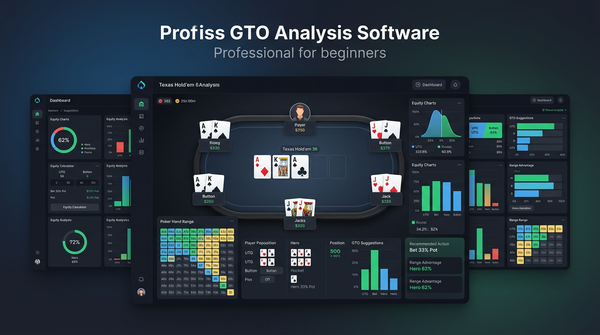
GTO Lab isn't really an equity calculator — it's a full solver. But it includes equity analysis as part of its interface, and when you're studying a solved spot you can see the equity distribution for each hand in each range across every node of the game tree.
The equity visualization in GTO Lab is excellent for understanding why the solver is making certain decisions. When you see that a hand has 60% equity but the solver is checking it, it's because the strategic context (position, range composition, future streets) makes checking more EV than betting despite the equity advantage. That's a crucial insight that pure equity calculators can't give you.
If you're already paying for GTO Lab as your solver, its equity features replace the need for a separate calculator for most purposes. The annual plan at $399 covers the equity analysis you'd otherwise get from standalone tools.
Tool Comparison
| Tool | Price | Primary Use | Range Input | Board Texture Analysis | Multi-way | Integration |
|---|---|---|---|---|---|---|
| Equilab | Free | Range equity | Yes | No | Limited | None |
| Flopzilla | ~€35 one-time | Range-board interaction | Yes | Yes | No | None |
| ProPokerTools | Free | Multi-way equity | Yes | No | Yes | None |
| PokerSnowie | $29/month | Hand review + EV | Automatic | Basic | No | Hand import |
| GTO Lab | $49/month | Full solver + equity | Yes | Yes | Limited | Hand import |
| GTO Wizard | $49-99/month | Full solver + equity | Yes | Yes | Limited | Hand import |
What to Use When
"I want to know if my range has enough equity to call this bet on the flop."
Equilab. Enter your range, opponent's betting range, the board, and look at the equity breakdown. Takes 30 seconds.
"I want to understand how my opening range interacts with this type of board texture."
Flopzilla. Enter your range, specify the board, see the breakdown by hand category. Invaluable for building intuition about why certain boards favor certain positions.
"I ran a hand in a 3-way pot and want to know the equity dynamics."
ProPokerTools. Multi-way equity is its strong suit.
"I played a hand and I'm not sure if my decisions were right — explain it to me."
PokerSnowie. The natural-language feedback is the right format for this question.
"I want to understand the full strategic picture including optimal betting, calling, and folding."
GTO Lab or GTO Wizard. Equity alone doesn't answer this question.
The Stack I'd Recommend
For players at NL50 or below building fundamentals:
- Equilab (free) — install it immediately
- Flopzilla (~€35) — buy it, use it constantly
That's €35 total and it covers the equity work you need at those stakes.
For players at NL100+ studying seriously:
- Equilab still useful for quick checks
- GTO Lab annual ($399) — covers equity analysis plus full solver work
- You can drop the standalone equity calculator habit once you're comfortable with the solver's equity interface
PokerSnowie fits best in the transition period — when you've got Equilab and Flopzilla but the solver output still feels opaque. A month or two of PokerSnowie hand reviews builds enough intuition to make GTO Lab's output meaningful. Once you're past that bridge, you probably don't need PokerSnowie anymore.
The Equity Intuition You're Actually Building
Here's what all this tool use should be building toward: the ability to quickly assess, at the table, which player's range has the equity advantage on a given board and what that implies for strategy.
On Kh7s2d in a BTN vs BB single raised pot: BTN's range has more strong kings, BB's range has more underpairs and medium-strength hands that don't connect well. BTN has range advantage. That means BTN can bet a high frequency with mixed sizings, and BB needs to play defensively.
On Js9h8c in the same spot: now BB's range has more straights, sets, and two pairs because BB defends more suited connectors and low pairs. The equity advantage has shifted or equalized. Both players have strong hands and strong draws; the strategy looks completely different.
Building that intuition is the point. The tools accelerate it — Flopzilla for texture interaction, Equilab for range vs range, solvers for the full strategic picture. Used together with a clear purpose, they compound into genuine improvement.
Deeper Look: How I Actually Use Flopzilla in a Study Session
Let me walk through exactly what a Flopzilla session looks like for me, because this is where most players get the most leverage from a cheap tool.
I open Flopzilla. I input BTN's opening range as a 41% range (slightly wider than GTO because that's what my pool plays). I specify the board: Kh7s2d. Flopzilla shows me the breakdown:
- Top pair or better: 18%
- Middle pair or better: 24%
- Pair or better: 33%
- Two overcards (no pair): 12%
- Gutshot: 4%
- Backdoor flush draw: 28%
- Air with no equity: 32%
That distribution tells me a lot. BTN's range is one-third strong made hands or better, one-eighth marginal pairs, and the rest is broken into draws and air. The strong made hand category (top pair or better) is large because BTN's range is heavy in high cards that connect with a king-high board.
Now I input BB's defending range — call only, since this is a single raised pot — as roughly 50% (tighter than GTO defense because my pool over-folds preflop). Same board:
- Top pair or better: 9%
- Middle pair or better: 22%
- Pair or better: 38%
- Gutshot: 6%
- Backdoor flush draw: 26%
- Air: 28%
Compare side by side. BTN has twice as much top pair as BB on this board. That's the structural reason BTN has range advantage and can cbet aggressively. BB's "pair or better" frequency is actually slightly higher than BTN's, but the strength distribution within that category favors BTN heavily. BB has more weak pairs that don't want to face aggression.
This entire analysis takes 5 minutes in Flopzilla. I haven't run a single solver yet, but I already know the strategic picture: BTN is bet-wide-with-mixed-sizings on this texture, BB is fold-marginal-pairs and call-only-with-strong-pair-or-better. When I do run the solver, the output confirms this and adds specifics I couldn't derive from equity alone (exact cbet frequency, exact sizing distribution, exact bluff combo selection).
The Flopzilla layer makes the solver output meaningful. Without that layer, the solver is just numbers.
Detailed Equilab Workflow for Range vs Range
Equilab serves a different purpose. Where Flopzilla shows me how one range hits a board, Equilab tells me the equity each side has when both ranges are heads up.
The setup is straightforward. I put two ranges into the calculator, specify the board (or leave blank for preflop equity), and hit calculate. The output is the equity percentage for each range, plus optional breakdowns by hand category.
Where this matters in study: any time I'm trying to figure out if a call is profitable based on pot odds. The math: I need at least X% equity to call, where X is determined by the pot odds the bet is offering. Equilab tells me whether my range has that equity against villain's perceived betting range.
A specific recent example: villain bets pot on the river. I'm calling 1 unit to win 3 units (their bet plus the pot). I need 25% equity to make the call profitable. I put my likely calling range into Equilab versus villain's likely betting range. The result was 28% equity. Marginal call but +EV. Without Equilab I would have been guessing.
The trap with Equilab is putting in lazy ranges. If I put villain's range as "any pair, any draw, any combo" — too wide — my equity will look better than it actually is. If I put villain's range too tight (only nut hands), my equity will look worse. The skill in equity calculator usage is constructing accurate opponent ranges. That comes from hand reading, which comes from experience and reads.
Equilab is technically free but the value compounds with how thoughtfully you use it. A player who runs lazy range constructions will get useless output. A player who carefully constructs villain's range based on the action will get genuinely useful equity numbers.
ProPokerTools for Multiway Spots
Multi-way pots get neglected in most poker study because solvers struggle with them and most charts assume heads-up. But multi-way spots happen often in real cash games — limped pots, multi-way 3-bet pots, family pots in soft games.
ProPokerTools handles multi-way equity better than the alternatives. The interface lets you input three or four hands or ranges and see equity for each. The Monte Carlo simulation handles the computational complexity that exact calculation can't manage in multi-way scenarios.
A specific use case: I have AKo on the flop in a 3-way pot. The board is Js7s4c. There are two opponents. The pot is checked to me. Should I bet?
To answer this I'd need to know my equity in a 3-way pot against the combined ranges of two opponents who both checked. That's a multi-way calculation. ProPokerTools handles it. The result for my AKo was 38% equity against two random uncoordinated check ranges. That's not enough to justify a bet for value, but I might bet for protection or as a semi-bluff if the texture allows.
For pure heads-up work, Equilab is faster and simpler. For multi-way, ProPokerTools is the right tool. The two complement each other.
What PokerSnowie Adds Beyond Equity
PokerSnowie is sometimes lumped in with equity calculators because it does equity analysis. That undersells what it does.
PokerSnowie is really a hand-review and EV-feedback tool. You paste in a hand history, it analyzes each decision point, and tells you the EV of your action versus the EV of alternatives. The "alternatives" are computed from PokerSnowie's internal AI, which is trained on a large solver-derived dataset.
The unique value: natural language explanations. Instead of giving you raw frequencies, PokerSnowie says things like "your bet on the turn was a mistake because your range lacks enough strong hands to support this bet size; a smaller bet would be more profitable." That kind of explanation is more digestible for players newer to GTO concepts.
The downside: the AI isn't a true solver. Its recommendations are approximations of solver output, sometimes correct, sometimes simplified. For serious study at higher stakes, you want actual solver output. For early-stage GTO learning at lower stakes, PokerSnowie's interpretations are often better than wading through raw solver data.
I subscribed to PokerSnowie for about six months when I was first transitioning to GTO-informed play. It was useful as a bridge. Once I was comfortable reading solver output directly, I let the subscription lapse and never resubscribed. That's the typical lifecycle: useful for the transition phase, less useful long-term.
GTO Lab's Equity Visualization
GTO Lab is technically a full solver, but its built-in equity tools deserve a separate mention because they're often what I'm using during a study session even though I'm "in" the solver.
When you're examining a solved spot in GTO Lab, you can see equity distribution for any specific hand class within the range. Hovering over AKs in your range on the river shows you AKs's exact equity against villain's range at that node. This is closer to what equity calculators do than what solvers usually surface.
The advantage over standalone equity calculators: the ranges in GTO Lab at any point in the tree are the equilibrium ranges from the solve. You're not guessing what villain's range is — the solver has computed it based on the entire game tree leading to that node. So your equity calculation is automatically against an accurate range, not a range you constructed manually.
The disadvantage: it's slower than just opening Equilab for quick checks. If I just want to know "does my range have 25% equity to call?", Equilab takes 30 seconds. The same question in GTO Lab requires loading or running a solve first. For deep analysis, GTO Lab. For quick checks, Equilab.
I keep both available. Quick equity questions go to Equilab. Anything deeper goes to GTO Lab.
How These Tools Fit Together
The tools aren't substitutes for each other. They're layers in a study stack. Here's how they layer in a typical study workflow.
Layer 1 — Equilab: quick equity checks. Pot odds questions, "do I have enough equity to call" questions. Used constantly, casually, throughout the day.
Layer 2 — Flopzilla: range-board interaction. How does my range hit this texture, how does villain's range hit it, who has structural advantage. Used in study sessions when prepping a spot before solver work.
Layer 3 — PokerSnowie (optional): natural-language hand review. Used during the GTO learning curve, less needed once you're comfortable with solver output.
Layer 4 — GTO Lab / GTO Wizard: full strategic analysis. The complete picture including optimal strategy, sizing, bluff frequencies, range construction. Used for deep dives on specific spots.
A complete study workflow uses 1, 2, and 4 in sequence. Equilab to confirm the equity question is real, Flopzilla to understand the structural picture, GTO Lab to get the full strategic answer. PokerSnowie as a bridge if you're early in your GTO journey.
If you're missing layer 1 or 2, your layer 4 work doesn't compound effectively because you're missing the foundational understanding. That's why I keep emphasizing the cheap tools — they're not optional even if you can afford the expensive ones.
Pricing Math Over Time
A breakdown of what each tool costs you over a 3-year horizon:
| Tool | One-time Cost | Annual Cost | 3-Year Total |
|---|---|---|---|
| Equilab | $0 | $0 | $0 |
| Flopzilla | ~€35 | $0 | ~€35 |
| ProPokerTools | $0 | $0 | $0 |
| PokerSnowie | $0 | ~$348 | ~$1,044 |
| GTO Lab | $0 | $399 | ~$1,197 |
| GTO Wizard | $0 | $588-$1,188 | ~$1,764-$3,564 |
The cheap-tools combination (Equilab + Flopzilla + ProPokerTools) costs ~€35 over three years. The serious solver combination (Equilab + Flopzilla + GTO Lab annual) costs ~$1,232 over three years.
If you're playing NL50 and below, the cheap-tools combination is genuinely sufficient for the stake. Your leaks at that stake are mostly preflop and fundamental — equity tools surface them well. The marginal benefit of a $400/year solver subscription is small compared to the cost.
If you're playing NL100+, the solver subscription pays for itself easily in even one major leak fix. A 1bb/100 winrate improvement at NL200 across 100,000 hands a year is $2,000. The math works.
The mistake at low stakes is overspending on tools (paying $588/year for GTO Wizard when you can't benefit from it yet). The mistake at higher stakes is underspending (trying to compete at NL500 with only Equilab and intuition). Match your tool spending to your stake.
Honest Weaknesses of Each Tool
I've been mostly positive but every tool has weaknesses worth knowing about.
Equilab weaknesses: aging UI, occasional slowness on complex range definitions, no way to save and reload range scenarios easily, limited multi-way support. These don't matter for the use case (quick equity checks) but they matter if you try to use Equilab as your primary study tool.
Flopzilla weaknesses: Windows-only natively (Mac users need a VM or alternative like Flopzilla Pro for Mac which costs more), the UI is dense and intimidating for new users, no integration with hand histories or trackers, requires manual range construction every time. None of these are dealbreakers but they're real friction.
ProPokerTools weaknesses: web-based and slower than desktop apps, the interface looks like 2010, no save/load workflow for repeated scenarios, somewhat awkward for complex range work. Fine for occasional multi-way checks, not a primary tool.
PokerSnowie weaknesses: the AI's recommendations occasionally diverge from true solver output in ways that are hard to identify, the natural-language feedback is sometimes too vague to action, the subscription cost adds up over years for a tool you'll outgrow.
GTO Lab weaknesses: steep learning curve for new users, the preflop editor is powerful but takes time to master, mobile app is decent but not a full replacement for desktop, occasional UI inconsistencies between solve types.
GTO Wizard weaknesses: most expensive option in the category, the pre-solved library is broad but not always exactly what you need, custom solves on the Pro tier add up in compute time, the value over GTO Lab annual is unclear at lower stakes.
Knowing the weaknesses helps you set expectations correctly. Every tool has them; the question is whether the strengths outweigh the weaknesses for your specific use case.
What I'd Tell a Friend Buying Their First Equity Tools
A friend asked me last month what to buy. He's playing NL25 on PokerStars, six months in. Here's what I told him:
"Install Equilab tonight, it's free. Buy Flopzilla tomorrow, it's €35. That's it for now. Use Equilab anytime you have an equity question — pot odds, draw equity, anything. Use Flopzilla once a week to look at range-texture interaction for spots that came up in your sessions. Don't buy a solver subscription until you've spent two months with these tools and feel like you've outgrown them. Most likely you'll outgrow them around NL50-100, at which point GTO Lab annual is the right next step."
That's the advice. Cheap, effective, sufficient for the stake. The mistake at his level would be jumping straight to GTO Lab and getting overwhelmed by output he can't yet interpret. Build the equity foundation first.
For a friend at NL200+ asking the same question, my answer is different: skip directly to GTO Lab annual, keep Equilab installed for quick checks, optionally add Flopzilla. The equity tools are still useful but the solver is where the leverage is at that stake.
The advice scales with stake. Match your tools to where your money actually is.
A Note on InstaGTO and Mobile Tools
InstaGTO keeps coming up in equity calculator discussions even though it's not really an equity calculator. It's a precomputed solver-output viewer optimized for mobile. You can browse common GTO spots from your phone, see frequencies and sizings, and use it as a quick reference between sessions.
Where it fits: mobile reference for players who want quick GTO context away from their desktop. Not a replacement for any of the equity calculators discussed above.
GTO Lab and GTO Wizard both have mobile apps that cover similar functionality (browsing solved spots from your phone) and you're probably already paying for one of them. InstaGTO is mostly redundant if you have a full solver subscription.
The exception: players who specifically want a low-cost mobile-only GTO reference and don't have a desktop solver subscription. For that use case, InstaGTO has a niche. For everyone else, it's not adding value over what your other tools provide.
Closing Thought on Tool Sprawl
A pattern I see often: a player accumulates equity calculators, solvers, training apps, range builders, hand reviewers, mobile reference tools, all simultaneously. The collection feels productive — look at all this stuff I'm using! — but the actual usage is shallow on each tool.
The opposite approach works better: pick the minimum stack that covers your needs, learn each tool deeply, and only add new tools when you've genuinely outgrown the existing ones. Two tools used at depth produce more improvement than seven tools used superficially.
For most players the entire equity toolkit fits in a small budget: Equilab (free) plus Flopzilla (~€35). For solver work, add one of GTO Lab or GTO Wizard. That's the whole stack. Anything else is either replicating functionality you already have or covering edge cases that don't actually come up in your game.
Buy what you need. Use it well. Stop shopping. Get back to playing.
Quick Answers
Is Equilab still accurate in 2026? Yes. The underlying equity math hasn't changed. It's been updated to handle modern formats and the range builder works well. Free and accurate — use it.
Does Flopzilla replace Equilab? No, they do different things. Flopzilla shows how one range hits a board. Equilab compares two ranges' equity against each other. You want both.
Can I use InstaGTO for equity work? InstaGTO is precomputed GTO solutions — it's more for reviewing common spot strategies than running custom equity calculations. Not a replacement for Equilab or Flopzilla.
Do I need a paid equity calculator if I have GTO Lab? Once you're using GTO Lab consistently, probably not. GTO Lab's interface includes the equity visualization you'd otherwise get from standalone calculators. Flopzilla might still be worth keeping for fast range-texture checks outside of a full solve workflow.
The Bottom Line
Start with Equilab (free) and Flopzilla (€35). These two tools cover the equity analysis needs of most players below NL100. Add a full solver — GTO Lab is my recommendation — when you're ready to study optimal strategies rather than just equity distributions.
Don't pay $29/month for PokerSnowie as your primary equity tool when Flopzilla costs €35 once. PokerSnowie earns its price as a hand review and learning tool, not as an equity calculator. Know what you're paying for.
The equity foundation matters. Players who understand how ranges interact with boards make better intuitive decisions under pressure than players who've memorized frequencies without that grounding. Build the foundation first.