Poker Software for Australian Players: An Honest 2026 Stack Guide
Aussie online poker is harder than it should be in 2026. Here's the software stack that actually works on Ignition, ACR, and the offshore sites — from 9 years grinding online.
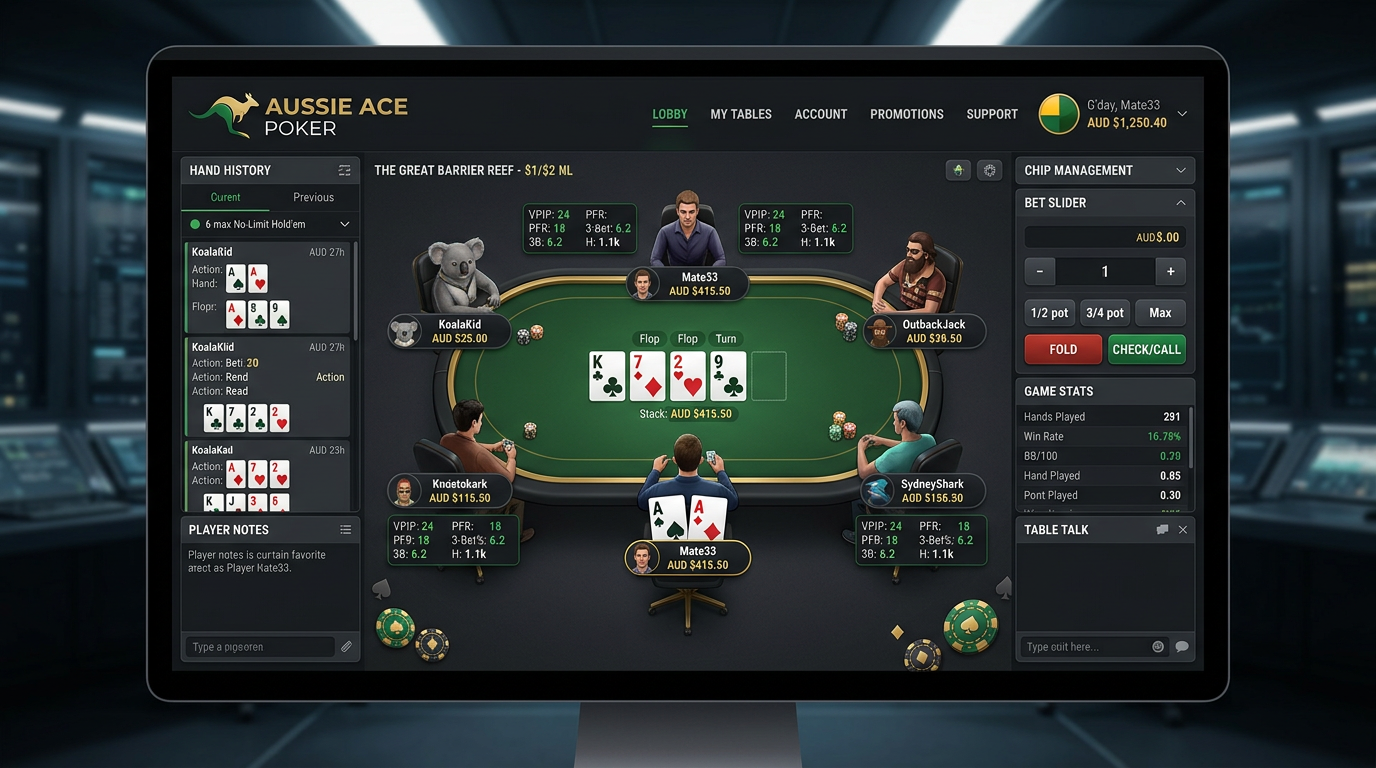
Poker Software for Australian Players: An Honest 2026 Stack Guide
Last September I was deep in a session at NL400 on Ignition when my HUD just stopped updating mid-hand. Mid-hand. I had a top-pair top-kicker spot against a villain I'd been running stats on for a hundred hands, and the stats panel froze on his old numbers. I called off a stack on the river that I'd have folded if my HUD was telling me what was actually happening — turned out he'd tightened up significantly in the last fifty hands and the call was bad. The lost buy-in was annoying. The lesson was worse: my entire study workflow assumed the tools would just work, and on Australian-accessible sites, they don't always.
This is the part of the Aussie online poker experience that the international guides skip. The Interactive Gambling Amendment Act of 2017 made it illegal for offshore operators to offer real-money online poker to Australians, which on paper killed the market. In practice, the IGA targeted operators, not players, and the offshore poker sites — Ignition, BetOnline, ACR, GGPoker (sort of), some of the Asian skins — kept taking Aussie deposits via crypto and a handful of payment workarounds. PokerStars pulled out completely. The .com.au ASX-listed sites died years ago. What's left is a thinner ecosystem where the software you choose actually matters because the supported-sites lists are shorter and the bugs are more real.
I've been playing online poker as a serious side income from Brisbane and Sydney for nine years now, mostly NL200 6-max with occasional shots at NL500. I started reviewing poker software in 2022 partly to keep myself accountable on tool spend (it adds up fast in AUD) and partly because every "best poker software" list I read was clearly written by someone who'd never tried to import a hand history from an offshore client at 2 AM Sydney time with the GGPoker AU servers acting up. So this is what I actually run, what I tried and dropped, and what I'd buy if I were starting over today.
The Aussie site reality check
Let me set the table, because if you're new to this market you need to understand what the software has to support.
PokerStars, party-Poker, and Pokerstars-affiliated brands are gone. They left in 2017 when the IGA passed. Some Aussie players use VPNs to access PokerStars dot com from European IPs, but this is against PokerStars' T&Cs and they will freeze your account and refuse to pay out winnings if they catch it. I do not recommend doing this and I do not do it myself.
GGPoker has a regional Asia-Pacific arm that some Aussies access. The status is murky, the rake is high, and the software support from the major trackers is limited because GGPoker's hand history format is locked down to discourage HUDs.
The real options for an Australian player paying in AUD are:
Ignition Casino. The largest fish-friendly site accessible to Aussies. Anonymous tables. No traditional HUD support — Ignition deliberately scrambles screen names so trackers can't follow specific opponents across sessions. You can still get aggregate stats on your own play and see your own session results, but the live in-game HUD experience is minimal. DriveHUD 2 has the best Ignition support; PokerTracker 4 has limited support; Hold'em Manager 3 fights you the whole way.
ACR (Americas Cardroom). Takes Aussie deposits via crypto. Reasonable population at NL50–NL200. PT4 and HM3 both work natively if you toggle the right hand-history export setting. HUD overlay works. This is where most of the serious Aussie regs I know actually play.
BetOnline / SportsBetting / Tiger Gaming (Chico Network). Smaller player pool, slightly tougher games. Native support in DriveHUD, decent in PT4 and HM3.
Coin Poker. Crypto-only. Growing population. Hand2Note has the best support; PT4 added support late 2024 and it's stable now.
The takeaway: your software choice depends entirely on which sites you actually play. There's no universal answer.
What I actually use right now
Here's the literal stack on my home setup, late 2025 / early 2026 vintage:
I run a Windows 11 desktop because — sorry Mac players — the Aussie poker software ecosystem is still effectively Windows-only when you factor in the offshore site support. PokerTracker 4 has a Mac build and it's fine, but the Ignition converter chain depends on Windows components. I tried to make a Mac-only setup work for about four months and gave up.
My main database is PokerTracker 4 ($99.99 one-time, USD). I run a DriveHUD 2 license alongside it ($99/year USD) specifically for Ignition sessions. I have a GTO Lab annual subscription ($399 USD) for solver work, and the same Equilab + Flopzilla Pro pair that pretty much every reg uses for quick equity checks. That's the daily-use list.
I tried Hand2Note for about six months in 2024. It's powerful, especially for huge databases (multi-million-hand databases run faster on Hand2Note than on PT4), but the subscription model rubbed me wrong and the HUD configuration interface felt unfinished. I let the sub lapse. If I were grinding 20+ tables and sitting on five million hands, I'd reconsider it. At my volume it's overkill.
I also have InstaGTO as a secondary solver, mostly for quick reference when I'm reviewing a hand on my phone. At $29/month USD it's cheap and the mobile experience is genuinely better than GTO Lab or GTO Wizard on a small screen.
The Ignition problem and how to actually deal with it
If your main game is Ignition — and for a lot of Australians it is, because the games are softer and the deposits work — you need to understand what HUDs can and can't do there.
Ignition runs anonymous tables. There are no persistent screen names. From session to session, the same player gets a different ID every time they sit down, and within a session the IDs are randomized seat-relative tags rather than usernames. This is by design, to protect recreational players from being targeted by HUD-using regs.
What this means for software:
You can't build a long-term player database on Ignition the way you can on ACR or PokerStars. Every session starts fresh.
Within a single session, modern trackers can identify and follow specific players using a combination of timing tells, action sequences, and seat tracking. Ignition has gotten better at scrambling this over time, but it still works to a useful degree. DriveHUD 2 does this best in my testing. PT4 with the Ignition converter does it acceptably. HM3 is unreliable.
You CAN build aggregate stats on your own play. This is where the real value of having a tracker on Ignition lies — you're studying your own leaks, not opponent profiles.
In practice, my Ignition workflow is: DriveHUD running for in-session HUD overlay (showing me real-time stats on opponents within the session), then later that night I import the hands into PT4 for my own database, my own session review, my own leak finder. Two tools, two purposes. I would not use Ignition without both.
Solver subscriptions in AUD
The pain of being an Aussie poker software buyer is the AUD-USD exchange rate. As I write this AUD/USD is around 0.65, meaning a $49 USD subscription costs me about $75 AUD per month. The annual GTO Lab plan at $399 USD comes out to roughly $615 AUD up-front. This adds up quickly when you're stacking a database, a HUD, a solver, and an equity tool.
Here's the honest cost comparison I worked through before settling on my stack:
| Tool | USD price | AUD equivalent (0.65 rate) | Per year AUD |
|---|---|---|---|
| GTO Wizard mid tier | $49/month | ~$75 | ~$905 |
| GTO Wizard top tier | $99/month | ~$152 | ~$1,830 |
| GTO Lab monthly | $49/month | ~$75 | ~$905 |
| GTO Lab annual | $399/year | ~$615 | $615 |
| InstaGTO | $29/month | ~$45 | ~$535 |
| PokerSnowie | $29/month | ~$45 | ~$535 |
| PokerTracker 4 | $99.99 once | ~$155 | $0 ongoing |
| Hold'em Manager 3 | $99 once | ~$153 | $0 ongoing |
| DriveHUD 2 | $99/year | ~$153 | $153 |
The annual plans are the value play. If you're going to use a solver for more than seven months, the GTO Lab annual at $615 AUD beats the monthly at $75 AUD/month even on a pure breakeven basis, and you don't have to think about cancelling.
For a player at NL50 or below, InstaGTO at $45 AUD/month is honestly enough. The gap between InstaGTO and GTO Lab is real but it's mostly relevant for players doing serious node-locked range work, not for someone learning preflop fundamentals and basic c-bet frequencies.
For a player at NL200+, GTO Lab annual is the right call, and the per-session value is high enough that the AUD price tag stops feeling painful within a couple of weeks of real study.
Crypto, bank accounts, and getting paid
Practical Aussie note that doesn't fit anywhere else: how you actually pay for this software matters.
Most poker tool vendors accept Visa and Mastercard via Stripe or PayPal. CommBank, Westpac, NAB, ANZ — all the big four — will charge you a forex fee on top of the USD price, usually around 3%. So budget for the headline USD price, plus the AUD conversion, plus another 3% on the credit card. Add it all up.
Some of the smaller poker tools (Hand2Note, Coin Poker-adjacent tools) accept crypto, which can save you the credit card forex fee if you're already holding USD-denominated stablecoins from your poker site withdrawals. I do this for two of my recurring subs — I withdraw USDT from ACR, hold a small float in a cold wallet, and pay subscriptions directly. Saves a few hundred AUD a year and avoids the credit card statement showing "GTO LAB SUBSCRIPTION."
This last point matters more than people admit. Some Aussie banks will flag and occasionally freeze accounts that show a lot of poker-related transactions, especially deposits to or from offshore sites. I've had it happen. Use a separate bank account for poker if you're playing seriously, ideally with one of the smaller credit unions or a neobank that doesn't care about transaction patterns. ING and UP have both been fine for me; AMP was actively hostile.
Things I tried and dropped
In the spirit of saving you money, here's a quick list of things I bought and don't use anymore.
PokerSnowie. Used it for about ten months in 2022–2023. Decent training tool for getting a feel for solver-style play without learning to use a real solver. Outgrew it once I started using GTO Wizard. Would not recommend buying both.
Hand2Note. Six months. Powerful, especially the dynamic HUD that changes based on opponent player type. Configuration was harder than it needed to be and the subscription model didn't sit right when PT4 is buy-once. If I were running a database of 5M+ hands I'd revisit.
A custom HUD pack from a coaching site. I won't name them. I bought a $79 HUD pack that promised to "unlock the real meta of NL200." It was a 23-stat overload of a HUD that I literally could not read while playing. Built my own six-stat HUD over a weekend, never went back.
Various Twitch-streamer-affiliated training packages. A couple hundred AUD over two years on courses I half-finished. Sticking with one solver and doing the work yourself beats any course I've ever bought.
A practical 30-day setup plan for an Aussie player
If you're starting from zero, here's the actual sequence I'd follow.
Week 1: Pick your main site. If you're playing low stakes and want soft games, Ignition. If you're more serious and want better software support, ACR. Open the account, deposit, play 500–1000 hands without any tracking software just to get comfortable with the client.
Week 2: Buy PokerTracker 4 ($99.99 USD, ~$155 AUD). Get it installed, get the hand history importer pointed at the right folder, get your first session imported. Look at your own VPIP/PFR/3-bet stats. Do not buy a solver yet.
Week 3: If you're on Ignition, add DriveHUD 2 ($99 USD, ~$153 AUD). Spend a few sessions getting used to having opponent stats. If you're on ACR, configure your PT4 HUD with five or six stats max — VPIP, PFR, 3-bet, fold to 3-bet, c-bet flop. Play 2000+ hands with the HUD active.
Week 4: Sign up for a free trial of GTO Wizard or GTO Lab. Spend the trial week doing one structured study session per day — pick a spot you played in the previous week, look up the GTO solution, compare to what you did. After the trial, decide whether to subscribe based on whether you actually used it.
After 30 days you have a complete functional poker stack for under $500 AUD all-in (plus monthly solver if you decided to subscribe). That's enough to keep grinding for years before you need to buy another tool.
The verdict if you want one sentence
If you're an Australian player in 2026 and you want my single recommendation: PokerTracker 4 plus DriveHUD 2 plus GTO Lab annual, total around $1,100 AUD in year one and $750 AUD ongoing, paid via a no-FX credit card or USDT if you can manage it. That covers Ignition, ACR, and serious solver study. Skip everything else until you have a specific reason to add it.
The biggest mistake I see new Aussie players make isn't picking the wrong software — it's buying too much of it. A grinder who actually uses one tracker and one solver will improve faster than someone with three trackers, two solvers, four equity tools and a stack of training site subs. Tool collection is procrastination. Pick a small stack, learn it deeply, ignore the rest. The IGA may have made our online poker market thinner, but the upside is the small ecosystem makes the tool-buying decision simpler. Use that. Pick the basics, get to work, and don't look back.
Time zones and when Aussie sessions actually run
This is the unsexy logistical thing that affects software choice more than people think. Australian Eastern Time is UTC+10 (or UTC+11 during daylight saving), which means peak European poker traffic — when the games are softest on PokerStars, GGPoker, and the offshore brands — happens around 4 AM to 8 AM Sydney time. Peak US traffic on ACR and Ignition is even worse, hitting hardest between 9 AM and 1 PM AEST.
This matters for your software for two reasons.
First, your sessions are likely to be either very late at night (catching the European prime time) or in the late morning (catching the US session). I run most of my serious sessions from 5 AM to 8 AM Sydney time on weekends. PT4's session reporting is set to my local time zone, but the hand history timestamps are stored in UTC, which can make daily aggregation reports look weird if you're not paying attention. There's a setting in Configure → Database → Time Zone that I had to fix — not obvious, took me a year to find.
Second, your study time should be different from your play time. If you're playing 5 AM to 8 AM, don't try to study at 4 AM. Pick a totally separate window — for me it's Tuesday and Thursday evenings around 8 PM. The brain that's tired enough to call off light at 7:55 AM is also too tired to absorb GTO Lab aggregation outputs an hour later.
A week in my actual study routine
For context on what real solver use looks like at NL200-NL500 from Australia, here's what a typical study week looks like for me. I'm lifting this from my Notion poker journal, lightly edited.
Sunday, 90 minutes, GTO Lab. Sunday morning is my big study session. I pick three hands from the previous week — usually one big winner, one big loser, and one I felt unsure about — and work through them in Lab. The big winner is to verify my line was actually best (sometimes it wasn't and I just got lucky). The big loser is to see if there was a smarter line. The unsure hand is the most valuable one because it tells me where my decision tree has holes.
Tuesday, 60 minutes, Lab aggregation. Tuesday evening I do aggregation work on a class of spots. Last month I spent four Tuesdays just on "BB defend vs CO open at 100bb across all flop textures." Boring. Worth it. I came out with a clearer mental model of when to check-raise vs check-call vs lead the flop than I'd had in nine years of playing.
Thursday, 45 minutes, PT4 leak finder. Thursday is database work. I run PT4's leak finder against the previous month of hands and look for any specific spot where my EV is below standard. Then I cross-reference one or two of those leaks against GTO Lab to see what I should be doing instead.
Saturday, 30 minutes, Equilab + PT4 reports. Light Saturday session. Just running quick equity scenarios on a few hands I bookmarked during the week's play, then pulling a fresh stats report from PT4 to check whether my own ranges have drifted.
That's about four hours of total study against fifteen to twenty hours of play in a typical week. The four-to-fifteen ratio is the zone I've found works for me. Less study and I stagnate; more study and I'm just procrastinating from playing.
The spots Aussie players should study first
If you're new to serious solver work and you're playing on Ignition or ACR, the highest-EV spots to focus on first are not the same as the spots someone playing on PokerStars dot com should focus on. The player pools play differently and your study should reflect that.
Single-raised pot defense from BB on Ignition. Ignition's anonymous tables mean you can't track individual recreational players, but the pool average is well documented — Ignition BBs over-fold to flop c-bets compared to optimal frequencies by about 6-8%. Translation: you should be c-betting wider on the flop than GTO suggests in this exact spot. Lab's aggregation tool plus your knowledge of the pool tendency lets you build a slightly exploitative strategy that prints money over time.
ACR microstakes 3-bet pots. The ACR pool below NL100 is dominated by recreational players who 3-bet too narrowly and fold too much when 4-bet. Study the spots where you're the BTN open vs SB or BB 3-bet at low stakes — you'll find that 4-bet bluffing is significantly more profitable on ACR than on PokerStars at equivalent stakes.
Turn play in single-raised pots from any position. Universally underplayed at all stakes. Most regs default-bet the flop and then check-fold most turns. Studying turn check-raise frequencies and turn probe bet frequencies is some of the highest-leverage solver work you can do.
What I'd tell a friend in Brisbane buying their first stack
If a mate messaged me tomorrow saying he's thinking of getting serious about online poker from Australia, here's the conversation we'd have.
Don't pay for anything for the first month. Just play. Use the site you can deposit on (probably Ignition for soft games, ACR for HUD-friendly grinding). Get to a thousand hands. Notice what frustrates you about your own decision-making.
Then buy PokerTracker 4. One hundred bucks USD, about $155 AUD with forex. Buy it once, own it forever, install it, point it at your hand history folder, build a basic six-stat HUD. Use this for another month. By now you have two thousand hands tracked and you can actually see your own VPIP, PFR, and 3-bet stats.
If your main game is Ignition, add DriveHUD 2 ($99 USD/year, ~$153 AUD). The Ignition support is the best of any tracker. If your main game is ACR, you don't need DriveHUD at all — PT4 handles ACR natively.
Sign up for a GTO Wizard or GTO Lab free trial only after you've played 5,000+ tracked hands. The trial gives you a week. Use it. If you don't open the tool four or five times during the trial, you're not the kind of person who will use a paid solver subscription either, and you'll just be flushing money. Be honest with yourself.
Don't buy a HUD pack. Don't subscribe to a training site for the first year. Don't buy two solvers. Don't buy three trackers. Most of the Aussie regs I know who burn out spent more time configuring their software than studying with it.
Pay attention to AUD/USD when you're budgeting. A $49 USD/month sub is roughly $80 AUD/month with credit card forex, which is nearly $1,000 AUD/year. That money has to come from somewhere — ideally from your poker winnings, not your day job. If you're not winning enough yet to cover the tool spend, scale the tools down until you are.
That's the conversation. Most Aussie players I know who are still grinding profitably five years on follow some version of this.
Extended tool comparison: what an Aussie player should actually consider
I've focused most of this article on the four or five tools I actually use. For completeness, here's a fuller comparison table of the tools that come up in Aussie poker forums, with notes on which ones are worth your AUD and which aren't.
| Tool | USD Price | AUD Effective | Aussie Site Support | My Take |
|---|---|---|---|---|
| PokerTracker 4 | $99.99 once | ~$155 once | Universal incl. ACR, partial Ignition | Required. Buy first. |
| Hold'em Manager 3 | $99 once | ~$153 once | Universal incl. ACR, weak Ignition | Skip unless you already own it. |
| DriveHUD 2 | $99/year | ~$153/year | Best Ignition support | Add only if Ignition is your main game. |
| Hand2Note | $20-50/month | $30-77/month | Strong on Coin Poker, decent ACR | Skip unless you have 5M+ hand database. |
| GTO Wizard mid | $49/month | ~$75/month | N/A | Beginner-friendly solver. Start here if new. |
| GTO Wizard top | $99/month | ~$152/month | N/A | Skip unless you're a coach. |
| GTO Lab annual | $399/year | ~$615/year | N/A | My pick for serious students. |
| InstaGTO | $29/month | ~$45/month | N/A | Real value at low stakes. |
| PokerSnowie | $29/month | ~$45/month | N/A | Training tool, not a real solver. Outgrow it. |
| Equilab | Free | Free | N/A | Always installed. Never delete. |
| Flopzilla Pro | $25 once | ~$39 once | N/A | Worth every dollar for range work. |
| PioSolver basic | $249 once | ~$385 once | N/A | Skip unless you have a $2,500+ workstation. |
A few specific notes for Aussie players from this list. Hand2Note's monthly subscription tiers shift around but the cheapest tier is mostly useless — you need at least the $30 USD/month tier for the dynamic HUD features that justify the tool. PioSolver requires a serious desktop with 64GB+ RAM to run effectively, and most Aussie players are better served by a cloud sub like GTO Lab that doesn't require the hardware. PokerSnowie is fine as a training experience but the underlying technology has been overtaken by the cloud solvers — I would not buy it as a new player today.
Daylight saving and the Aussie session calendar
One last practical thing that tools don't fix: Australia's daylight saving rules vary by state and create some genuinely confusing timestamp issues for hand history files. New South Wales, Victoria, Tasmania, ACT, and South Australia observe DST. Queensland, Western Australia, and Northern Territory don't. If you move between states or play with friends in different states, your PT4 timestamps can show different relative times for the same actual session.
The fix is to set PT4's time zone to UTC and just remember the conversion. I tried setting it to AEST/AEDT for years and got tripped up every October when DST started and my session reports started showing nonsense. UTC is constant. The mental conversion takes ten seconds. Trust me on this one.