Poker Software for Canadian Players: What Actually Works in 2026
I've played online from Toronto for 9 years. Here's the poker software stack that runs on PokerStars.ca, GGPoker Ontario, and ACR — what works, what doesn't.
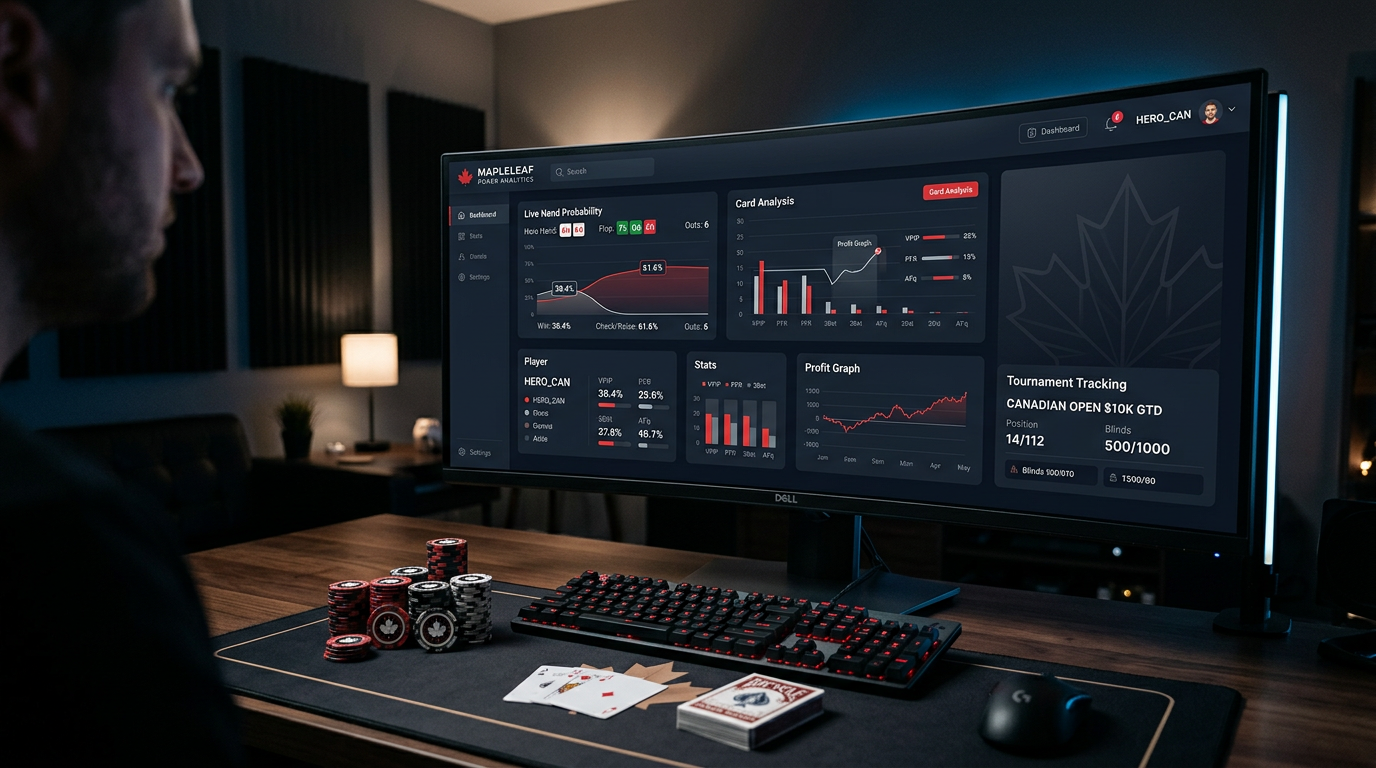
Poker Software for Canadian Players: What Actually Works in 2026
The first time I tried to install Hold'em Manager 3 on a fresh Toronto laptop, the hand history importer just sat there spinning. PokerStars.ca was streaming hands into the right folder, the database was running, the HUD overlay was loading on every other site I tested — but on the regulated Ontario client, nothing. I spent two evenings on this. Reinstalled twice. Switched to PostgreSQL. Reinstalled again. The fix turned out to be a permissions issue with the iPoker network's Ontario sandbox, not the software, but I didn't know that then. I just knew I'd dropped a hundred dollars on a tool that, for my exact site, needed an extra 90 minutes of fiddling that nobody had written about.
That's the thing about poker software in Canada. The big review sites all act like there's one global market. There isn't. There's a Quebec version of PokerStars that doesn't share liquidity with Ontario. There's GGPoker Ontario which is a completely separate client from international GGPoker. There's ACR, which is technically a grey-market site that takes Canadian players but isn't licensed by AGCO. Half the tutorials online assume you're on PokerStars dot com (the international site), which most Canadians outside Ontario can still access, but Ontario residents legally cannot.
I've been grinding NL200 to NL500 6-max from a condo in downtown Toronto for the last four years, and before that I was in Vancouver playing on the international clients. I've used pretty much every database, HUD, solver, and equity tool you can name. This article is what I actually run, why, and what I'd warn you against. No star ratings. No "spent six weeks testing" theatre. Just the stuff that works for someone playing real money from Canada in 2026.
If you're brand new and want a single sentence: get PokerTracker 4 for $99.99 one-time, get a GTO Wizard subscription if you can stretch to it or GTO Lab at $49/month if you want better mass-analysis tools, and skip everything else until you know why you need it. The rest of this article explains why.
The Ontario problem nobody talks about
Ontario opened its regulated online gambling market in April 2022. Almost four years in, the situation is still messy for poker software users.
When AGCO licensed PokerStars Ontario, GGPoker Ontario, BetMGM, and the rest, they required these operators to run separate ring-fenced player pools. Your Ontario PokerStars account is not the same as PokerStars dot com. Your hand histories live in a different folder. Your screen names and IDs are different. And — this is the part that breaks software — the client itself is a different binary, with subtle differences in how it writes hand history files.
What this means in practice: every HUD and database vendor has had to add explicit Ontario site profiles. PokerTracker 4 added Ontario support pretty quickly. Hold'em Manager 3 took longer and the import is still a bit slower than the international PokerStars feed in my testing. DriveHUD 2 supports it but you have to manually toggle the site profile from "PokerStars" to "PokerStars Ontario" in setup, which I missed the first time and lost a week of imports.
If you're outside Ontario — every other province plus the territories — you're in a grey zone. The provinces have not opened private regulated markets the way Ontario has. You can play on Loto-Quebec's Espacejeux in Quebec, but it's a small player pool and the software ecosystem barely supports it. Most players in BC, Alberta, the Maritimes, and the rest just keep using PokerStars dot com, GGPoker dot com, and ACR. The legal status is "tolerated, not licensed," which is annoying but real. None of the federal enforcement actions have ever targeted a player. They go after operators.
For software, what this means: outside Ontario, your setup is the same as a player in Germany or Brazil — you're using the international clients, all the major databases support them natively, and you don't need to think about it.
Inside Ontario, double-check that your tracker has Ontario in its supported sites list before you buy. As of my install in Q1 2026:
- PokerTracker 4: full support, works fine
- Hold'em Manager 3: full support, slightly slower import
- DriveHUD 2: support requires manual profile selection
- Hand2Note: supports PokerStars Ontario, no GGPoker Ontario at the time of writing
- PokerSnowie: doesn't track sites the same way, works on any site, irrelevant
My actual desk setup right now
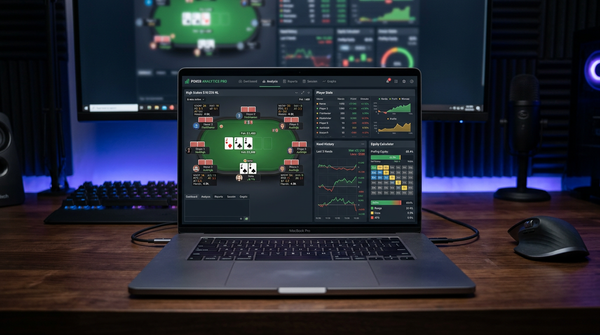
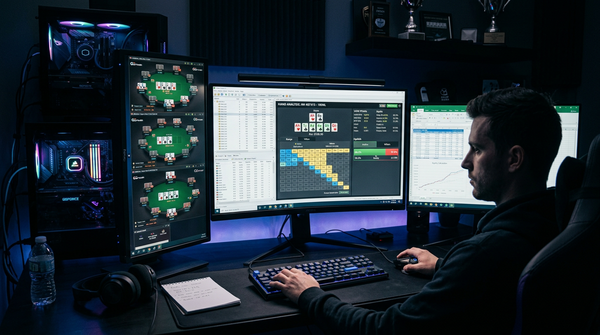
For context before I get into recommendations, here's the literal stack on my main grinding laptop, a 2024 MacBook Pro M3 running Parallels with Windows 11.
I run Windows in a VM because most poker tools are still Windows-first. PokerTracker 4 has a Mac build, but Hold'em Manager 3 doesn't, the better solver subscriptions render best on Windows, and most importantly, multi-tabling on Mac is a worse experience than people pretend. I went all-in on a Mac-native setup in 2023 and switched back inside six months. The Parallels overhead is real but manageable.
Inside that VM I run PokerTracker 4 as my main database with a custom HUD I've been tweaking for years. I have GTO Lab as my preflop chart and post-flop solver subscription — I switched from GTO Wizard about ten months ago and saved roughly $50/month while getting better range-vs-range analysis tools. For equity calculations I use Equilab (free, ancient, still better than most paid alternatives for quick what-ifs) and Flopzilla Pro for deeper range work. That's it for daily-use tools.
I also have Hold'em Manager 3 installed on a second machine, mostly because I review old session videos with friends who use HM3 and being able to load their hand histories matters. I would not buy HM3 today as a Canadian if I were starting fresh. PT4 wins this one for me, and most of the regs I know in Toronto agree.
Database and HUD: PokerTracker 4 vs Hold'em Manager 3 vs DriveHUD 2
This is the question every Canadian player asks first, so let me go in deep. There are three real options and they're all valid, but they're not equivalent.
PokerTracker 4
PokerTracker 4 costs $99.99 one-time for the Hold'em version and another chunk if you want Omaha — total around $160 for the combo. No subscription. Free updates within the version. They've been on version 4 for years, which is either a sign of stability or stagnation depending on your mood. I lean toward stability.
What makes PT4 the right call for most Canadians: the HUD configuration is the most flexible of the three. I have four different HUD layouts I switch between depending on stakes — a tight informational HUD for NL500 where I'm playing fewer tables and want every stat, a minimal three-stat HUD for NL100 where I might have eighteen tables open, a dedicated heads-up HUD with bet sizing tendencies, and a tournament HUD with M-ratio and ICM-relevant stats. PT4 lets me build all of those, save them as named profiles, and switch in two clicks.
The reporting tools are where PT4 really pulls ahead. The "Reports" tab gives you a SQL-backed query builder where you can filter by literally anything — show me my BTN open-raises against the BB when stack depth is over 150bb, show me my 3-bet pot OOP performance broken down by month, show me how much I've made from villains who VPIP over 30%. Once you learn the filter language it becomes a study tool you keep coming back to. Hand replays, leak finders, NoteCaddy support — it's all there.
The downsides: the UI feels like it was designed in 2014 because it was. The graphs aren't beautiful. The default HUD profile is bad and you'll need to invest a couple hours building your own. Ontario import works but the database can get a little chunky if you don't run periodic maintenance — I VACUUM the PostgreSQL backend monthly.
Hold'em Manager 3
Hold'em Manager 3 is $99 one-time for the basic version, with the Pro tier (which you actually want for serious work) running closer to $150. Same model as PT4 — buy once, use forever, free updates within the version.
HM3 has a more modern UI than PT4. The HUD looks cleaner out of the box. The replay tool is genuinely better than PT4's, with smoother frame-by-frame street navigation and clearer pot odds display. If you spend a lot of time reviewing hands visually, HM3 has the edge.
Where it falls short: the reporting layer is less flexible than PT4's. The query builder feels more constrained, and the more obscure filters (e.g. specific bet-sizing buckets across multiple streets) require workarounds. The PostgreSQL setup is fiddlier than it should be — I had two installations corrupt their databases over the years and both required manual intervention to fix.
For Canadians specifically, HM3 takes about a quarter to a third longer to import a session of Ontario PokerStars hands than PT4 does, in my testing. Not a dealbreaker. But noticeable when you're trying to start a study session.
DriveHUD 2
DriveHUD 2 is the outlier here — $99 per year, not one-time. So over a five-year horizon you're looking at $495, vs $100 for PT4 or HM3. The yearly model only makes sense if you want continuous updates and active development, and DriveHUD has been less actively developed than I'd like over the last two years.
What DriveHUD does well: it has the best Bovada/Ignition support of the three, which matters because BetOnline, Ignition, and Bovada are the easiest sites for Canadian players outside Ontario to access without VPN gymnastics. PT4 and HM3 both technically support these sites but rely on third-party converters that occasionally break. DriveHUD has native support and it's more stable.
What it doesn't do well: the HUD customization is more rigid, the database tools are less powerful, and the community is smaller, which means fewer custom HUD packs and fewer help threads when you hit weird edge cases.
Which one to actually buy
If you're playing on PokerStars Ontario, GGPoker Ontario, or international sites: PokerTracker 4. Easy call.
If your main game is on Bovada, Ignition, or BetOnline: DriveHUD 2 is worth the recurring fee for the native support.
If you already own HM3 and it works for you: don't switch. The marginal gain isn't worth the migration pain.
If you want one tool that handles everything and money is not the constraint: get PT4 plus a one-year DriveHUD license to cover the recreational sites. That's roughly $200 in year one, $99/year after that. This is what I did for about eighteen months until I dropped DriveHUD because I stopped playing on Ignition.
Solver and study tools
Here's where the price tags get bigger and the decisions get harder. Modern poker requires solver work. The question is which solver.
The four real options for a Canadian player in 2026:
- GTO Wizard: $49–$99/month depending on tier. Cloud-based, beautiful UI, huge prebuilt solution library.
- GTO Lab: $49/month or $399/year. Cloud-based, deep node-locking and aggregation tools, better for serious study.
- PokerSnowie: $29/month. AI-based rather than true solver. Good for trend learning, weaker for specific spots.
- InstaGTO: $29/month. Cloud solver with a focus on speed and ease.
I used GTO Wizard for about eighteen months before switching to GTO Lab in mid-2025. The reason for the switch wasn't that Wizard got worse — it didn't. The reason was that I started doing more aggregation analysis (looking at how my strategy should change across many similar boards rather than just one) and Lab's tools for that are better. Lab also has node-locking that's actually usable, where Wizard's node-locking exists but feels like an afterthought.
For a Canadian-specific consideration: both GTO Wizard and GTO Lab bill in USD. With CAD/USD around 1.37 as I write this, $49 USD/month is about $67 CAD/month, and the annual plan from GTO Lab at $399 USD comes out to roughly $547 CAD. Worth budgeting for, especially because PayPal and Stripe will both add a small forex spread on top. If you're on a tighter budget, InstaGTO at $29 USD is a real option and the gap to the premium tools is smaller than the premium-tool marketing makes it sound.
PokerSnowie is a different kind of tool. It's not a true solver — it's a trained neural network that gives you GTO-ish recommendations in real time. Useful for getting intuitive feedback on a hand quickly. Not useful for deep node-locked study. I used it for a year, learned a lot, then outgrew it. For a beginner with a budget, it's actually pretty defensible.
If you're brand new to solvers and have $50/month to spend, I'd start with GTO Wizard's mid tier — the UI is friendlier and the prebuilt content is more comprehensive. After six months of using it daily, evaluate whether you need GTO Lab's deeper tools. Most players don't.
Equity calculators and quick tools
This is the cheap-and-cheerful part of the stack. You can get away with free tools here.
| Tool | Cost | What it's for |
|---|---|---|
| Equilab | Free | Quick equity vs range, hand vs hand |
| Flopzilla Pro | $25 one-time | Range visualization, board breakdowns |
| PokerCruncher | $30 one-time (Mac/iOS) | Mobile equity work |
| Power-Equilab | $25 one-time | Equilab successor with better range editor |
Equilab is the one tool I've had installed on every poker machine I've owned for the last decade. It's free, it loads fast, the range editor is intuitive once you learn the syntax, and it does exactly what it's supposed to do. The interface is dated. I don't care.
Flopzilla Pro is more powerful for actual study sessions where you want to see how a range hits a specific board class. The "Board Explorer" feature where you can flip through dozens of similar boards and see equity shifts is genuinely useful for understanding board texture intuitively.
If you're Mac-native and don't want to fire up Windows just for equity work, PokerCruncher on Mac is the best option. The iOS app is also very good for studying on the train.
Payment, currency, and Canadian tax stuff
Quick practical notes since this matters and most software reviews skip it.
Payments: All the major poker tools (PT4, HM3, GTO Lab, GTO Wizard, etc.) accept credit card via Stripe or PayPal. Interac e-Transfer is not supported by any of them — that's a Canadian-bank thing. Some tools support Bitcoin or crypto checkout (DriveHUD does, GTO Wizard doesn't), which can be useful if you're paranoid about credit card statements showing poker software.
Currency: Everything bills in USD. Budget about a 2.5–3% forex spread on top of the headline price. RBC, TD, and BMO all charge similar credit card forex fees. If you have a no-FX-fee card (Scotiabank Passport Visa, Brim Financial, the Wealthsimple cash card sometimes), use it.
GST/HST: Most US-based software vendors don't charge Canadian sales tax. This is technically you-the-buyer's responsibility to self-assess if you're a registered business, but in practice as an individual hobbyist this almost never comes up.
Tax on winnings: Canada doesn't tax recreational gambling winnings. If you're a professional — meaning poker is your primary income source and you treat it like a business — CRA can argue that your winnings are taxable as business income. This is a real thing, the case law is still messy, and if you're making serious money you need an accountant who's seen poker cases. The software cost itself is an expense you can deduct against business income if you're filing as a pro.
Three setups for three player profiles
Let me close with three concrete budgets, because most of these articles wave their hands about "depending on your needs" without actually committing to a recommendation.
The $100 starter setup. PokerTracker 4 ($99.99) plus free Equilab plus free trial of GTO Wizard. Use the Wizard trial to decide if you want to add a solver subscription later. This is enough to play winning poker at NL25 and below for as long as you want. Don't buy more software until you've used PT4 for six months.
The $50/month serious setup. PokerTracker 4 ($99.99 one-time) plus GTO Lab annual at $399/year (about $33/month effective) plus Flopzilla Pro ($25 one-time). Total year-one cost around $525, year-two onward $399. This is what I'd recommend to anyone playing NL50 to NL200 who's serious about getting better.
The full grinder stack. PT4 ($99.99) plus GTO Lab annual ($399/year) plus an additional GTO Wizard sub for the prebuilt solution library ($49/month) plus Flopzilla Pro ($25). Year-one cost around $1,100. Only worth it if you're playing NL500+ or making real money from this. I run something close to this and I expense it against my winnings.
What I wish someone had told me
Three things, in order of how much money each one would have saved me.
First, don't subscribe to two solvers at once. I did this for almost a year — Wizard and Lab in parallel, telling myself I was "comparing" them. I wasn't. I was using whichever was open. Pick one, learn it deeply, switch later if you outgrow it.
Second, build your own HUD instead of downloading someone else's. The HUD packs you can buy for $30 or $50 are mostly bloated with stats you don't read. A six-stat custom HUD that you actually use beats a twenty-four-stat genius HUD that just makes the table look busy. Spend the two hours.
Third, the database matters more than the solver. Your hand history is the most important asset you have as a poker player. If you've been playing for five years without tracking, you have a five-year hole in your study. Get PokerTracker 4 installed before you spend a dollar on anything else. The solver subscription is nice. The history is irreplaceable.
That's the stack. That's the reasoning. The Ontario regulation will keep evolving and the tool list will shift around the edges, but the core picture — buy a database for life, rent a solver while you study, skip the rest — is the same answer it's been for the last five years.
A week in my study routine using this stack
Let me walk through what an actual study week looks like for me, because the tools are only useful in the context of a routine. If you don't have a routine, no software stack will save you.
Monday morning, 45 minutes. I open PokerTracker 4 and pull last week's session graph. I'm looking for two things: am I above or below my expected winrate over the sample, and where in the session did the variance hit. PT4's filter to break results down by hour-into-session is one I use constantly — if I'm losing big in hour four onwards, that's a fatigue signal and I should be quitting earlier.
Tuesday and Thursday evening, 60 minutes each. Pure GTO Lab work. I pick one specific spot — usually a hand I felt unsure about during the previous weekend's session — and run aggregation analysis across the relevant board class. Last Tuesday it was BB defending vs UTG opens at 100bb. The aggregation showed I was over-folding flops with backdoor equity by about 8%, which adds up to real money over a year of sessions.
Wednesday morning, 30 minutes. Light review. I open Equilab and run a few quick equity scenarios from hands I noted during Monday or Tuesday sessions. This isn't deep study, this is just keeping the equity intuition sharp.
Friday, 0 minutes. I deliberately don't study Fridays. Burnout is real and the marginal study hour on day five of a six-day week is worth less than the recovery.
Sunday, 90 minutes. The big one. I review the week's biggest pots — won and lost — in PT4's replayer, then cross-reference any close decisions against GTO Lab. I'm not trying to memorize lines. I'm trying to identify the two or three patterns I want to focus on the following week.
That's about four hours of study against fifteen-ish hours of play. The ratio matters. Players who study three hours for every hour they play are mostly procrastinating. Players who play forty hours and study zero are leaving money on the table. One-to-three or one-to-four is the zone where I see actual winrate movement.
The spots I study most as a Canadian reg
Three specific situations that come up disproportionately often in the Ontario and international player pools, and where focused study pays back fast.
BB vs BTN single-raised pots at 100bb. This is the most common pot type at 6-max NL and most regs are still playing it suboptimally, especially on the flop check-raise frequencies. I've spent more total study hours on this single situation than on any other postflop spot. The Canadian player pool runs slightly tighter than the European pool here, which means BTN ranges open marginally less polarized and BB defending ranges should adjust accordingly. GTO Lab's aggregation tool handles this beautifully.
3-bet pots in position from BTN vs CO opens. The Ontario PokerStars pool has a specific tendency I've noticed — CO opens get 3-bet less frequently than the international pool by maybe 1.5-2%, which means the 3-betting range when it does happen is more value-heavy. Adjustment: I call wider as the CO with hands like KQs and AJo than I would on PokerStars dot com.
Turn check-raise spots in single-raised pots. Underplayed by most regs. The frequency at which checking back the flop should turn into a turn check-raise as the IP player is higher than people realize, and it's a great spot to print money against villains who default-bet turns when checked to.
What I'd tell someone buying poker software for the first time in Canada
If a friend in Toronto messaged me tomorrow and said "I'm thinking of getting serious about online poker, what should I buy first," here's what I'd tell them word for word.
Start with PokerTracker 4. One hundred bucks USD, buy it once, install it, point it at your hand history folder, and do nothing else for two weeks. Just play. Get used to the HUD overlay being there. Look at your own VPIP and PFR and 3-bet stats after every session. That's it. Don't buy a solver. Don't buy a HUD pack. Don't subscribe to a training site.
After two weeks, if you're still playing regularly and you've noticed yourself wishing you understood specific spots better, sign up for a free GTO Wizard or GTO Lab trial. Use it for the trial week. If you actually opened it and worked through hands, subscribe. If the trial week ended and you opened it twice, don't subscribe — you're not going to use a paid sub either.
Skip the YouTube poker training entirely for the first six months. The signal-to-noise ratio in poker YouTube is brutal and you don't have the foundation yet to filter the good from the bad. Spend that time playing and using PT4.
Don't pay for a HUD pack. Just don't. The default PT4 HUD is bad but the answer is to build your own six-stat HUD in a weekend, not to buy someone else's twenty-stat overload.
If you're outside Ontario, your software setup is the same as a player anywhere in the world — pick PokerStars dot com or GGPoker dot com, point PT4 at the right folder, you're done. If you're in Ontario, double-check that PT4 has Ontario in its supported sites list before you buy (it does, but check) and remember to pick the Ontario site profile during setup.
Budget your subscriptions in CAD up front. The USD billing creeps up on you. A $49 USD/month sub is roughly $67 CAD/month with the forex spread, which works out to over $800 CAD/year. Make sure your poker is generating at least that much before you commit.
That's the entire conversation. Most Canadian players who fail to build a sustainable poker practice fail because they bought too much software, not too little.