PokerTracker 4 Review 2026: Still The HUD King After 14 Years?
PT4 in 2026 from a 9-year cash reg. Where the $99 one-time fee still wins, where the aging UI hurts, and the hand-history filter tricks no one teaches.
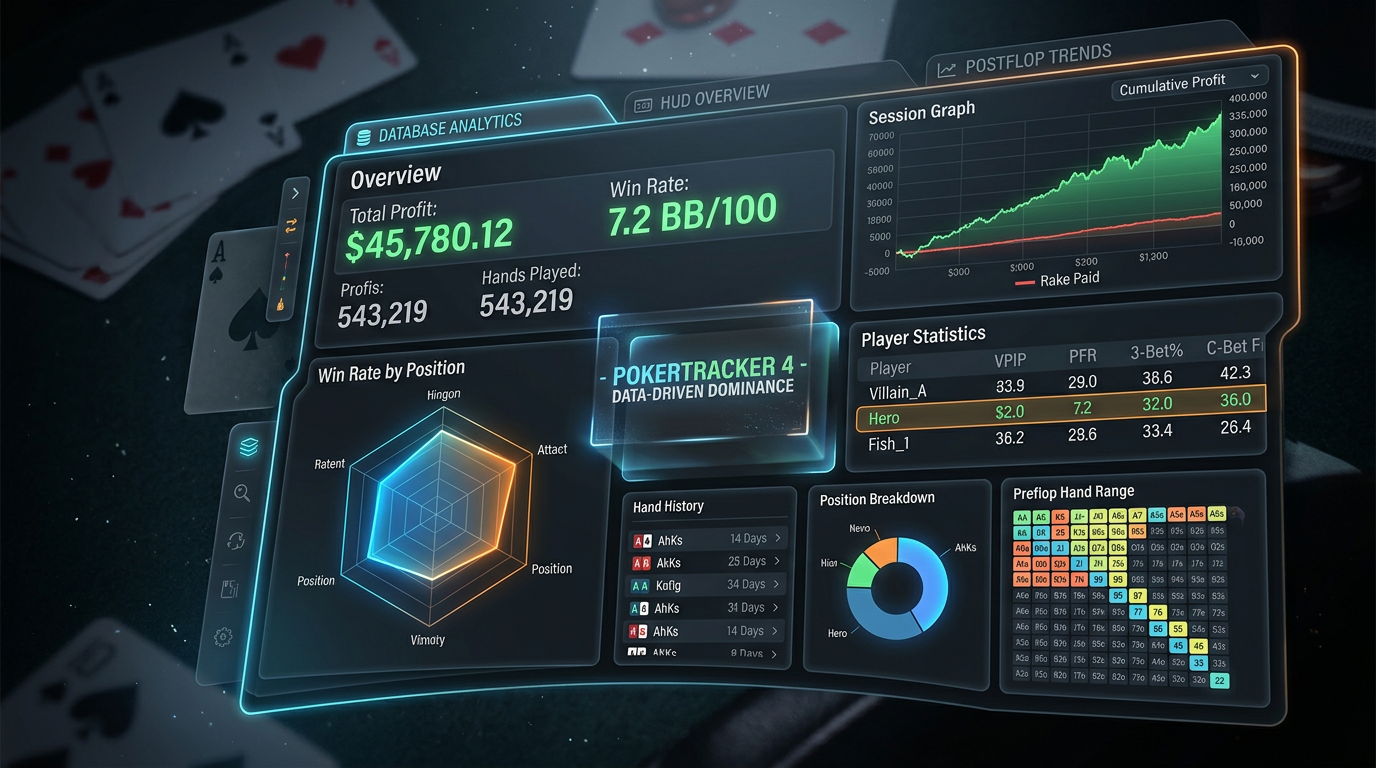
PokerTracker 4 Review 2026: Still The HUD King After 14 Years?
The other day I tried to explain to a newer player why I still pay $99 for a piece of software that was first released in 2012. He'd just installed a free trial of a competing tracker and was telling me how much cleaner the interface looked. He wasn't wrong. The competing product did look cleaner. But after about an hour of him trying to construct a filter for "all 3-bet pots where I floated the flop OOP and faced a turn barrel from a 22/18 reg," he gave up and asked if I could just show him how to do it in PokerTracker 4.
That's the trick with PT4. It looks like software from a different era, because it is software from a different era, but it does things that the modern alternatives still can't match. Whether that matters to you depends entirely on what you actually do with a tracker. This review is about helping you figure that out before you spend the money.
I'm Alex, a 6-max NL cash reg, nine years online, currently grinding NL200-500. I've used PokerTracker 4 since 2017. I've also used Hold'em Manager 3, DriveHUD 2, and a few smaller competitors. Every six months or so I do a serious test of whether to switch. So far I've kept coming back to PT4. I want to explain why, and also explain the cases where I'd point a different player toward something else.
This is going to be a long review because PT4 is a deep product. If you want a one-line answer: PT4 is still the most flexible hand history database for serious cash players, the HUD is competent but not best-in-class, the UI shows its age in genuinely annoying ways, and the $99 one-time price is one of the best deals in poker software. Now let me show you what that means in practice.
What PokerTracker 4 Actually Is
A lot of newer players think a "tracker" is the HUD that overlays the tables. That's wrong. The HUD is a feature of the tracker. The tracker itself is a database that imports hand histories from the poker sites you play on, parses them into structured data, and gives you tools to query, filter, and visualize that data. The HUD is one way to display that data; the reports module is another; the leak detector is a third.
PokerTracker 4 has been the deepest and most flexible version of this product category for over a decade. The competitors have caught up on some things and remain behind on others. Specifically:
- Database depth and filter power: PT4 still wins. It's not close.
- HUD visual customization: PT4 is competent but Hold'em Manager 3 is more flexible.
- Out-of-the-box HUD presets: DriveHUD 2 wins by being faster to set up.
- Mac stability: PT4 runs natively and reliably on Apple silicon. HM3 still struggles.
- Modern UI: All three trackers have aging interfaces. PT4's is probably the worst.
- Price: PT4's one-time $99 is the most economical over a multi-year window.
If your reason for wanting a tracker is "I want a HUD that I can install in 15 minutes and start playing," DriveHUD is a faster onboarding. If your reason is "I need to interrogate my own play in detail and find specific leaks," PT4 is the right tool and it isn't really a contest.
The Pricing Reality Across Versions
PokerTracker has been on the same pricing model for years and I expect it to stay there. There are technically three editions:
| Edition | Price | What's Included |
|---|---|---|
| PT4 Hold'em Only | $59.99 one-time | Cash + tournaments, NLHE only, full HUD and database |
| PT4 Omaha Only | $59.99 one-time | PLO and PLO8, full HUD and database |
| PT4 Combo (Hold'em + Omaha) | $99.99 one-time | Both games, single license |
The Combo license is what I have. If you only ever play NLHE you can save $40 with the Hold'em-only license, but if there's any chance you'll ever play a single PLO session, the Combo is a better deal because the upgrade path later costs more than the price difference.
What's worth understanding: this is a one-time license, not a subscription. You pay once and you own it. Updates are free for the life of the version, and PT4 has been getting updates continuously for 14 years. Compare that to DriveHUD 2's $99/year subscription or Hold'em Manager 3's $99 + occasional paid major updates, and PT4 looks like the obvious value play over a 3-5 year horizon.
In CAD/AUD/NZD/GBP/EUR terms (USD billing as always):
- ~$135 CAD (one-time) for the Combo
- ~$152 AUD (one-time)
- ~$167 NZD (one-time)
- ~£79 GBP (one-time)
- ~€92 EUR (one-time)
Even at the worst exchange rate, that's a one-time cost smaller than two months of a competing solver subscription. For the depth of tooling you get, it's hard to call this anything other than a steal.
What PokerTracker 4 Does Better Than Anything Else
Let me get specific about why I keep paying for it.
Filter Construction Is The Killer Feature
PT4's filter system is the single most powerful feature in any poker tracker on the market. The filters work as a stack of conditions you can combine with AND/OR logic, save as templates, and apply to any report or hand replay query.
Concrete example. Say I want to look at every hand where:
- I was in the BB
- Facing a single raise from CO
- Both stacks were 100bb-120bb effective
- The flop came two-tone with no broadway cards
- I check-raised the flop
- Villain called the check-raise
- The turn was a brick (no flush completing, no overcard)
- I either bet the turn or checked back
That's eight conditions. In PT4 I can construct this filter in about three minutes, save it as "BB c/r line vs CO single-raise on dynamic 2-tone boards," and apply it to my entire database. The result is a hand list I can sort by EV, by date, by villain stats, by anything.
In Hold'em Manager 3 I can build the same filter, but the interface is clunkier and some of the conditions require workarounds. In DriveHUD 2 I can't build this filter at all — their filter system caps out at maybe 4-5 conditions and doesn't support OR logic the same way.
This filtering power is what makes PT4 useful for finding leaks. Generic stats like VPIP/PFR/3bet are noise compared to "what is my actual EV in this specific situation." PT4 lets you ask the specific question.
The Reports Module
The reports system is built on top of the filters. You can take any filter, layer it onto a report (positional stats, postflop frequencies, river stats, opponent stats), and get a tabular breakdown.
I have about 30 saved reports for various purposes. A few examples of what I look at weekly:
- "BB defense by raiser position and sizing" — this report tells me where my defense frequencies are off
- "C-bet frequency on dry vs wet boards by position" — catches over-c-betting on textures I shouldn't
- "Showdown percentage when called on the flop" — proxy for overall postflop win rate
- "Win rate vs each villain over 1000+ hands" — figure out who I'm actually beating
Each of these reports drives at least one in-game adjustment per week. None of this is possible in DriveHUD or in PokerSnowie's HUD; HM3 can do most of it but the report builder is more painful.
Hand Replayer With In-Context Notes
The PT4 replayer is functionally fine — not pretty, but it works — and the killer feature is that you can attach a note to any specific street of any specific hand. Those notes show up in the HUD when you next encounter that villain, contextualized by street.
I have notes on probably 1,500 villains in my database. Most are short — "calls 3bets too wide from BTN" or "river overfolds vs polarized sizing" — but they accumulate. Three years from now when I encounter the same screen name on a different network (or even on the same one), the note pops up. This is real edge.
Database Stability and Backup
PT4 uses PostgreSQL as its database engine. This is a real database, not an embedded one. It scales to millions of hands without performance degradation. I currently have around 4.2 million hands in my database; queries run in seconds. Backups are standard pg_dump and trivially scriptable.
I've never lost a hand in 8 years of using PT4. I have lost hands in two competing trackers. The data layer is rock solid.
What PokerTracker 4 Does Worse
I'm going to be specific because PT4's flaws are real.
The UI Is From 2012 And It Shows
Let me describe what installing PT4 looks like in 2026. You download a .dmg or .exe file. You install. You open the program and you're greeted by a window that looks like enterprise Java software circa Eclipse 3.6. Buttons are tiny. Icons are pixelated. The default font rendering is rough on high-DPI displays. The "Get Started" wizard works but feels like a relic.
This isn't a small thing. The interface ages you out of caring. Newer players install PT4, look at the window, and assume the product is dead. It isn't dead — it gets updates regularly — but it looks dead.
The configuration menus suffer the same problem. The HUD configurator has 14 nested submenus and no search function. Finding the option to change a single stat's color takes me about 30 seconds even though I've used the software for 8 years. For a new user it would take 5 minutes.
Mac Support Is Better Than HM3 But Not Great
PT4 runs natively on Apple silicon, which is more than HM3 can say. But the Mac version lags the Windows version by about 6 months on most updates and the HUD has occasional rendering issues on macOS Sonoma and later.
If you're a Mac player, PT4 is still the best option. It's just not seamless. I've had to restart the HUD service maybe 10-15 times in the past year because it stopped overlaying after a system sleep. Annoying but manageable.
HUD Customization Is Powerful But Painful
You can customize the HUD to do almost anything in PT4. You can also spend three hours configuring it and not be sure you've done the right thing. The HUD designer is a separate window with its own conventions, the popup designer is another window, and the link between which stats appear in which spots and how they're colored requires patience.
I have a HUD layout that I've tuned over 5 years. It's exactly what I want. If I lost it tomorrow I would not be enthusiastic about rebuilding it.
No Integrated Solver or Equity Tools Beyond Basics
PT4 has a basic equity calculator (PokerStove-equivalent) and that's it. There's no integrated solver. There's no GTO comparison feature. If you want to evaluate hand histories against optimal play, you're using a separate tool — GTO Lab, GTO Wizard, InstaGTO.
This isn't really a flaw — PT4 is a tracker, not a solver — but it's worth knowing. Your study stack is going to be PT4 plus a solver. Both costs apply.
The Note Search Is Weak
I mentioned the note system is excellent. But searching across notes is limited. If I want to find "every villain I've ever noted as overfolding rivers," I can't run that query directly — I have to scroll through note text manually or export notes to a CSV and grep them. For 1,500 villains, that's a problem.
My Actual PT4 Setup and Workflow
Here's how I configure and use PT4. This is what 8 years of iteration looks like.
HUD Configuration Strategy
I run two HUD layouts. The "default" layout has 12 stats showing on every player at all times: VPIP, PFR, 3bet%, Fold-to-3bet%, AF, WTSD%, W$SD%, Steal%, Fold-to-Steal%, BB/100, Hands, and a custom positional aggression composite. The "deep" layout, which I toggle on with a hotkey when I'm focused on a specific villain, replaces some of those with street-by-street aggression frequencies and 4bet/cold-4bet stats.
Popups have detailed positional breakdowns and 30+ stats per category. I rarely use them in real time but they're invaluable for hand reviews after sessions.
Import and Database Strategy
I auto-import hand histories from each site I play on. PT4 handles the file watching reliably. Once a week I run a quick database optimization (VACUUM ANALYZE if you want the technical detail) which keeps query speed sharp.
I take a full database backup every Sunday night to a separate drive plus a cloud upload. Has saved me twice when an OS update corrupted the active database.
Session Review Workflow
After every session I do a 15-30 minute review. I open PT4, filter to the session's date range, sort by lost-pot-size descending, and look at the top 10 losing pots. Each one gets a 30-second mental review: was this a fold I should have made, a call that was correct but unlucky, or a cooler I can't avoid?
The hands I'm unsure about get exported to a folder I review weekly with a solver. The ones I'm sure about, I mark as reviewed in PT4 and move on.
Weekly Deep Dive
Sunday morning I run my saved reports. I look for stats that have moved more than 5% week-over-week, which usually indicates either a small sample issue (most common) or a real shift in either my play or the player pool. I keep a one-line note on whatever I noticed, in a separate text file.
Once a month I do a "leak hunt" — pick one filter from my saved set, dig into the resulting hands, and see if I can find a pattern. Last month's hunt revealed I was significantly under-c-betting on BTN vs BB on Q-high paired flops. Fixed in two sessions. That kind of thing.
Comparison Table: PT4 vs The Alternatives
| Feature | PT4 | HM3 | DriveHUD 2 | PokerSnowie HUD |
|---|---|---|---|---|
| Pricing model | $99 one-time | $99 one-time | $99/year | Bundled with sub |
| Database depth | Best | Strong | Limited | Minimal |
| HUD customization | Powerful, painful | Powerful, smoother | Limited but easy | Basic |
| Out-of-box HUD | Manual | Manual | Pre-configured | Pre-configured |
| Mac support | Good (Apple silicon native) | Poor | Acceptable | Good |
| Filter power | Best | Strong | Weak | Minimal |
| Reports | Best | Strong | Limited | None |
| Hand replayer | Functional | Better looking | Good | Basic |
| Notes system | Excellent | Good | Limited | None |
| 5-year cost | ~$99 | ~$200 (with upgrades) | ~$495 | Sub costs apply |
PT4 is the value winner over a multi-year window for serious players. DriveHUD wins on speed-to-setup. HM3 is the better all-around HUD if you can deal with the Mac issues. PokerSnowie's HUD is fine if you also want their solver, but it's not a database product.
Common Questions
Will PT4 work with my poker site? It supports basically every major site that allows hand history capture: PokerStars, GG Network, partypoker, WPN, Chico, iPoker, and most regional networks. It does not work on sites that block hand histories entirely (some Asian-facing networks). Check their site's compatibility list before buying if you're playing on something obscure.
Is the HUD legal where you play? In Canada, Australia, New Zealand, the UK, and Ireland, HUDs are legal at most regulated sites and at unregulated international sites. Some sites' terms of service prohibit them; some don't. Check your specific site. PokerStars technically allows HUDs but restricts certain advanced features. WPN is permissive. GG Network is restrictive (most advanced HUDs are blocked). It's your responsibility to know.
Can you import old hands from a previous tracker? Yes, mostly. PT4 imports hand history files in standard formats (the same .txt files your poker site writes). If your old tracker has a database export feature, you can typically pull the underlying hand files and import them into PT4. Some metadata won't transfer (notes, custom tags), but the hands themselves will.
How much database storage will you use? My 4.2 million hand database is around 18 GB on disk. A new player accumulating 100k hands a year would use maybe 500 MB after a year, 5 GB after 10 years. Storage is not a real constraint.
Does PT4 ever go on sale? Occasionally. They run a Black Friday sale most years that knocks 30-40% off. If you're not in a rush, wait for that.
Will it run on a 5-year-old laptop? Yes. PT4 is light by modern software standards. Any laptop with 8GB of RAM and an SSD will run it without issue. The HUD adds some CPU overhead during heavy multi-tabling but it's manageable.
Should you wait for PokerTracker 5? I wouldn't. There's no announced release date. The PT4 codebase is mature, gets regular updates, and there's nothing missing from it that would force the team to ship a new major version. If PT5 ever ships, current PT4 owners typically get a discount.
Can you use PT4 alongside another tracker? Technically yes, but it's a configuration headache. The two trackers will fight over hand history files. I don't recommend it. Pick one and commit.
A Detailed Walkthrough Of My HUD Configuration
I've referenced my HUD layout twice already. Let me actually describe it in detail because the most common request I get from new PT4 users is "can you share your HUD." I'll describe it instead of sharing the file, because the layout that works for me probably isn't optimal for you, and copying someone else's HUD without understanding why each stat is there is how you end up with a HUD you can't read.
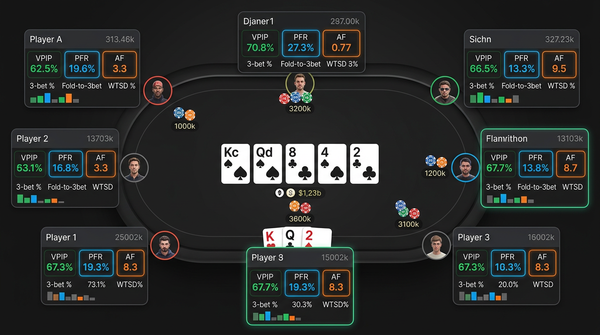
The default panel sits to the right of each player's seat. It contains 12 stats arranged in three rows of four:
Row 1 (preflop tendencies): VPIP / PFR / 3bet% / Fold-to-3bet%
Row 2 (postflop frequencies): Aggression Factor / WTSD% / W$SD% / Total Hands
Row 3 (steal/positional): Steal% / Fold-to-Steal% / Custom positional aggression / BB/100
Color coding follows a simple rule. Green is "in the comfortable middle 60% of the population for that stat at this stake." Yellow is "outside the comfortable range in the loose/aggressive direction." Red is "outside the comfortable range in the tight/passive direction." Gray is "fewer than 40 hands of sample, take with skepticism."
The thresholds are tuned per stake. At NL500 my Yellow VPIP threshold is 28%; at NL200 it's 30%; at NL100 it's 33%. That's because the population is genuinely tighter at higher stakes and a 31% VPIP means something different at NL500 than at NL100. PT4 supports per-stake threshold variation but it's buried in the configurator.
The Custom Positional Aggression composite is a stat I built using PT4's custom stat builder. It combines three things: c-bet% on the flop in single-raised pots IP, double-barrel% on the turn after a flop c-bet, and triple-barrel% on the river after both previous c-bets. The composite value is the geometric mean of the three. This single stat tells me whether a villain is a barreler or a one-and-done c-better, which is information I use constantly.
Building that stat took me about three hours the first time. The PT4 custom stat builder has a syntax that's not immediately intuitive. Once it's built, it just works forever, and you can attach color rules to it like any other stat.
The popups behind each row are where the real depth lives. The preflop popup has 28 stats organized by position — open frequency from each seat, 3bet frequency by raiser position, cold-call frequency by raiser position, etc. The postflop popup has another 30+ stats broken down by street and position. I open these maybe twice per session during play and constantly during reviews.
The Filter Combinations I Run Most Often
I mentioned earlier that I have around 30 saved filters. Let me describe the five I use weekly because they show what PT4's filter system can do that nothing else can.
Filter 1: BB defense vs each raiser position by stack depth. Conditions: I'm in BB, facing a single raise, with conditional logic on which seat raised, broken into 80-110bb and 110-150bb stack buckets. Output: my call/3-bet/fold frequencies broken down by raiser position. Shows me where my preflop ranges are off.
Filter 2: River decisions by previous street action. Conditions: I reach the river having taken specific lines (lead-bet-bet, check-call-check-call, raise-call-call, etc.). Output: my win rate and showdown rate by line. Reveals which postflop sequences are profitable for me and which are bleeding chips.
Filter 3: Cold-4-bet defense. Conditions: I open, get 3-bet, decide between calling/4-bet/fold. Filtered by 3-bettor's seat and stack. Tiny sample by hand but the EV impact per decision is huge so it's worth tracking.
Filter 4: Multiway pot frequencies. Conditions: any pot with 3+ players to the flop. Output: my participation rate and win rate vs single-raised pots. Multiway pots are systematically less profitable than HU pots; this filter quantifies how much.
Filter 5: Recent session vs 6-month average. Conditions: today's session vs my rolling 6-month stats. Output: any stat that's moved more than 1 standard deviation. Catches tilt and short-term variance both.
These filters take seconds to run because the database is well-indexed. Trying to build them in DriveHUD or even HM3 would either be impossible (DriveHUD) or would take 5x as long (HM3). This is the workflow PT4 enables that nothing else can.
A Week In My PT4 Routine
Practical Monday-through-Sunday breakdown.
Monday: Play 3-4 hours, post-session review of biggest 10 losing pots in PT4. About 15 minutes of analysis time after a 3-hour session.
Tuesday: Same as Monday. Post-session review focuses on hands flagged as questionable, not just lost.
Wednesday: Off day from playing. 60-minute deep filter session. Pick one of my saved filters, dig into the resulting hands, write up findings in my notes file.
Thursday: Play 3-4 hours. Post-session review.
Friday: Play 3-4 hours. Post-session review. Also a 30-minute Discord/study group session reviewing other people's hands.
Saturday: Theory day. PT4 not heavily used. Solver work primarily.
Sunday: Weekly review. Run all my saved reports. Look for stats that have moved week-over-week, write a one-line note on each. Take a database backup. Spend 90 minutes total.
That's roughly 5-6 hours of PT4 time across the week, including session reviews. The tool earns its keep on the Wednesday deep dive and the Sunday review more than on the daily session reviews — those are necessary but they're not where the real edge lives.
What I'd Tell Someone Buying This For The First Time
A few practical notes that will save you frustration.
The installer asks where to put the database. Put it on an SSD, not a spinning disk, even if you have to buy a small SSD specifically for it. Database query speed is the difference between "look at this in real time" and "wait for it to load." A $50 NVMe drive is the best small upgrade you can make to PT4.
Do not skip the initial database optimization step. PT4 will warn you about it and the warning is correct. A non-optimized PostgreSQL instance can be 5-10x slower than an optimized one for the queries PT4 runs.
The HUD configurator's interface is bad. I won't sugarcoat it. Watch the official setup videos — yes, the ones that look like they were filmed in 2014 — because they cover the workflow more efficiently than reading the docs. The visual ugliness is a one-time cost; the HUD you build will work for years.
Set up automatic backups from day one. Use the built-in backup scheduler if you don't have your own scripting setup. Losing your hand history database hurts; losing your notes hurts more.
Don't try to import 5 years of hand histories on day one. Import the most recent 6-12 months and let PT4 settle. Add older histories in batches as you have time. Bulk-importing millions of hands on a fresh install can take 12+ hours and you don't need to wait for it to start using the tool.
How PT4 Fits Into A Broader Study Stack
PT4 is the tracker layer. It needs companions.
The solver layer is GTO Lab for me. PT4 hand histories export cleanly into GTO Lab's analyzer. The integration is one-way — PT4 doesn't ingest solver output — but the export workflow is fast.
The video and concept layer is Poker Academy. Concepts from videos drive what I look for in PT4 filters. If a Poker Academy track on river overbets makes me wonder how often I'm overbetting profitably, I build a PT4 filter to find out.
The community layer is a private Discord with three other regs. We share PT4 export files for specific spots when we want a second opinion.
The volume layer is just playing. PT4 needs hands to be useful. Aim for 25k+ hands per month minimum if you want the filters to have meaningful sample.
The tool that connects everything is PT4 itself. The tracker is the source of truth about your own play; everything else either feeds it or consumes it. Of all the products in the stack, the tracker is the one I'd be most reluctant to lose.
Verdict: Still The Right Pick For Serious Cash Players
After 8 years of using PokerTracker 4, I still believe it's the right pick for any serious cash player who plans to use a tracker as a study tool, not just as a HUD. The depth of filtering and reporting is unmatched, the database is rock solid, and the one-time $99 price tag is one of the best long-term values in poker software.
The product's flaws are real but they're not deal-breakers for the right player. The UI looks dated and the configuration is painful, but you only have to set it up once. The Mac support has rough edges but the software runs natively on Apple silicon and that's more than the main alternative offers.
If you're a new player who just wants a HUD with sane defaults, DriveHUD 2 will get you up and running in 15 minutes versus an afternoon for PT4. That's a real advantage and you should weigh it. But if you're going to be playing seriously for years, the time you save on setup with DriveHUD is dwarfed by the analysis time you'll lose to its weaker filtering.
If you're between PT4 and HM3, my call depends on your platform. On Windows it's close — HM3 has slightly better HUD UX, PT4 has slightly better filtering. On Mac, PT4 wins by default because HM3 is barely usable on Apple silicon as of this writing. Either way you're getting a one-time-purchase product that you'll use for years.
PT4 is a 14-year-old product. It looks like it. It works like nothing else. For anyone who plans to take their poker analysis seriously, that's still the right trade.