PokerTracker 4 vs Hold'em Manager 3: Which In 2026?
Honest PT4 vs HM3 head-to-head from a 9-year cash reg who's used both as a primary tracker. Filter depth, HUD UX, Mac stability, and a clear recommendation.
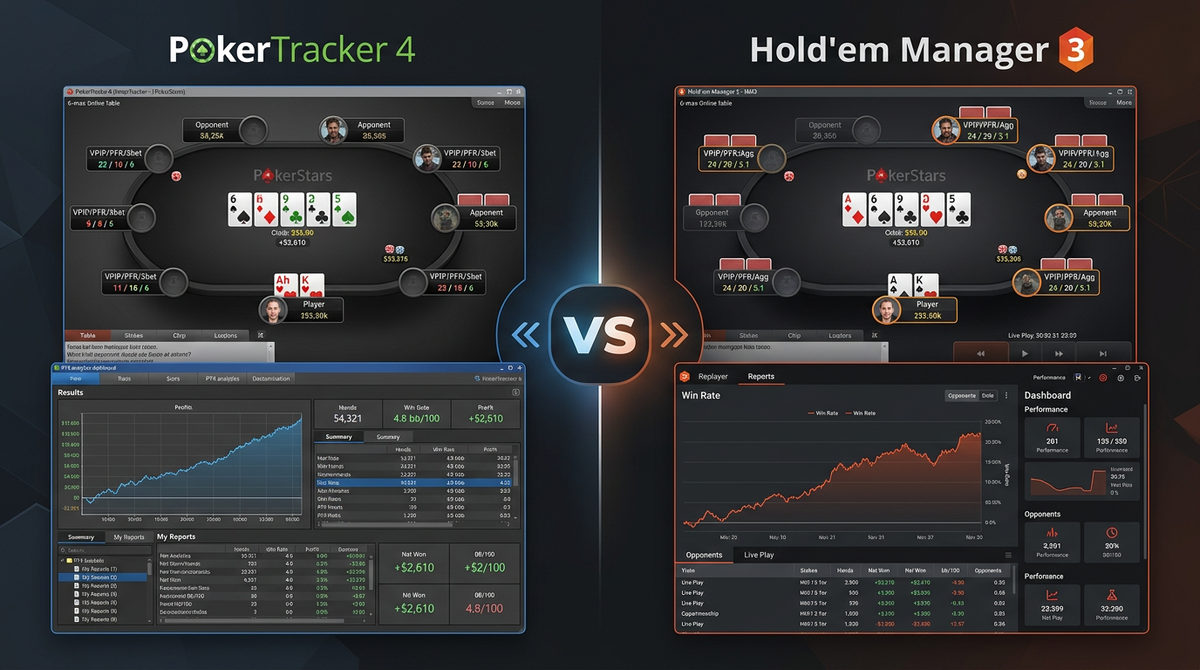
PokerTracker 4 vs Hold'em Manager 3: Real Talk From A 9-Year Reg
The classic question. PT4 or HM3. The two products that have dominated the poker tracker category for over a decade. Both at roughly the same price point, both with one-time licenses, both with passionate user bases who'll defend their pick like it's a religious affiliation.
I've been on both sides of this debate. I used PokerTracker 4 from 2017 through 2025. I switched to Hold'em Manager 3 in October 2025 and I've been on it for 7+ months. I've also done several short-term experiments running both in parallel during periods when I wasn't sure which was right for me.
This article isn't a "ten years ago HM2 was the king" history lesson. It's a practical 2026 comparison based on actively using both products in the past six months. The goal: help you pick the one that matches your needs without you having to learn the answer the hard way.
I'm Alex, 6-max NL cash reg, currently grinding NL200-500 on the major Asian-facing networks. I write reviews because I want there to be honest poker software content somewhere on the internet. The links in this article are affiliate links — they pay me at no cost to you. The opinions are mine and they don't change for sponsorship money.
The TL;DR up front:
- If you're on Mac, pick PT4. Not close.
- If you're on Windows and you value the HUD experience above all else, pick HM3.
- If you're on Windows and you value deep filtering and reports above all else, pick PT4.
- If you have multiple machines, HM3 with Cloud Sync wins.
- If you maintain a massive database (5M+ hands), PT4 has more headroom.
- For a brand-new player on Windows with no preference, lean HM3 — easier to live with day to day.
Now let me show how I got to those conclusions.
What These Products Actually Are
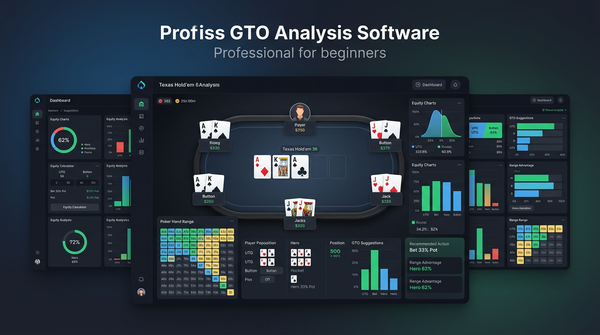
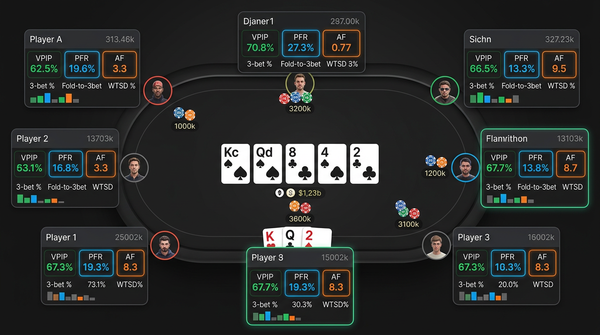
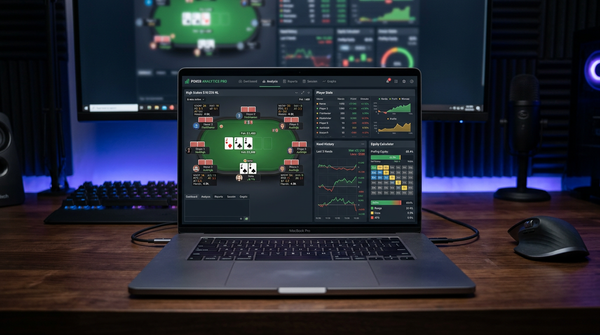
For anyone new: a poker tracker is a database that imports hand histories from your poker site, parses them into structured data, and gives you tools to analyze that data. The Heads-Up Display (HUD) is one feature — it overlays opponent stats on your tables in real time. The reports module is another feature. The hand replayer is a third. The leak detector is a fourth.
PT4 and HM3 are both full-featured trackers in this category. They overlap heavily in capability but differ in implementation philosophy.
PT4's identity is built around the depth of its analysis layer. The filter system is the most powerful in the category, the reports module is the most flexible, and the underlying database is engineered for very large datasets. The trade-off is that the UI is dated and the HUD configuration is painful.
HM3's identity is built around the HUD experience and the day-to-day usability. The HUD configurator is the best in the category visually, the hand replayer is cleaner, and the Cloud Sync feature gives multi-machine players a workflow that PT4 lacks. The trade-off is that the analysis depth is somewhat less and the Mac experience is bad.
These philosophical differences are real and they should drive your decision more than feature lists or marketing claims.
Pricing Comparison
Both products use a similar one-time-license model. Here's the current state in 2026:
| Edition | PT4 Price | HM3 Price |
|---|---|---|
| Hold'em Only | $59.99 one-time | $59 one-time |
| Omaha Only | $59.99 one-time | $59 one-time |
| Combo (both games) | $99.99 one-time | $99 one-time |
| Cloud Sync Add-on | Not available | $59/year |
The prices are essentially identical. The only real differentiator is HM3's Cloud Sync at $59/year, which has no PT4 equivalent.
For a single-machine grinder, both products cost the same upfront and the same over time (zero recurring cost after purchase). For a multi-machine grinder, HM3 with Cloud Sync runs $99 + $59/year, which over a 5-year horizon costs about $395 vs PT4's $99.
In CAD/AUD/NZD/GBP/EUR (USD billing as always):
- Combo licenses: ~$135 CAD / $152 AUD / $167 NZD / £79 GBP / €92 EUR (one-time, both products)
- HM3 Cloud Sync: add ~$80 CAD / $92 AUD / £47 GBP / €55 EUR per year
For most players reading this, the price isn't the deciding factor. Both products are inexpensive relative to the analytical value they provide. The deciding factor is feature fit.
Head-To-Head On The Major Capabilities
Let me walk through the big ones.
HUD Configuration
This is where HM3 has the clearest advantage. HM3's HUD designer is a visual drag-and-drop interface where you compose your HUD layout by dragging stats into positions, with live preview of how the HUD will look on tables. Stat configuration (color rules, popups, conditional formatting) is unified in a single panel rather than scattered across multiple submenus.
PT4's HUD configurator works but it's painful. The HUD designer is a separate window with its own conventions. The popup designer is yet another window. The link between which stats appear in which spots and how they're colored requires you to navigate 14 nested submenus that lack a search function. Configuring a custom HUD from scratch in PT4 takes me a full afternoon. The same configuration in HM3 takes me a couple of hours.
HM3 wins this category cleanly. If you anticipate doing significant HUD customization, lean HM3.
Filter System
PT4's filter system is the deepest in the category and it's not particularly close. Specifically:
- PT4 supports nested AND/OR logic to arbitrary depth. HM3's UI starts to break down beyond about 6 conditions.
- PT4's "custom stats" let you build complex compound stats from base data using a flexible expression language. HM3 has this capability but the syntax is more constrained.
- PT4's report templates can be applied to filter results in one click. HM3 requires you to construct the report each time.
For 80% of filter use cases the difference doesn't matter — both products handle "show me my hands as BB facing CO opens" cleanly. For the 20% of cases where you're building complex compound conditions to isolate a specific scenario for leak hunting, PT4's depth is the difference between "I can answer this question" and "I can't quite answer this question."
If your study workflow lives in heavy filter construction, PT4 wins. If you only do basic filter work, HM3 is fine.
Reports
The reports module in PT4 is the most flexible report builder in the category. You can construct custom reports with arbitrary stats, arbitrary filters, custom groupings, and save them as templates. The report library is also more extensive — there are dozens of canned reports for specific scenarios.
HM3's reports cover the same conceptual territory but with less customization. The canned reports are good. Building a truly custom report from scratch is harder.
PT4 wins for serious analysts. HM3 is acceptable for everyone else.
Hand Replayer
HM3's hand replayer has cleaner visuals, a better timeline scrubber, and a side panel that shows villain stats inline. PT4's replayer works but feels like a tool from 2015. If you spend significant time in the replayer reviewing hands, the HM3 experience is more pleasant.
HM3 wins this category for daily use, though PT4's replayer is functional.
Notes System
Both tools support per-villain notes attached at the hand and street level. PT4's note system is slightly more developed — better cross-database search, better export tooling, slightly more flexible attachment.
PT4 wins narrowly, but the difference matters mostly for power users who maintain notes on hundreds of villains.
Database Performance
Both tools use PostgreSQL underneath. PT4's schema and query patterns are more optimized for very large datasets. My 4.2 million hand database in PT4 runs queries in 1-2 seconds; the same database imported into HM3 runs the same queries in 5-10 seconds.
For databases under 1 million hands, you won't notice this difference. For large databases, PT4 has noticeably more headroom.
PT4 wins for large databases. Comparable for small-to-medium databases.
Cloud Sync
HM3 has Cloud Sync ($59/year add-on). PT4 doesn't have an equivalent. If you play across multiple machines, HM3 wins by default — there's no PT4 workflow that matches the convenience of automatic database replication.
I have a desktop and a travel laptop. Before HM3 Cloud Sync I was either copying database files manually (annoying, error-prone) or losing track of which machine had the latest data. With Cloud Sync I just sit down at either machine and the data is current.
HM3 wins this category cleanly for multi-machine players.
Mac Support
PT4 runs natively on Apple silicon (M1/M2/M3 Macs) and the experience is reliable. There are occasional minor HUD overlay glitches but the software works.
HM3 on Mac runs through a compatibility layer and the experience has historically been poor. Things have improved in 2025-2026 but the Mac experience is still meaningfully worse than HM3 on Windows or PT4 on Mac.
If you're on Mac, this is the deciding factor. PT4 wins clearly.
Update Cadence
PT4 ships updates regularly. The team is small but consistent.
HM3 was shipping major updates every 2-3 months in 2024; the cadence has slowed to one major update every 4-6 months in 2025-2026. Smaller bug-fix releases continue.
PT4 has the slight edge here in 2026, but neither product is moving fast.
UI Modernity
This is where HM3 has the clearer edge. HM3's interface looks like software made in this decade — proper antialiasing, sensible color choices in dark mode, readable fonts at high DPI. PT4's interface looks like enterprise Java software circa 2012, because that's when it was designed.
HM3 wins on UI polish. PT4 wins on functionality despite the UI.
Comparison Table
| Feature | PT4 | HM3 |
|---|---|---|
| HUD configurator UX | Painful | Best in class |
| Filter depth | Best in class | Strong |
| Reports flexibility | Best in class | Strong |
| Hand replayer | Functional | Better looking |
| Notes system | Slightly better | Good |
| Database performance (large) | Best in class | Acceptable |
| Cloud sync | Not available | $59/year |
| Mac support | Best (native) | Poor |
| UI polish | Dated | Modern |
| Update cadence (2026) | Slow but consistent | Slower than 2024 |
| One-time price | $99.99 | $99 |
| 5-year cost (single machine) | ~$99 | ~$99 |
| 5-year cost (multi-machine) | ~$99 | ~$394 |
Migration Reality
If you're already on one tracker and considering switching to the other, here's what to expect.
Migrating From PT4 To HM3
What I did in October 2025. The process took about 12 hours total over two weekends:
- Export hand history files from PT4's archive folder
- Point HM3's import folder at those files
- Wait 6-10 hours for the initial import (4M+ hands took 8 hours on my desktop)
- Rebuild your HUD from scratch in HM3 (2 hours of focused work)
- Recreate your most-used filters (3-4 hours)
- Set up auto-import for all your sites (30 minutes)
- Run both products in parallel for 2 weeks as insurance
- Uninstall PT4 once you're confident HM3 is working
The biggest pain point is recreating filters. Filters don't migrate. The 30 saved filters I had in PT4 needed manual recreation in HM3. I prioritized — built the 8 filters I use weekly first, the rest on demand.
The biggest gain is the HUD. Once HM3 is set up, the day-to-day experience is meaningfully better than PT4's.
Migrating From HM3 To PT4
Similar workflow in reverse. Export hand history files from HM3, import into PT4, rebuild HUD, recreate filters. Probably 10-15 hours of total effort.
The pain points: PT4's HUD configurator will feel like a step backward in usability. The configuration menus will frustrate you. Allow yourself extra time for the HUD setup specifically.
The gains: deeper filter system, better reports, faster queries on large databases.
I migrated from PT4 to HM3 and not back, which tells you which direction I think is more often correct. But I know players who've gone in the other direction and been glad they did. The right answer depends on your priorities.
Specific Workflows
Let me walk through how each product handles the workflows that matter most.
Daily Session Review
After a session you want to look at the day's biggest pots, identify spots where you may have made mistakes, and queue up specific hands for solver review.
In PT4: open the database, filter to today's date, sort by lost-pot-size, scroll through the top 10 losing pots. Each pot opens in the replayer with one click. The replayer is functional but feels like a tool from 2015.
In HM3: same workflow with a slicker interface. The replayer is more pleasant to spend time in. The session summary view shows a cleaner overview. Marginally better day-to-day.
Both work. HM3's experience is cleaner. PT4's results are equivalent.
Leak Hunting
You want to find a specific leak. You construct a filter that isolates the situation (e.g., "BB defending vs CO opens with backdoor flush draws on 2-tone flops"), apply it to your database, and look at win rates by action.
In PT4: build the filter using nested AND/OR logic with as many conditions as needed. Apply to a custom report template. See the result in 5 minutes total.
In HM3: build the filter with similar conditions but the UI starts to feel cramped past 5-6 conditions. Construct the report manually each time. See the result in 8-10 minutes.
PT4 wins this workflow.
HUD During Sessions
You're playing 6-9 tables and you want a HUD that conveys information at a glance without cognitive load.
In PT4: the HUD works but the visual quality is dated and the configuration to look modern requires effort. Your HUD will function correctly but won't be pretty.
In HM3: the HUD looks modern out of the box. Cleaner colors, better fonts, easier configuration. Live with the HUD for an hour and you'll prefer it.
HM3 wins this workflow.
Multi-Machine Workflow
You play on a desktop at home and a laptop when traveling.
In PT4: manually copy database files between machines using cloud storage or USB drive. Risk of overwriting. Notes don't sync without manual transfer.
In HM3 with Cloud Sync: data syncs automatically within minutes. Sit down at either machine and everything is current.
HM3 wins this workflow.
Mac Setup
You're on a MacBook Pro and you want a tracker that just works.
In PT4: install, configure, run. Native Apple silicon performance, no compatibility layer.
In HM3: install through compatibility layer, troubleshoot inevitable HUD overlay glitches, restart services regularly.
PT4 wins this workflow cleanly.
Common Questions
Should you wait for PT5 or HM4? No public release date for either. The current versions are mature and getting updates. Buy what works now.
Will both products work on your poker site? Both support most major sites. Verify your specific site is supported before buying. Some Asian-facing networks are restrictive; some US-facing rooms have limitations on either product.
Can you run both at the same time on the same machine? Technically yes but they'll fight over hand history files. Pick one for the auto-import target and feed the other manually if you really need both. I don't recommend long-term parallel use.
How big is the database? My 4.2M hand PT4 database is 18 GB. The same data in HM3 is about 19 GB. Storage is not a real constraint.
Does either work on Linux? Limited support. Both products focus on Windows and macOS. Some users get them running on Linux through compatibility layers but it's not a supported configuration.
What if the team behind one product disappears? Both teams have been active for over a decade. Both have committed user bases. Sudden disappearance is unlikely. If it happened, your existing license would continue to work — the software runs locally and doesn't require ongoing server access (except HM3's Cloud Sync).
Are there cheaper alternatives? Yes. DriveHUD 2 at $99/year is the main alternative. It has a faster setup but weaker analysis tools. See my DriveHUD 2 review for comparison. There are also smaller products (Holdem Indicator, etc.) but they're less feature-complete than PT4 or HM3.
What about for tournaments specifically? Both PT4 and HM3 support tournaments well. The HUDs and stats apply. PT4 has slightly more flexible MTT-specific filtering. HM3 has slightly cleaner ICM display in the replayer. Either works.
Will either improve your win rate by being installed? No. Both are tools, not magic. They improve win rate only if you use them — review hands, identify leaks, adjust play. A tracker sitting unused on your computer doesn't help you.
How long does it take to learn either product? Basic competency in 1-2 weeks of regular use. Real proficiency in 3-6 months. Mastery in years. Both have steep learning curves; the PT4 curve is steeper because of UI friction.
Should you buy on a sale? Both products run periodic sales (Black Friday, holiday discounts). If you can wait a couple of months, save 20-30%. If you're studying actively now, the full price is reasonable.
Verdict: Pick By Platform And Priorities
Here's how I'd actually answer this question for friends asking it in 2026.
You're on Mac: Pick PokerTracker 4. The platform decision overrides everything else. HM3 on Mac is too rough to recommend. PT4 runs natively on Apple silicon and the experience is solid.
You're on Windows, you're a serious analyst, you do heavy filter work: Pick PT4. The depth of the filter and report system is the differentiator. The HUD will frustrate you but you'll spend more time in the analysis layer than in the HUD.
You're on Windows, you spend most of your tracker time looking at the HUD during sessions: Pick HM3. The HUD experience is meaningfully better and the day-to-day usability is the win you'll feel constantly.
You play on multiple machines: Pick HM3 with Cloud Sync. The convenience of automatic database replication outweighs other considerations.
You're a brand-new player on Windows with no strong preferences: Lean HM3. The onboarding is faster, the HUD looks modern out of the box, and you can learn the analysis layer over time. You can always migrate to PT4 later if you find your needs outgrow HM3.
You're a brand-new player on Mac with no strong preferences: Pick PT4 by default. HM3 isn't viable on your platform.
You have a massive database (5M+ hands): Pick PT4. The database performance headroom matters at scale.
The honest meta-answer is that both products are good. Neither is the obviously correct universal pick. The choice should be driven by your specific platform, your study habits, and your tolerance for UI friction. If you make a thoughtful pick based on your situation, either product will serve you for years.
I'm on HM3 on Windows and don't regret the switch. I'd be on PT4 if I were on Mac. I might still recommend PT4 to a friend who told me they spend their study time in deep filter work and don't care about HUD aesthetics. The recommendation is genuinely contextual, and anyone telling you otherwise is selling you something.
For anyone genuinely uncertain, I'd suggest the following: take advantage of trial periods if available, install whichever product seems most appealing based on this article, give it 30 days of real use, and re-evaluate. The cost of switching after 30 days is real but not catastrophic — a weekend of setup. The cost of being on the wrong tracker for years is much higher. Make the call thoughtfully and don't waste time second-guessing it once made.
A Week In My Tracker Routine On HM3
Here's what daily use of HM3 actually looks like in my routine, after seven months of post-migration use.
Sunday is the heaviest tracker day because Sundays are my big volume days on the Asian-facing networks. I might play 8-10 hours in two sessions. After each session, I'll spend 20-30 minutes in HM3's session review — open the day's hands, sort by lost-pot-size, look at the top 8-10 losing pots in the replayer. The HM3 replayer is genuinely pleasant to spend time in. I tag any hand I want for deeper solver review during the week.
Monday morning is hand review. Open HM3, pull up the tagged hands from Sunday, walk through each in the replayer with notes. Anything that needs solver attention goes to GTO Lab or InstaGTO with a screenshot of the spot copied across.
Tuesday and Thursday I play 3-4 hours each evening. HM3 runs in the background; the HUD does its job; I close it after the session and don't touch it until the morning review.
Wednesday is leak hunting day. I'll run 2-3 specific filter queries — looking at one spot family at a time — to see how my actual play compares to what I think I'm doing. The HM3 filter UI is fine for this kind of work. About 60-90 minutes of focused database digging.
Friday is light. Maybe 30 minutes pulling stats on specific villains I've been tagged with notes on, refreshing my reads.
Saturday and Sunday: volume.
Total HM3 time per week: 5-7 hours, most of which is post-session review. The tracker is a daily companion rather than a periodic deep-dive tool.
When I was on PT4 the routine was similar but the time allocation was different. PT4's filter system was faster for the Wednesday leak hunting (probably 40-60 minutes vs HM3's 60-90 for equivalent work) but the daily session review in PT4's replayer felt more like a chore. The aggregate hours were roughly the same; the experience was less pleasant.
The Workflows Where I Most Notice The Difference
Specific moments where I feel which tool I'm using.
Daily session review. HM3 wins by a clear margin in subjective experience. The replayer is cleaner, the navigation between hands is smoother, the session summary view is more readable at a glance. The actual data is the same. But I'd rather spend 30 minutes in HM3's review than 30 minutes in PT4's, every time.
Constructing a complex filter for leak hunting. PT4 wins. Specifically when I want to nest 8+ AND/OR conditions, PT4's UI handles it cleanly while HM3's starts to feel cramped. Maybe twice a month I run into this; the rest of the time the filter complexity is well within both tools' capabilities.
Building a custom report. PT4 wins clearly. The report builder is more flexible. For someone who actually constructs custom reports (not many players do), this is real. I build maybe one custom report a month; PT4 makes that easier.
Configuring the HUD from scratch. HM3 wins decisively. The visual configurator is the difference between "afternoon of work" and "couple of hours." First-time HUD setup is a one-time cost, but tweaking the HUD as your needs change is recurring.
Querying a 4M+ hand database. PT4 wins. Queries are 3-5x faster on the same data. For most users this doesn't matter. For me reviewing extensive history, PT4's speed advantage adds up.
Cloud sync between machines. HM3 wins outright. There's no PT4 equivalent. If you're multi-machine, this is decisive.
Mac use. PT4 wins outright. HM3 on Mac is too rough for daily reliance.
These are the moments where the tools' philosophies show through. PT4 is engineered for depth; HM3 is engineered for daily usability. Different priorities, different winners depending on what you're doing.
What I'd Tell Someone Buying A Tracker For The First Time
Practical things not on either marketing page.
Pick based on your platform first, your priorities second. If you're on Mac, this conversation is already over — get PT4. The Mac story is the deciding factor and there's no point optimizing for HUD or filter depth if the underlying platform support is unreliable.
The HUD setup is the painful part. Both products require real configuration before the HUD is useful. Plan for 4-8 hours of setup work in your first week. This isn't optional and it isn't quick. The time you invest here is paid back daily for years.
Don't import 5M hands on day one. Start with a smaller subset (your last 6 months, or one site) so you can verify the HUD works, the filters work, and your queries return what you expect. Then import the full archive once you trust the setup.
Buy the Combo edition (Hold'em + Omaha) even if you only play Hold'em. The price difference is small and you might play Omaha later. Future-you will thank present-you.
Skip Cloud Sync until you actually need it. HM3's $59/year is fair if you're multi-machine but if you're single-machine it's pure waste. Add it later if you go multi-machine.
Run the trial if there is one. Both products run 30-day trials periodically. If you're not in a hurry, wait for one. If you are in a hurry, $99 is cheap insurance against picking wrong.
Backup your database before any major operation. Both products handle large databases reliably most of the time. The exception is during version upgrades, schema migrations, or hand history re-imports. A backup before any of those operations has saved me real grief twice.
Don't tinker with custom stats until you've used the defaults for 2 months. Both products ship with sensible default stats that cover 90% of what you need. Custom stats are powerful but require deeper understanding of what you're computing. Earn the right to customize by first being fluent with the defaults.
Detailed HUD Configuration Walkthrough
The HUD is where most players spend most of their tracker time, so let me walk through what a sensible HUD setup actually looks like.
For 6-max NL cash at NL100+ I'd recommend the following stat panel configuration, layered by line:
Line 1 (always visible): Hands sample, VPIP, PFR, 3bet%
This tells you the basic shape of the player. Sample size first because everything below it is unreliable below 200 hands. VPIP/PFR is the loose-tight passive-aggressive grid. 3bet% identifies the maniacs.
Line 2 (visible when sample > 100): Steal%, Fold to 3bet%, CBet flop, Fold to CBet flop
These tell you the late-position aggression patterns and the common postflop behaviors. Sample threshold matters — these stats are noisy below 100 hands.
Line 3 (popup-only, available on click): Turn CBet, River CBet, Fold to Turn CBet, Fold to River CBet, Donk Bet, Check-Raise%, Total AF
These are the deeper-water stats. Useful for specific spots but not worth the screen real estate of permanent display.
Color rules:
- VPIP < 18 = blue (nit), 18-26 = green (TAG), 26-35 = yellow (LAG), > 35 = red (whale)
- 3bet < 4 = blue, 4-8 = green, 8-12 = yellow, > 12 = red
- Fold to 3bet > 70 = green, < 50 = red
The color coding is what makes the HUD usable at a glance during multi-tabling. Numbers alone require reading; colors deliver pattern recognition.
Notes panel: Always visible, expanded if notes exist on this player.
This setup takes about 2 hours in HM3, about 4 hours in PT4. Once it's done you can tweak it later but you won't need to redo it from scratch.
How A Tracker Fits Into A Broader Study Stack
The tracker is the data foundation. Without it, the rest of the study stack is unmoored. Here's the configuration I'd recommend:
| Layer | Tool |
|---|---|
| Hand database + HUD | HM3 or PT4 |
| GTO truth source | GTO Lab Standard or GTO Wizard Starter |
| Custom solving | InstaGTO Standard (when needed) |
| Pattern practice | PokerSnowie Pro (optional) |
| Video coaching | Poker Academy or similar (optional) |
The tracker's job is to tell you what to study. You play hands, the tracker captures them, you review them, and the spots where you played poorly become your study queue. The solver is the answer key. Without the tracker, you don't know which spots to look up.
The mistake I see is players who buy a solver subscription before they have a working tracker. They study GTO in a vacuum, never connecting it to their actual play. Six months later they've absorbed solver outputs but haven't fixed any specific leaks. The tracker is what closes the loop between study and improvement.
After Seven Months On HM3: Honest Assessment
I'll stay on HM3 through at least the end of 2026. The HUD experience is meaningfully better than PT4's was for me. Cloud Sync between my desktop and travel laptop is a real quality-of-life improvement I didn't realize I was missing. The day-to-day usability is what I notice most often.
My honest satisfaction is 8/10. The product is strong. The chronic disappointments are the slower query speed on my large database (which I notice maybe twice a week), the slightly less powerful filter system (which I notice maybe once a month), and the slowing update cadence in 2025-2026 (which is concerning long-term).
If I lost access to HM3 tomorrow I'd switch back to PT4 without serious regret. The capability is comparable; the experience is what differs. A different player might rationally prefer PT4's experience. The right answer is genuinely contextual and that's the most honest thing I can tell you about the comparison.
For anyone making this decision in 2026: pick by platform first, by HUD vs filter priority second, and by mobile/multi-machine needs third. Once you've picked, commit for at least 90 days before re-evaluating. Both products are good. Neither will magically improve your win rate. The work happens between sessions, in the review and the leak-fixing. The tracker is a tool, not a teacher. Use whichever one you pick consistently and you'll be fine.